
See Your Schedule at a Glance
Command Established gives your department a complete scheduling system—monthly and weekly calendar views, shift assignments, platoon rotation, and time-off request management. Everyone knows when they're working.
See Your Schedule at a Glance
The Schedule module gives you month, week, and day calendar views so you can see staffing at whatever level of detail you need. The monthly view is great for planning ahead—see who's on shift and who's off across the entire month at a glance.
The monthly calendar shows each day's assignments summarized in the calendar cells. Color coding by platoon or shift makes it easy to see your rotation pattern at a glance and spot gaps before they become problems.
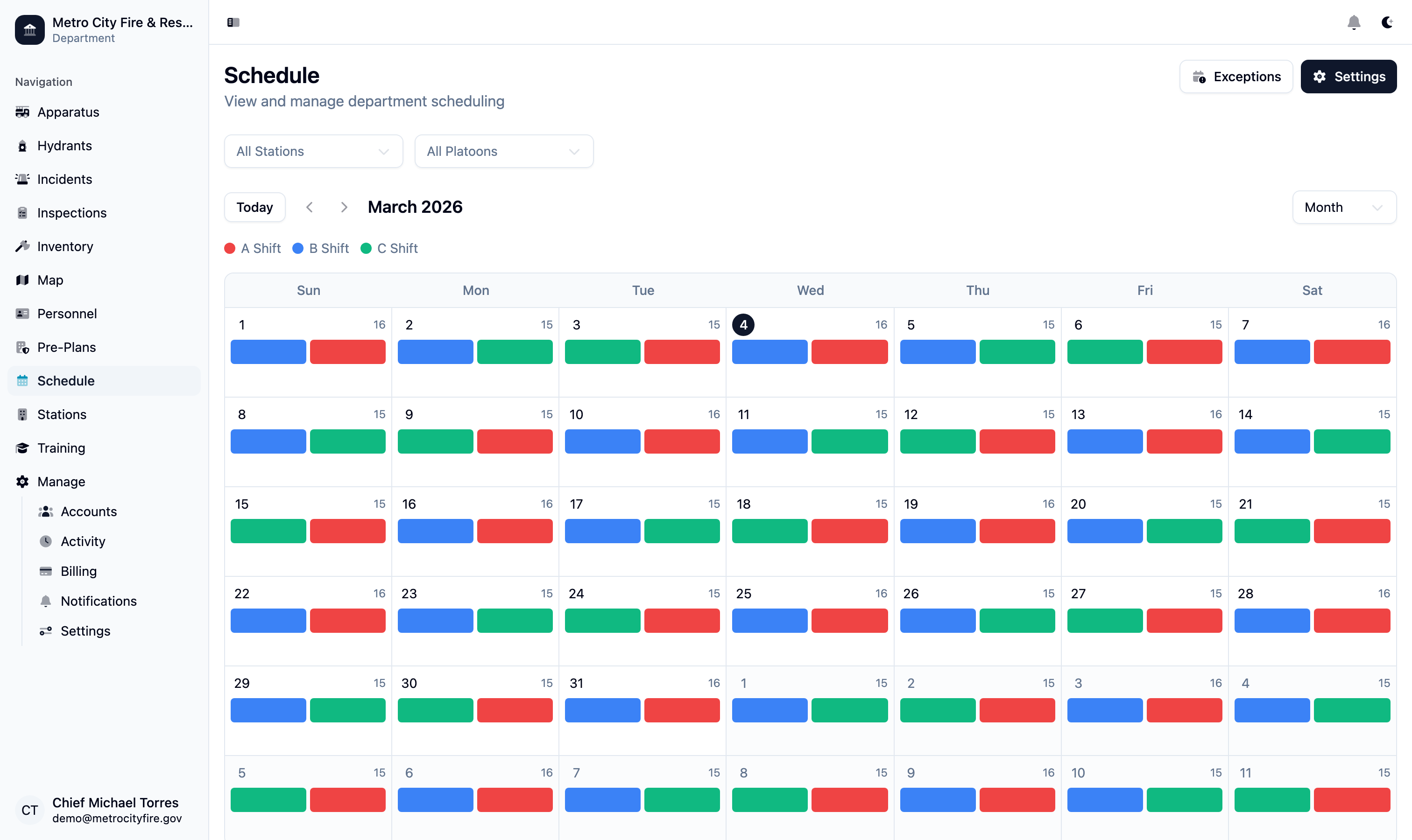
The monthly calendar view—see your entire department's schedule at a glance with shift assignments across the month.
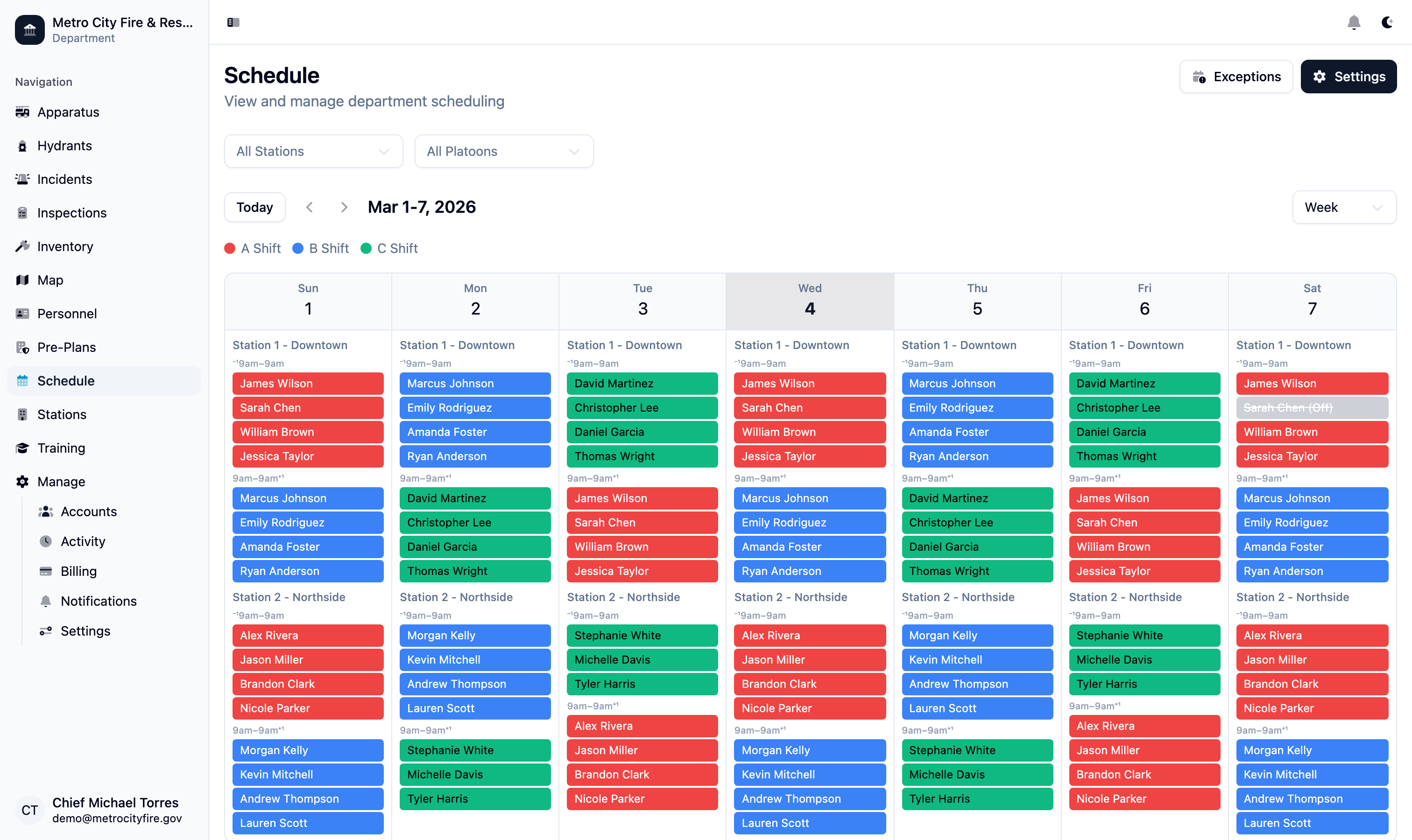
The weekly view drills into individual day assignments, showing exactly who is working each shift.
Assign Personnel to Positions
The shift assignments panel lets you place personnel into specific positions for each shift. Assign members to apparatus positions—driver, officer, firefighter—and track minimum staffing requirements across your stations.
Assignments pull directly from your personnel roster. When someone is reassigned or calls in, updating the schedule takes seconds. The system tracks who filled each position so you have a complete record of staffing for every shift.
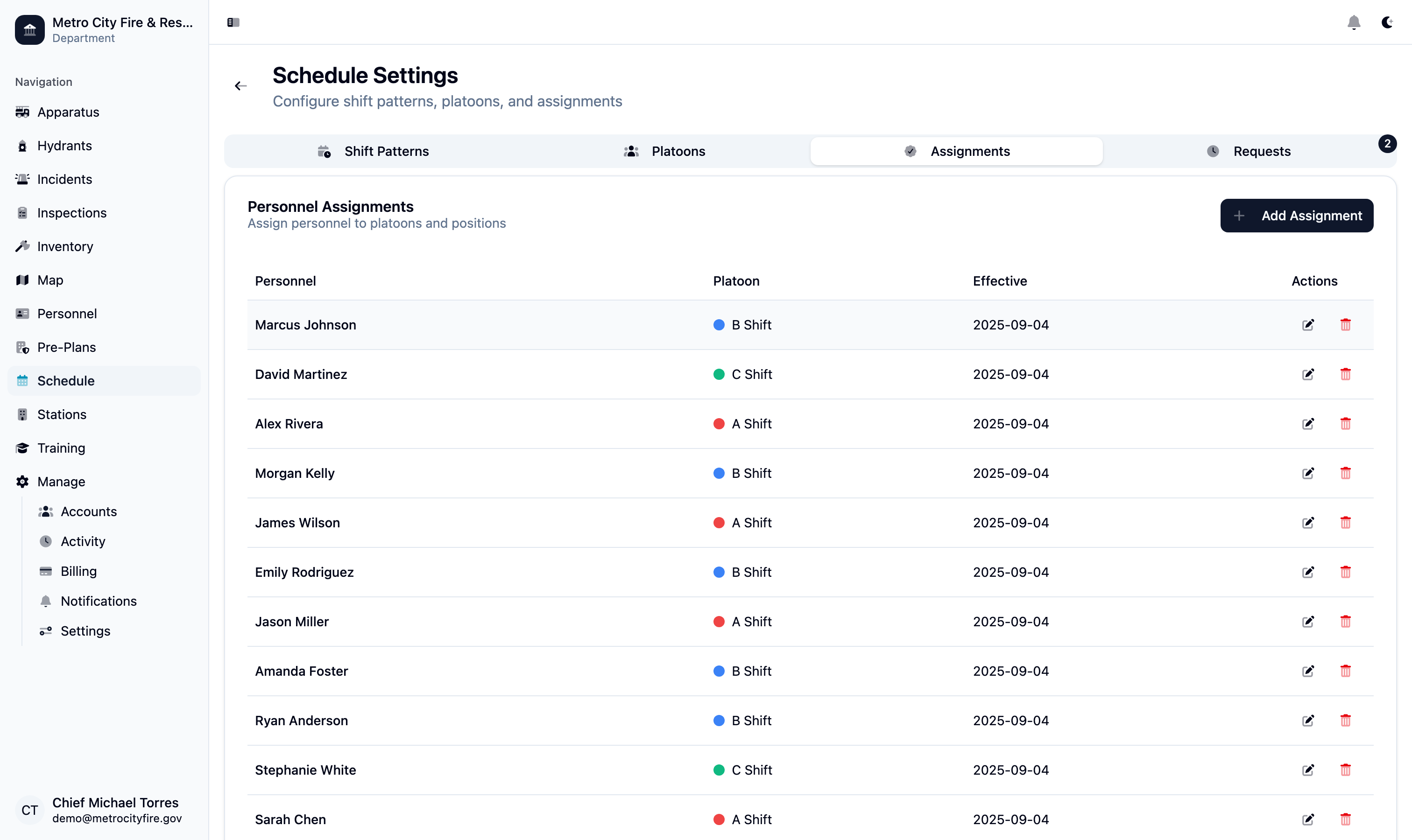
The shift assignments panel—place personnel into specific positions and track staffing levels for each shift.
Manage Platoons and Rotation Patterns
Define platoon groups that match how your department organizes its workforce. Command Established supports configurable shift rotation patterns—24/48, Kelly, or any custom cycle that fits your department's schedule.
Once your platoons and rotation patterns are configured, the schedule is generated automatically. Each member is assigned to a platoon, and the system populates shifts accordingly. Changes to the pattern propagate forward automatically.
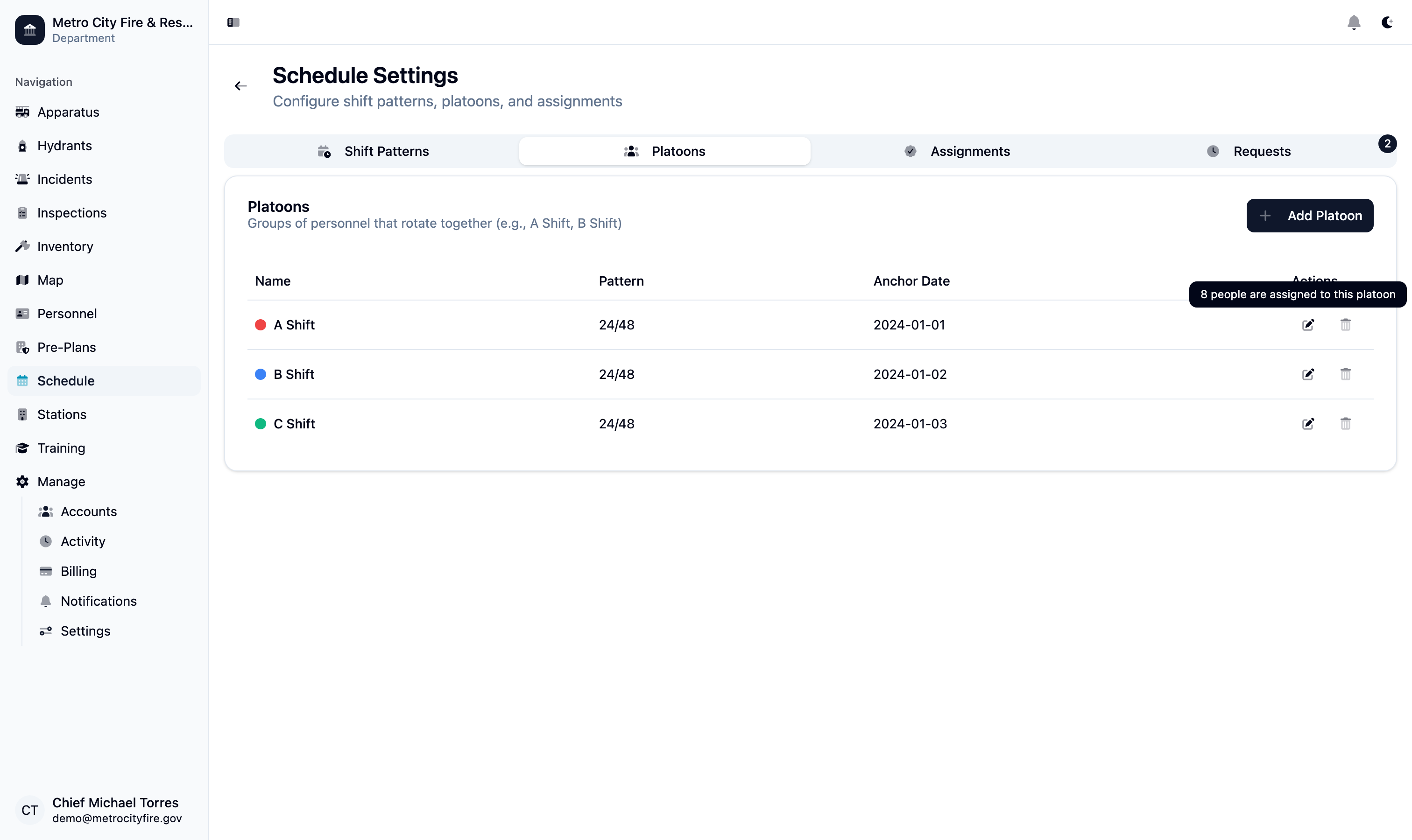
Platoon configuration—define your shift groups and rotation pattern once, and the schedule is populated automatically.
Handle Time-Off and Schedule Exceptions
Personnel can submit time-off requests directly in Command Established, and officers can approve or deny them from the same screen. Approved requests automatically update the schedule so the gap is visible immediately.
Schedule exceptions—trades, overtime, and special assignments—are tracked separately from the base rotation so your records accurately reflect who actually worked each shift. The exception log is always available for payroll and reporting.
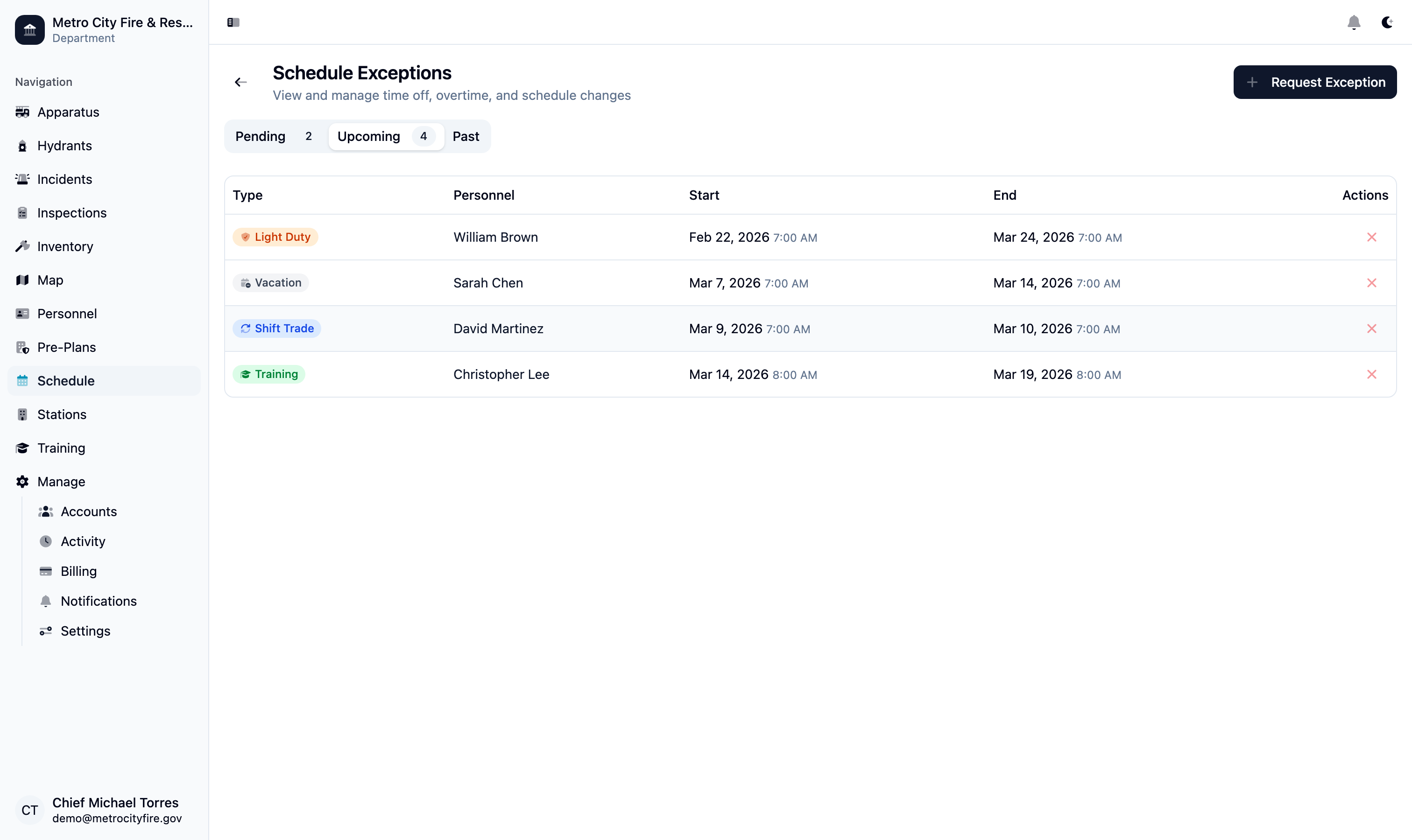
The time-off requests panel—personnel submit requests, officers approve or deny, and the schedule updates automatically.
Staff Duty Crews Without the Phone Tree
Volunteer and combination departments run on duty crews as much as rotations. Set up a recurring shift—weekend nights at Station 2, say—or a one-off like storm coverage, with as many seats as you want or no cap at all, and a minimum below which officers get an alert.
Pick how each crew fills. First-come lets members sign themselves up from the calendar, the dashboard, or a phone. Officer-assigned lets members ask for a shift and a duty officer pick the crew. The officer sees everyone who asked, in the order they asked, with their notes—then the rest of the roster grouped by rank, flagged when someone is already on a rotation shift, holding another duty seat, or on approved time off. Ticks save as they go; one button publishes a crew, or a whole week.
Members always know where they stand. Every shift shows their own conflicts before they commit, members who request a shift hear whether they were selected and how open seats can be filled, and anyone put on a crew acknowledges it with one tap. Someone who can't make it inside the cancellation window says why, and the officer is told right away.
Duty seats count toward staffing, show on the roster and the department calendar, and flow into payroll like any other shift.