
Policies & Procedures: Manage SOPs and SOGs in Bulk
Use bulk actions when a new officer takes responsibility for a group of policies, your department reorganizes its categories, or several policies are retired together. You can select SOPs and SOGs in the same list and apply an owner, category, or archive action to that selection.
Find and Select Policies
Open Policies & Procedures > SOPs & SOGs. The table lists each document's number, type, title, status, category, owner, audience, and next review date. Use the column filters to narrow the list by Type, Status, Category, Owner, or Audience.
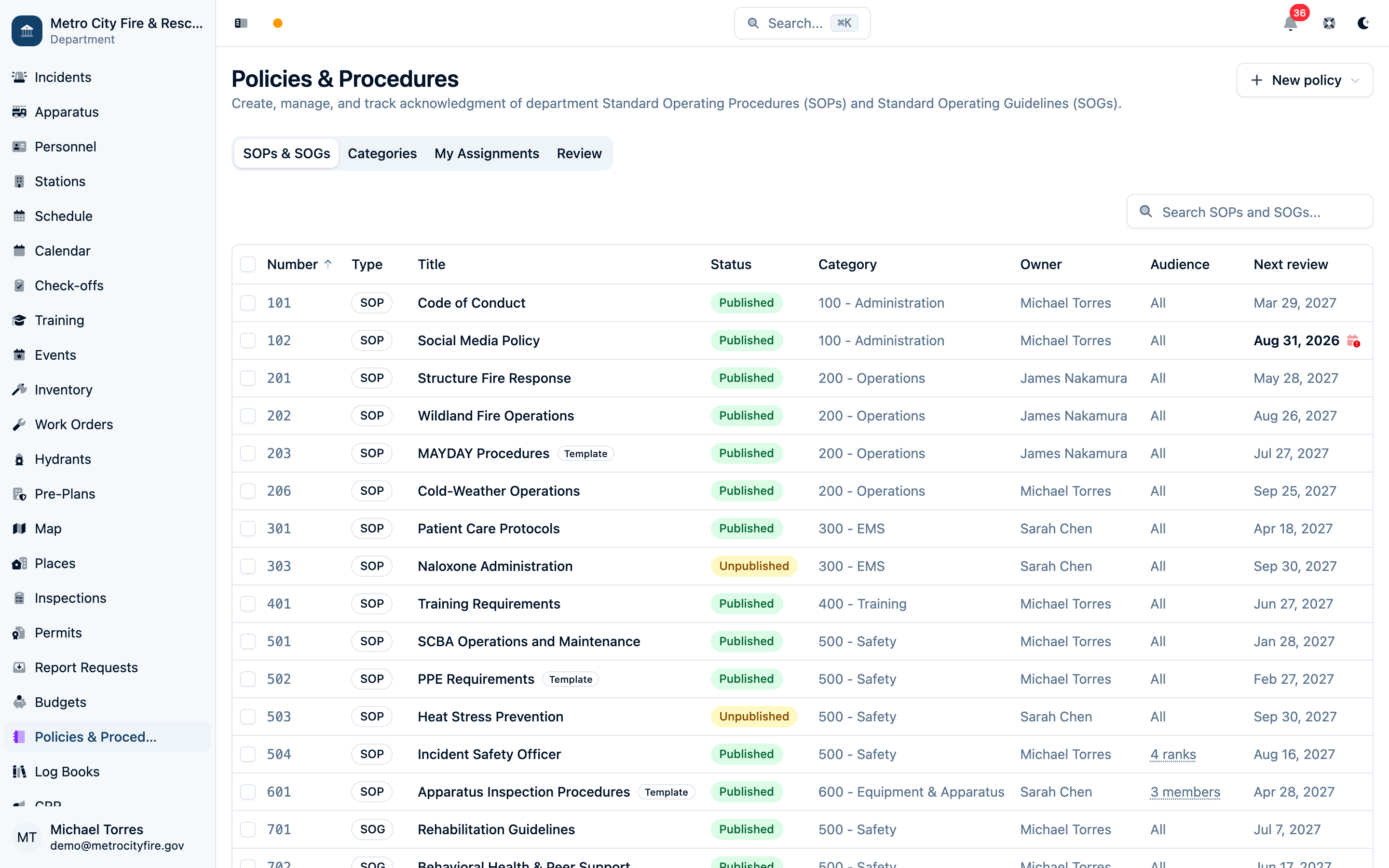
- Check the box beside each document you want to change. Clicking the title opens the document instead.
- To select every document on the current page, use the checkbox in the table header. You can move between pages and add more documents to your selection.
- Review the selected count in the toolbar at the bottom of the screen, then choose an action. Work in batches of up to 100 documents.
Actions apply only to selected documents that match the current search and filters, including matching selections on other pages. Check the count after narrowing the list. Use Clear selection (the × button) to start again.
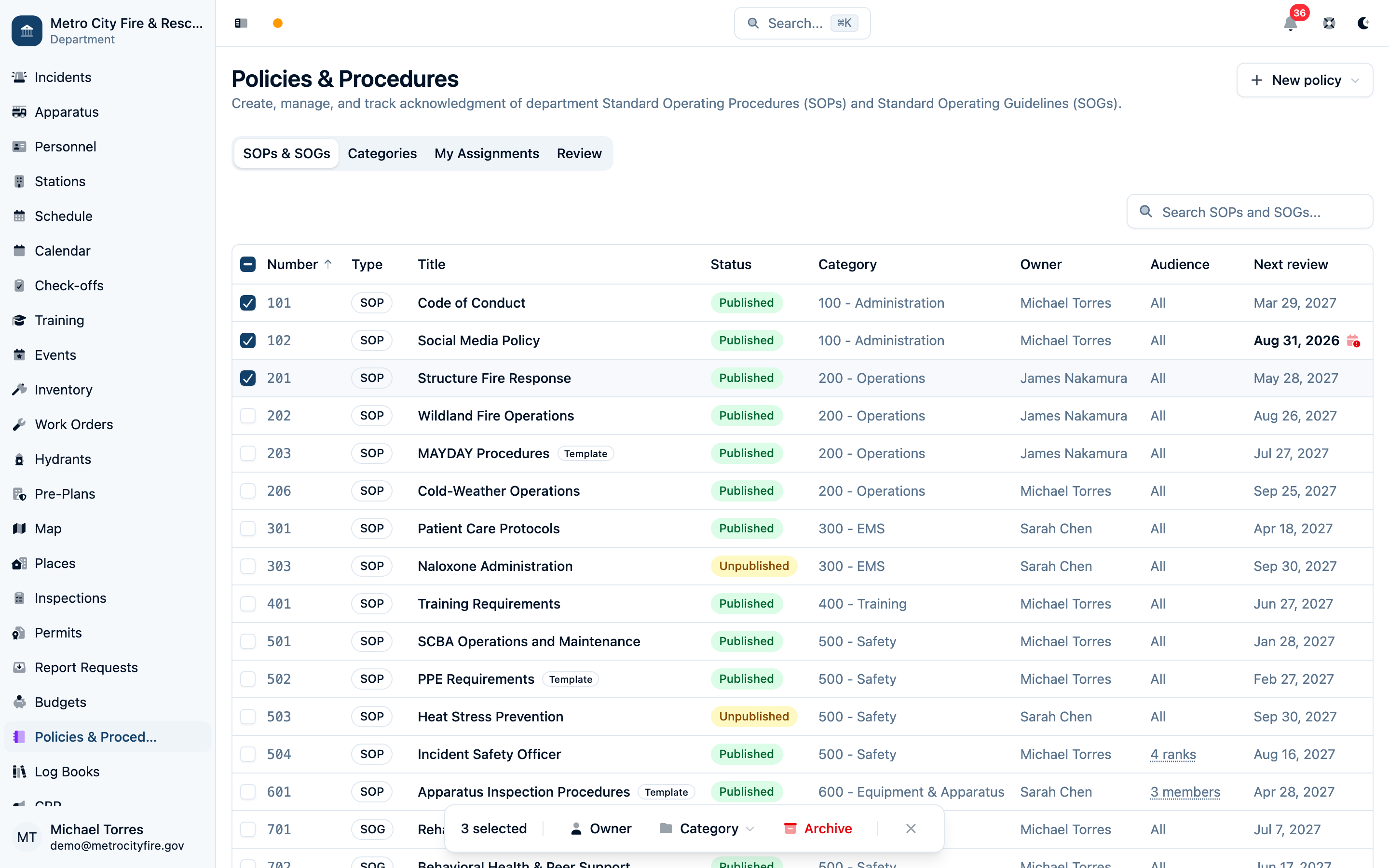
Reassign the Owner
- Select Owner in the toolbar.
- In Change Owner, choose an active department member under New owner.
- Select Reassign.
The selected member becomes responsible for each selected document and its review cycle. An owner must be selected; this action does not clear ownership.
Change the Category
Select Category, then choose an existing category. The change saves as soon as you choose it. Select Uncategorized to remove the current category from all selected documents.
Bulk updates cover owner and category. Open an individual policy to edit its title, number, audience, review cycle, or content.
Archive Retired Policies
Select Archive, review the document count in the confirmation, then select Archive with that count. Choose Keep to cancel.
Archiving removes those policies from the active library and cancels their pending acknowledgment assignments. An administrator can restore an archived document from the Activity Log.
Check the Result
Successful documents are deselected after an action. If some documents could not be updated, a message explains the first error and the failed documents remain selected so you can review them or retry. A failure on one document does not undo successful changes to the others.
If Bulk Actions Are Missing
Row checkboxes appear when you have permission to update or archive Policies & Procedures. Owner and Category require update permission; Archive requires archive permission. Ask a department administrator to review your Permissions & Groups if an action you need is unavailable.
For the wider authoring, approval, publishing, and acknowledgment workflow, see SOP & SOG Management.