
Know Every Building Before the Alarm Sounds
Command Established gives your department a complete pre-incident planning system—from documenting building construction and fire protection systems to mapping hazards and staging areas. Walk into every call with a plan.
All Your Pre-Plans in One Place
The Pre-Plans module gives you a centralized list of every pre-incident plan in your department—filtered by status, risk level, station assignment, and assignee. Active, draft, and needs-review plans are all visible at a glance so your department always knows which buildings are covered and which need attention.
Each plan is tied to a specific address and station. Summary cards at the top show total plans, active plans, those needing review, and drafts—so leadership can assess coverage without clicking into individual records. Search across all plans by name or address to find what you need instantly.
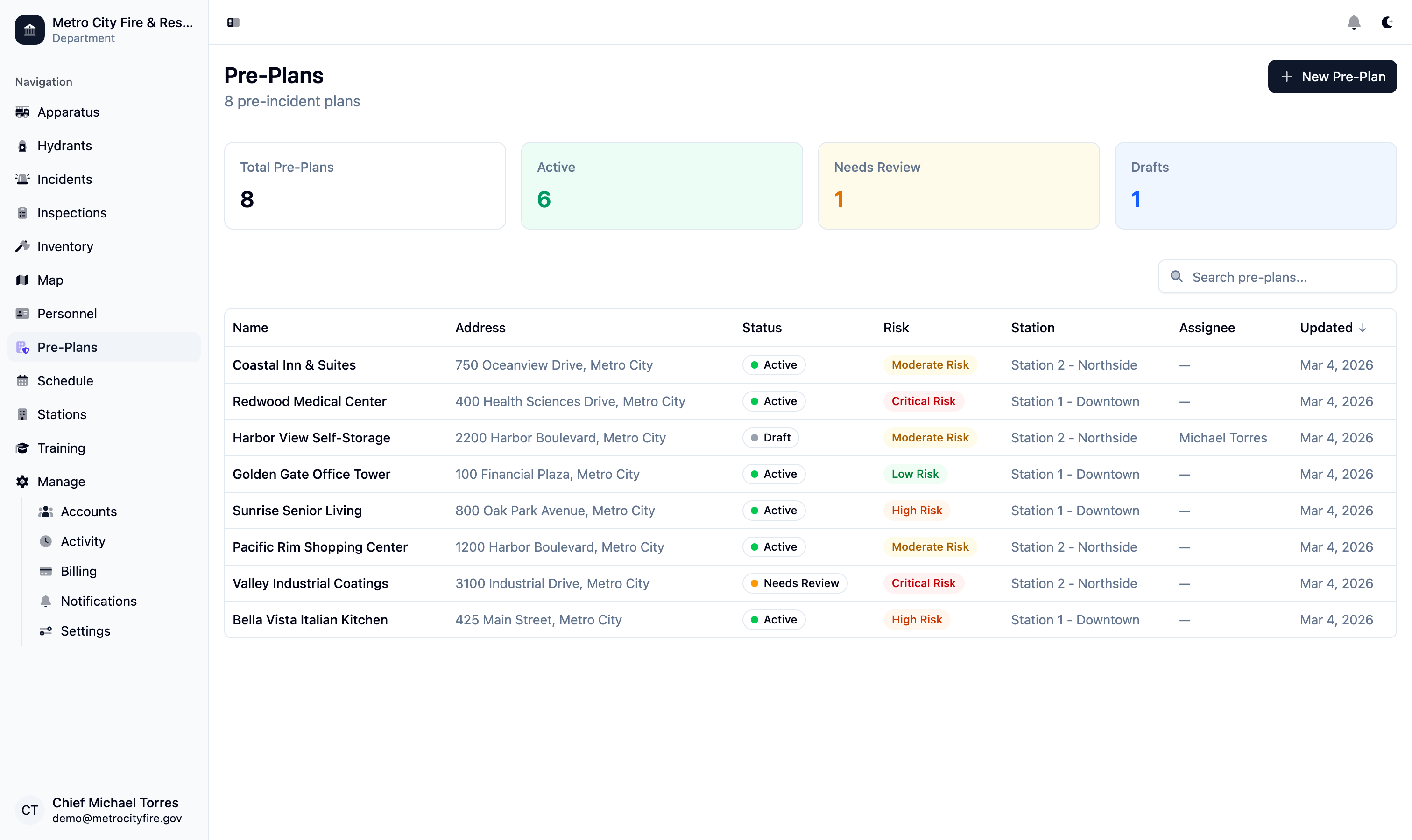
The pre-plans list view with status summary cards—see total, active, needs review, and draft counts at a glance.
Comprehensive Building Intelligence
Every pre-plan starts with thorough building documentation. Record the address, GPS coordinates, cross streets, access directions, construction type (NFPA 220 Types I through V), number of stories above and below grade, square footage, roof type and material, year built, and building condition—everything your crews need to size up a structure before arriving on scene.
Occupancy classification, occupant load, and station assignment are captured alongside the physical building data. Command Established shows the building location on an embedded map so you can verify coordinates and orient yourself to the surrounding area. The overview tab puts all critical building details on a single scrollable page—no hunting through separate forms or tabs.
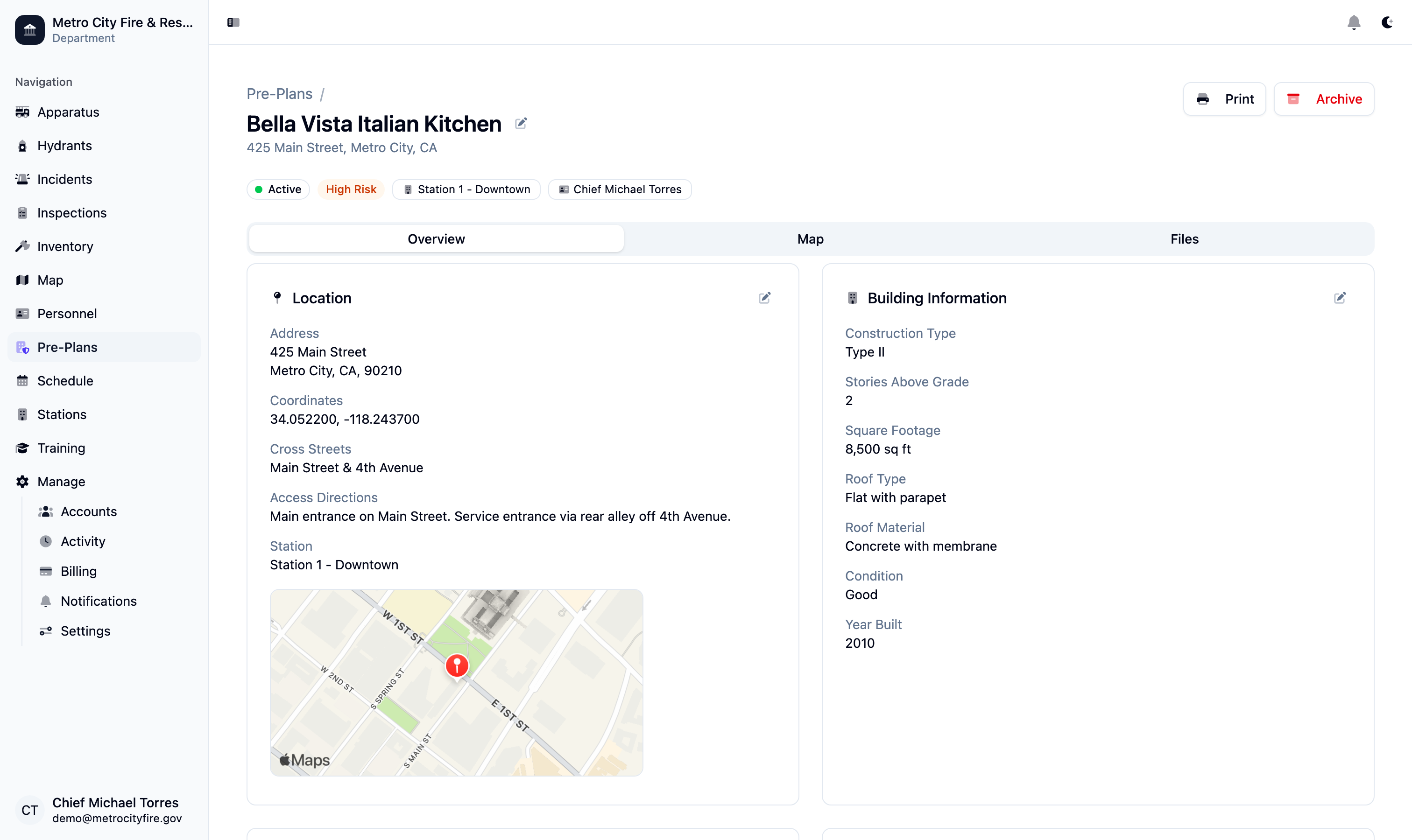
A pre-plan detail page showing location data, construction type, stories, square footage, roof type, and building condition—all on one overview tab.
Document Every Fire Protection System
Record the fire protection systems installed in each building—sprinkler type (wet, dry, deluge, or pre-action), standpipe class, fire alarm system, fire department connections, fire pumps, and suppression systems. Each system is documented with enough detail for crews to know what they're working with before they pull up.
Smoke control systems, knox box locations, gate codes, and utility shutoff points are all part of the pre-plan record. When your crew arrives at 2 AM, they shouldn't be searching for the FDC or guessing whether the building has a standpipe. Command Established puts that information one tap away on any device.
Interactive Tactical Maps with Fire Service Symbols
Every pre-plan includes a dedicated Map tab where you can draw building outlines, annotate hazard zones, and place standard fire service symbols directly on a satellite or street view. The drawing toolbar supports polygons for building footprints, lines for access routes, and point markers for FDCs, knox boxes, hazmat storage, electrical panels, and more.
Symbols are selected from a built-in library of recognized fire service icons so your annotations are immediately understandable to any firefighter. Add text labels to call out staging areas, evacuation routes, or tactical notes. Every change saves automatically—no separate publish step required. Your department's jurisdiction map shows the same points of interest you place here, so a POI added to a pre-plan map is also visible on the department-wide map view.
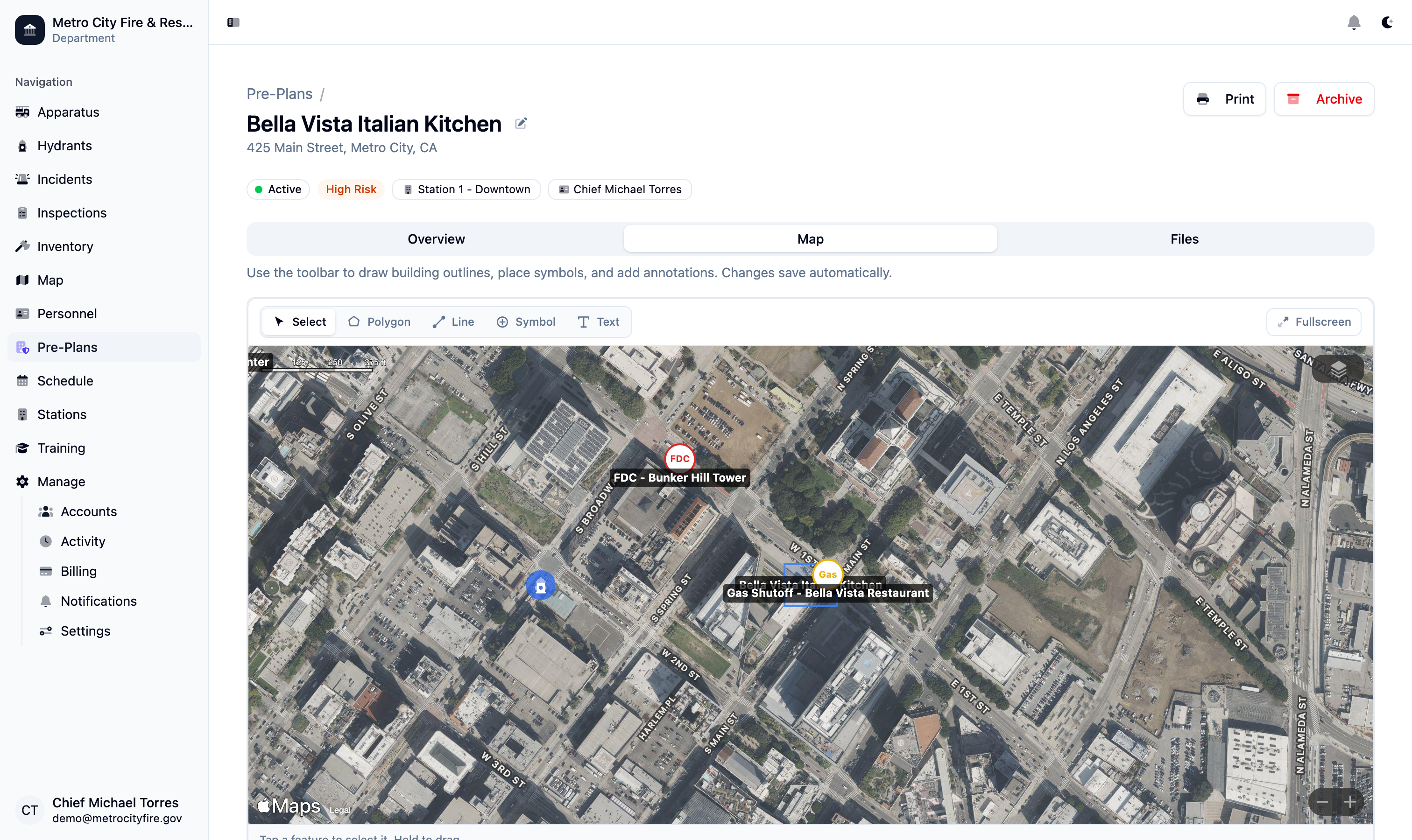
The pre-plan map tab with building annotations, fire service symbols, hazmat markers, and FDC locations—draw, label, and save in real time.
Nearby Hydrants Appear Automatically
When you open a pre-plan's map, every hydrant within one kilometer of the building is automatically overlaid on the view. Hydrants are color-coded by status—green for in-service, red for out-of-service, and yellow for under repair—so your crews can identify the nearest reliable water supply at a glance.
Hydrant data is pulled directly from your department's hydrant records in Command Established, so the overlay is always current. When a hydrant is marked out of service or a new one is added, the pre-plan map reflects the change immediately. Fire stations are also shown on the map for situational awareness. This integration means you maintain hydrant data in one place and every pre-plan benefits automatically.
Hazmat Tracking, Tactical Notes, and Emergency Contacts
Document hazardous materials stored on-site with material name, type, quantity, container type, storage location, and full NFPA 704 diamond ratings for health, flammability, instability, and special hazards. When your crew encounters a commercial building with chemical storage, the pre-plan tells them exactly what they're dealing with.
Tactical notes give you space for apparatus placement guidance, staging area instructions, evacuation routes, and any other information that doesn't fit a structured field. Add up to ten emergency contacts per plan—each with name, role, phone number, and email—so your officers can reach building management or facility engineers during an incident.
Attach Files, Photos, and Floor Plans
Every pre-plan has a Files tab that supports up to 30 attachments—upload floor plans, site photos, aerial images, PDF documents, or any file your crews might need. Images display in a gallery view with thumbnails; PDFs and documents are listed with file type badges for quick identification.
Drag and drop files directly onto the page or use the upload button. Attach photos of access points, FDC locations, utility shutoffs, or anything else that's easier to show than describe. Having visual references alongside your structured building data means your pre-plans are complete and practical—not just paperwork.
Schedule Reviews and Track Compliance
Pre-plans go stale if nobody reviews them. Command Established lets you assign each plan to a specific member of your department, set a review frequency, and track when reviews are due. Plans automatically move to "Needs Review" status when their next review date passes, so overdue plans surface on the list without manual tracking.
Every review is logged with who completed it and when, creating an audit trail that demonstrates your department's commitment to preparedness. Risk levels—Low, Moderate, High, and Critical—help you prioritize which buildings to review first. The status workflow (Draft, Active, Needs Review) keeps your entire pre-plan program organized from creation through ongoing maintenance.
Note: Pre-plans work best with maps and hydrants. Pre-incident plans don't exist in isolation. Points of interest you place on a pre-plan map appear on your department's jurisdiction-wide map, and hydrant data flows automatically into every pre-plan overlay. Explore Maps | Explore Hydrant Management
Share Pre-Plans with Mutual-Aid Partners
A pre-plan is only useful to the crew that shows up, and on a mutual-aid call that's often someone else's crew. Mutual aid data sharing gives a neighboring department live, read-only access to your active pre-plans — gate codes and Knox box locations included — matched automatically to their incidents. Exclude any individual plan with one checkbox, and end the agreement whenever you choose.