
Keep Your Equipment Mission-Ready
Command Established gives your department a complete maintenance workflow—from logging a repair to tracking costs and closing it out. Work Orders is its own module in the app, so every task is a click away. Link a work order to any apparatus, station, inventory item, pre-plan, SOP, hydrant, or fire code inspection, and manage it all with drag-and-drop boards, a shared calendar, recurring schedules, and full audit trails.
Pro tip: Spot something that needs fixing while you're anywhere else in the app? Press Cmd+J (Mac) or Ctrl+J (Windows) to create a work order from any screen—"J" for job.
See Every Task at a Glance
The work orders board organizes tasks into columns by status—Pending, In Progress, and Completed. Drag and drop cards between columns to update status instantly. Each card shows the title, priority, category, linked asset, and due date so you can scan the board and know exactly what needs attention.
Filter by priority, category, or assignee to focus on what matters. Switch between three views without leaving the page: the board for status at a glance, a sortable list, and the recurring schedules that keep routine maintenance on track.
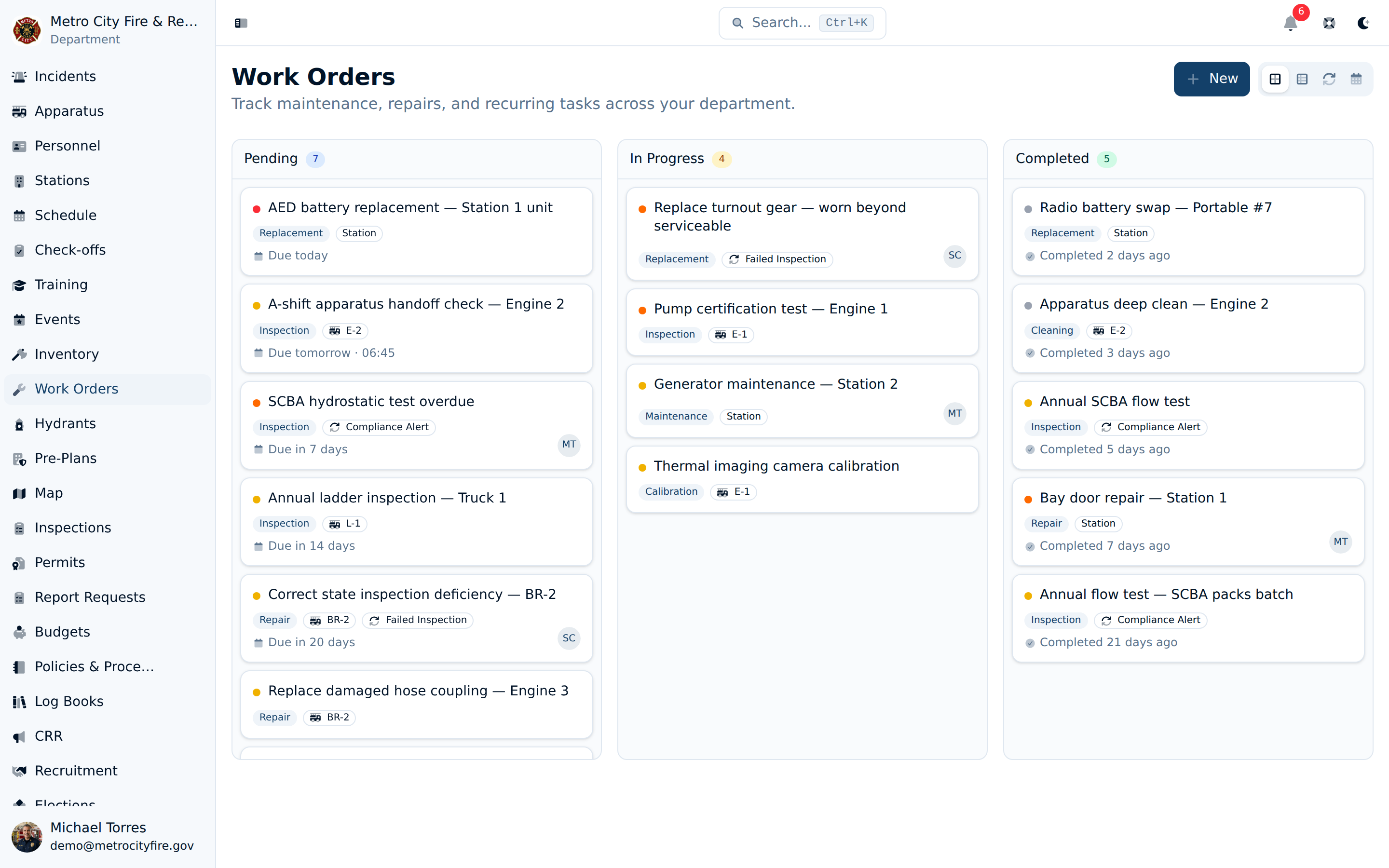
The work orders kanban board with tasks organized by status—drag and drop to update, filter by priority or category, or switch to list and recurring views.
Your Whole Department on One Calendar
The Calendar is its own module in the sidebar, and it pulls in far more than work orders—recurring maintenance, inspections, apparatus and hydrant due dates, and SOP and pre-plan reviews all appear as color-coded layers you can toggle on and off. Work order due dates sit right alongside every other department deadline; drag a task to a new day to reschedule it, or click an open day to add one. Select any day to see its full agenda.
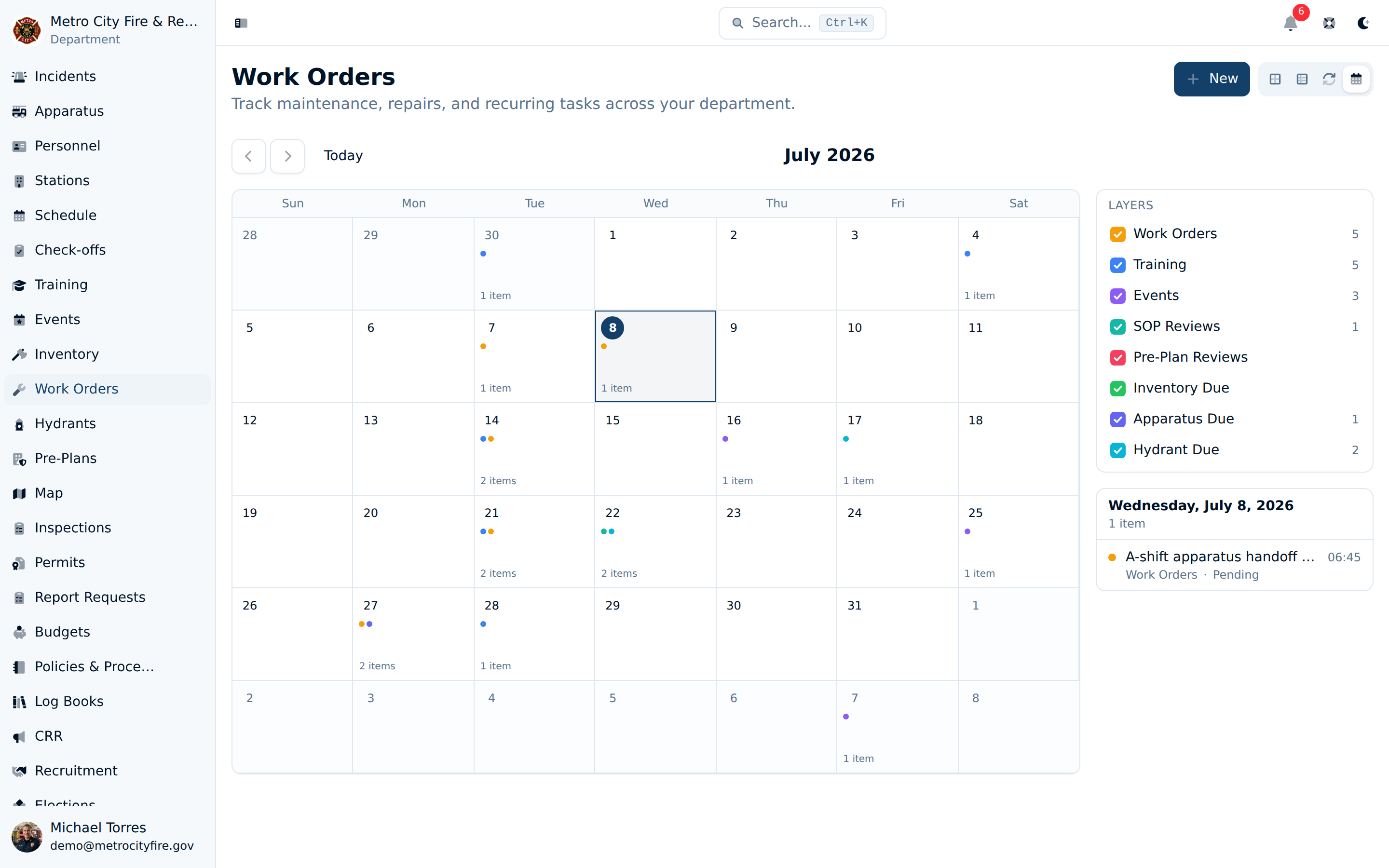
The department calendar with color-coded layers—select a day to see everything due, from work orders to inspections and reviews.
Everything About a Task in One Place
Click any work order to open the detail panel. You'll see the full description, a status workflow you can advance with one tap, priority, category, assignee, and due date. Leave comments to coordinate with your crew, update the status as work progresses, and attach before-and-after photos to document the job.
When a task is tied to an asset, its linked item sits front and center—jump straight to the engine, station, hydrant, or pre-plan it belongs to. Record the outside vendor with a name, contact, and reference number, and track labor hours, parts costs, and vendor charges so you know exactly what each repair costs your department. When a work order is linked to a budget, expenses flow through automatically—no double entry.
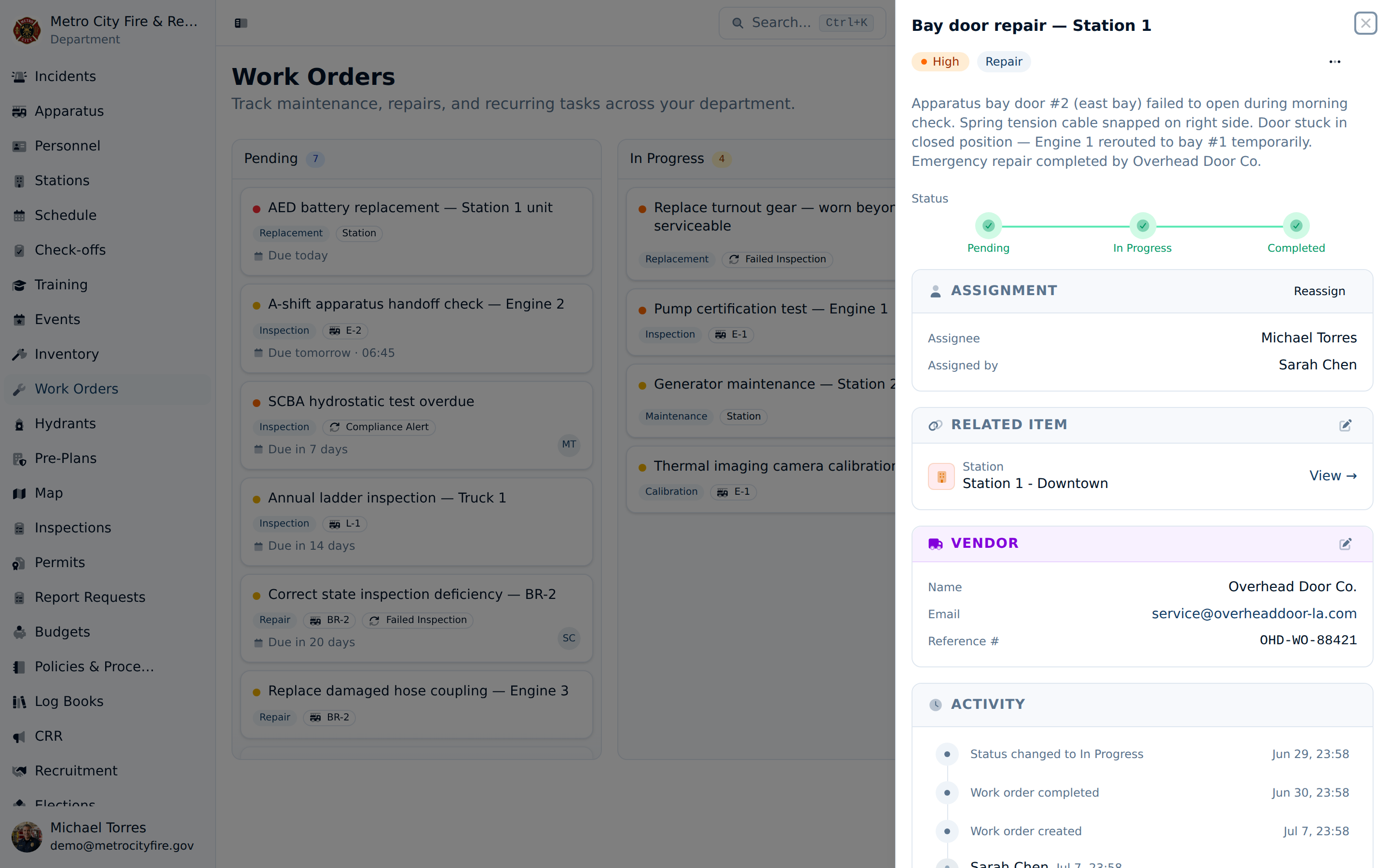
The work order detail panel showing the status workflow, assignment, the linked asset, vendor and cost tracking, and a full activity feed.
Built for Fire Department Maintenance
- Recurring Schedules — Set up recurring work orders for routine maintenance—pump tests, SCBA inspections, hose testing, bay door servicing. Work orders are created automatically on schedule so nothing falls through the cracks.
- Link to Any Asset — Attach a work order to an apparatus, station, inventory item, pre-plan, SOP, hydrant, or fire code inspection. Each of those records shows its own work orders, so your crew sees what's outstanding right from the engine, station, or hydrant they're looking at—and can start a new work order from that record, already linked.
- Created From What You Find — When an inspection fails, a compliance alert fires, or a check-off turns up a deficiency, spin up a work order in one click—pre-filled and linked back to the record that triggered it—so nothing slips between the report and the repair.
- Priority & Categories — Assign priority levels (low, medium, high, critical) and categories (inspection, maintenance, repair, replacement, calibration, cleaning) to keep tasks organized and triaged.
- Cost & Vendor Tracking — Record labor hours, parts costs, vendor charges, and a vendor reference number on every work order. Link expenses to your department budget so maintenance costs are tracked alongside all other spending.
- Dashboard Widgets — Put work orders on your customizable home dashboard: your own open assignments, a department-wide status overview with priority breakdown and overdue flags, and average turnaround time by category.
Never Miss a Maintenance Task
Work order watchers receive notifications when tasks change status or receive new comments. Overdue work orders are flagged automatically, and the calendar view keeps upcoming due dates in plain sight so your crew stays on top of critical maintenance. Add the work order widgets to your dashboard and your open assignments greet you the moment you sign in. Combined with recurring schedules, your department's preventive maintenance program runs itself.
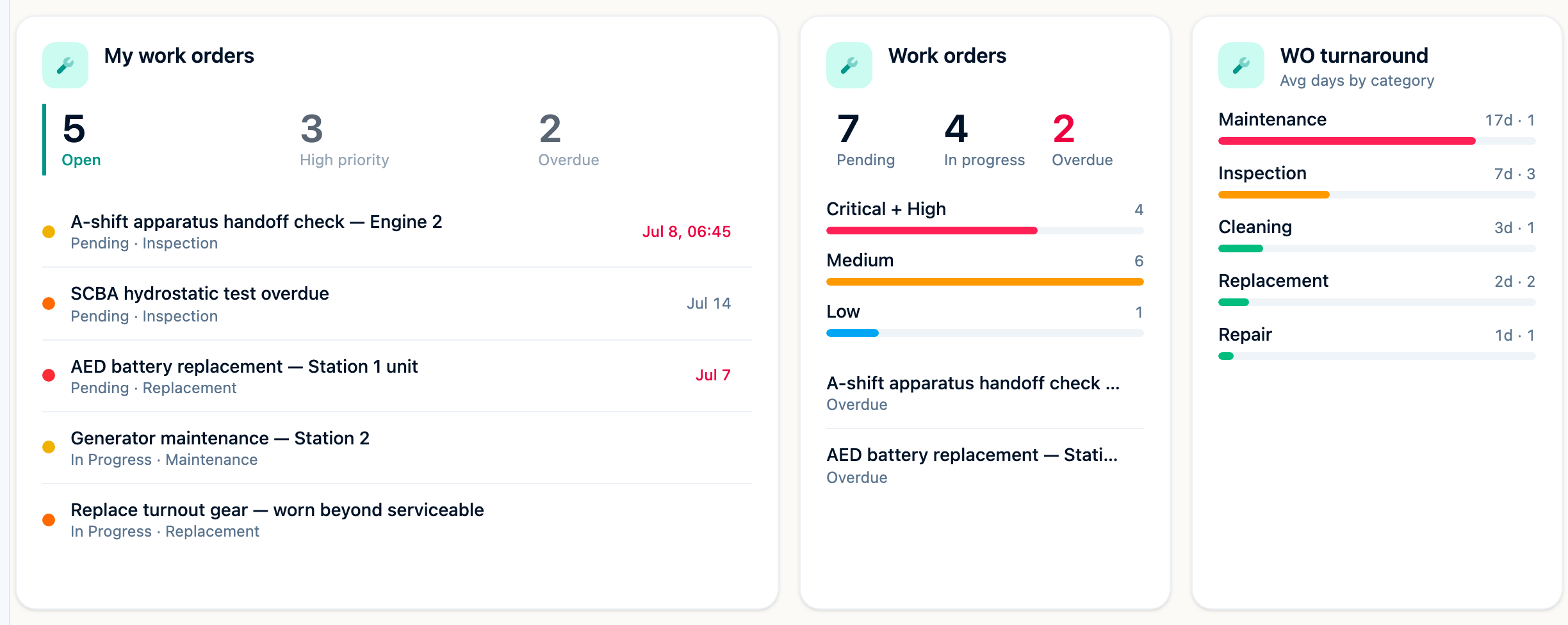
The work order dashboard widgets — your open assignments with overdue flags, department-wide status at a glance, and average turnaround by category.