
Take Fire Report Requests Online — and Get the Front Desk's Day Back
Every department fields the same calls: a homeowner who needs the report for an insurance claim, an adjuster chasing a subrogation file, an attorney's office requesting records for litigation. Today that means phone tag, emailed PDFs, a shoebox of checks, and a records clerk who can never quite say where any given request stands. Command Established turns the whole thing into a branded online portal: requesters submit, verify, pay, and download — and your clerk works one organized queue from start to finish.
A Public Portal Built for the People Who Actually Ask
Your department gets a public, mobile-friendly request page at your own portal address — no login, available around the clock. The form opens by asking who is requesting: a property owner or resident, an insurance adjuster, an attorney, or someone else (media, government, a title company). From there it collects contact information and the incident details the requester actually knows — a date, an address, maybe an old incident number — instead of demanding an internal record number no citizen has.
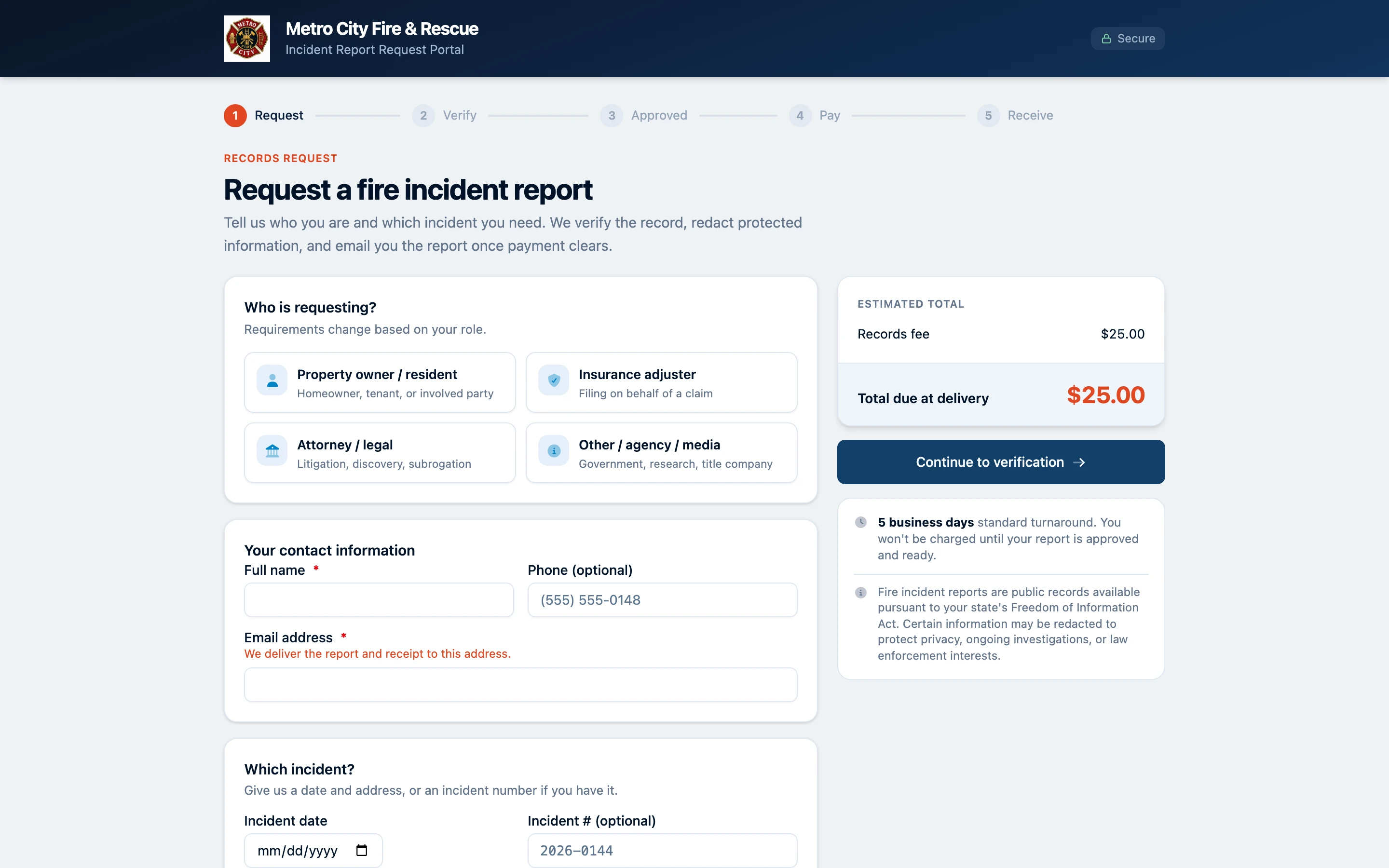
The public request page — a clean, branded form that asks who's requesting and adapts to what they need to provide.
Collect the Right Documents the First Time
Different requesters owe you different things, and the form knows it. The required-documents step changes based on who's asking:
- Property owners / residents — a simple request; photo ID optional
- Insurance adjusters — claim number and a letter of representation
- Attorneys — notarized authorization, a release of information, and a state bar number
- Other requesters — a statement of purpose establishing their interest in the records
Requesters upload supporting files right in the form, tagged to the requirement they satisfy. Your clerk stops playing email tag to chase a missing letter of rep — the request arrives complete, or it doesn't get submitted.
Fees and Delivery Options, Shown Up Front
No surprises, no awkward "that'll be twenty-five dollars" phone call. The form shows a live, itemized estimate as the requester builds it: the base report fee, an optional certified copy surcharge, an optional rush (expedited turnaround) fee, and the card-processing fee. Your department sets every price and your published turnaround time; the requester sees the total before they ever hit submit. The fees are snapshotted onto the request at submission, so changing your price list later never rewrites an old request's total.
Email Verification Keeps the Junk Out
Before a request ever reaches your clerk, the requester has to verify their email address by clicking a link. Unverified requests stay out of the staff queue entirely and are swept automatically if they're never confirmed — so spam and fat-fingered addresses never become your problem.
Requesters Can Check Status Any Time — Without Calling You
Each requester gets a private link to a live status page. A progress rail walks them through exactly where things stand — verify, under review, approved, pay, receive — with a timeline of what's happened and a clear fee summary. When the request is approved, they pay online right from that page; once it's delivered, they download the report there too. The phone stops ringing with "is it ready yet?"
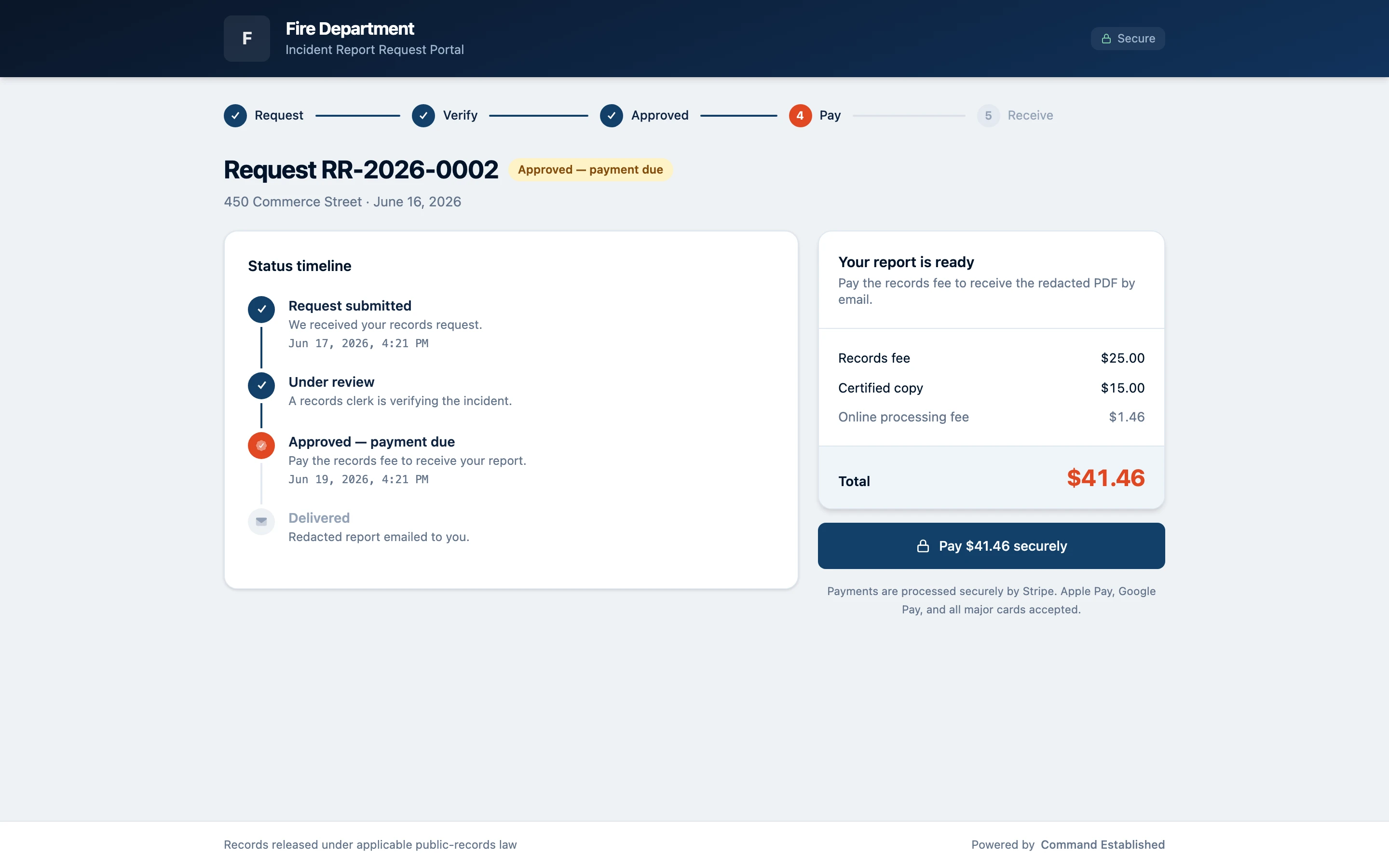
The requester's status page — progress rail, timeline, and a secure online payment for an approved request.
Work the Queue Like a Records Pro
On the staff side, every request lands on one board. Drag a request across a Kanban of statuses — awaiting verification, under review, approved, delivered, rejected — or switch to a sortable, filterable table. Filter by status, requester role, or assigned reviewer, assign requests to the right clerk, and see at a glance how many are open.
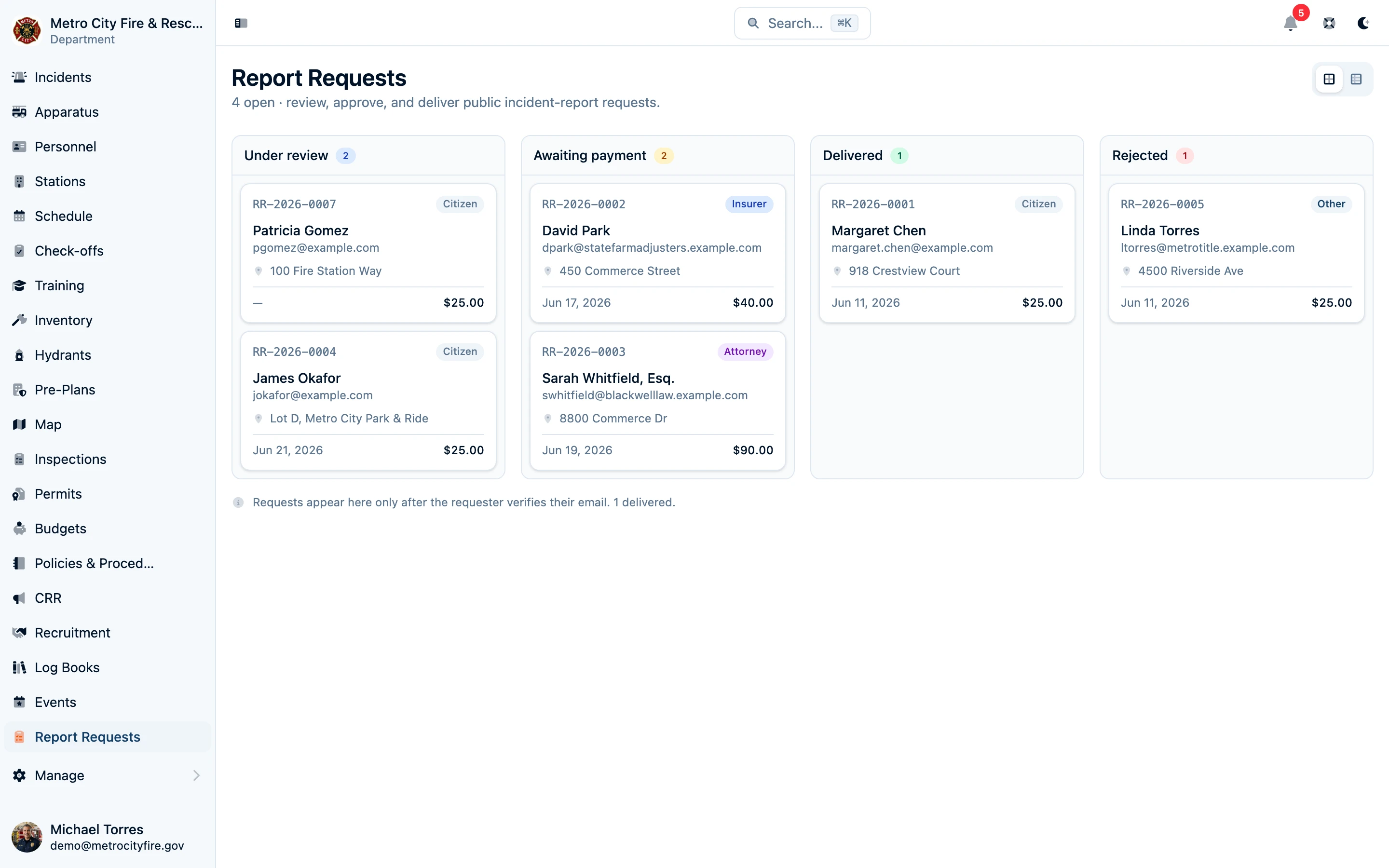
The records clerk's queue — a status board (or table) showing every request and who's working it.
Match, Review, Approve — or Reject With a Reason
Open a request and everything's in one place. Because requesters describe the incident in plain language, Command Established surfaces ranked suggestions of matching incident records — scored by incident number, date proximity, and address similarity — so your clerk links the request to the right run with a click instead of digging through the log. From there they can:
- Review the requester's uploaded documents against the requirements for their role
- Approve the request — which generates an invoice and emails the requester a payment link with the fee breakdown
- Reject it with a reason that's shown to the requester (and an optional internal note)
- Record payment online via card or manually (cash, check, wire, ACH) for walk-ins and mailed checks
- Deliver an automatically prepared, public-release redacted report — and upload a manually redacted version when a record needs extra care
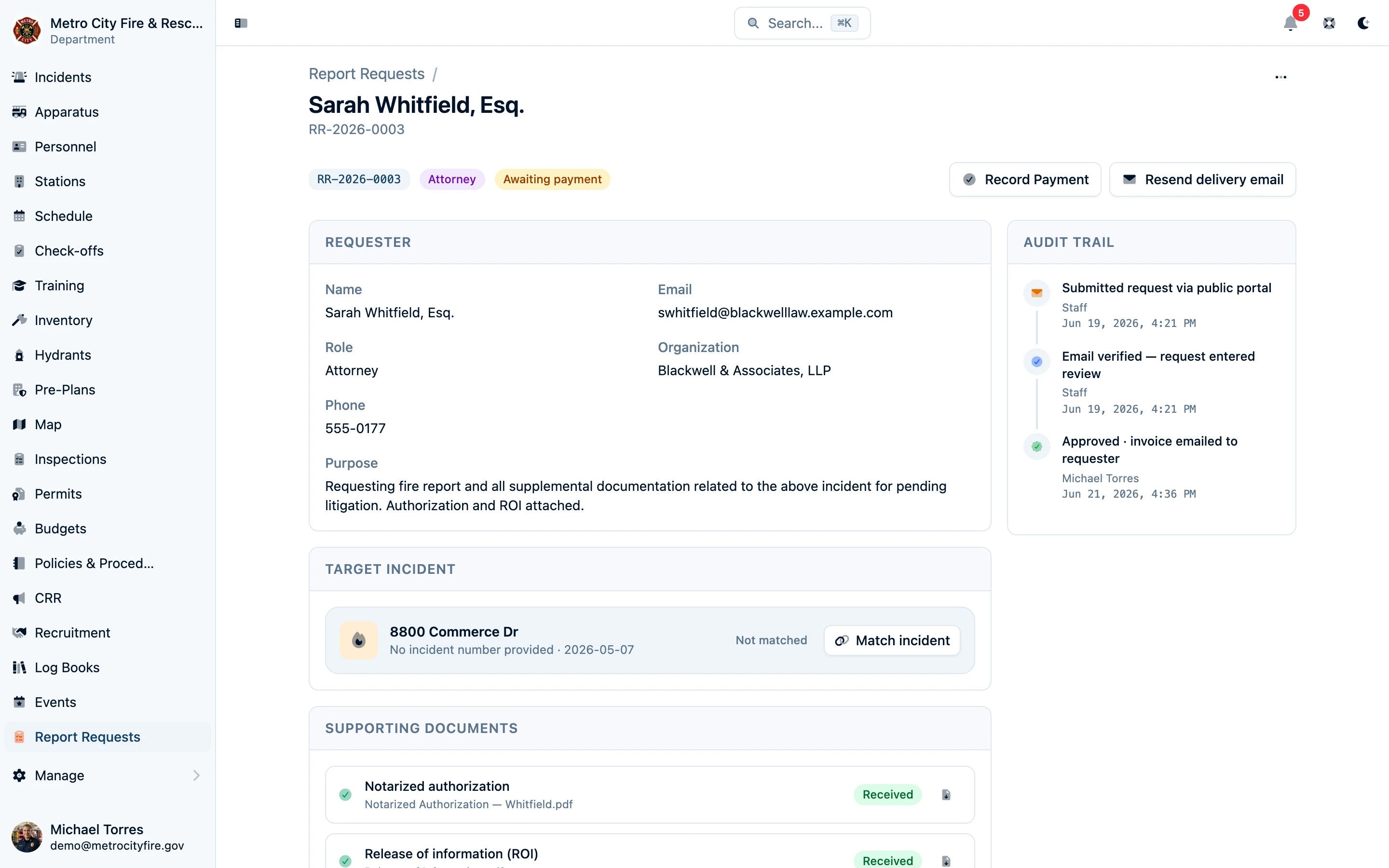
A request detail — matched-incident suggestions, the document checklist, fee summary, and one-click approve, reject, or record-payment actions.
Everything On the Record
Public records work has to be defensible, so Command Established keeps the receipts:
- Full status history — every change of state, who made it, and when, captured on each request.
- Frozen fee snapshot — the amount a requester was quoted is preserved on the request, even if pricing changes later.
- Archive, don't delete — completed and closed requests stay on file for audit and reporting.
- Clear attribution — staff actions are tied to the clerk who took them; public submissions are recorded as portal applications.
Ready to Open Your Records Window?
Command Established report requests are part of the platform — turn the module on, set your fees, and share your public link. Start a free trial — no credit card required — and take your first online request today.