
Permits Made Simple for Fire Departments
Command Established gives your department a complete permit system — from online applications to fee collection to approval tracking. No more paper forms, lost applications, or chasing down payments. Everything your department needs to manage permits, nothing it doesn't.
One Place for Every Permit
The Permits module gives you a centralized view of every permit your department manages — burn permits, fire safety permits, special event permits, pyrotechnics permits, and any custom permit type your jurisdiction requires. Filter by status, type, or date to find exactly what you need.
Each permit record captures the applicant's information, permit type, associated fees, inspection results, approval status, and the complete history of every action taken. When a permit is approved, denied, or expired, the record is preserved for compliance history and reporting.
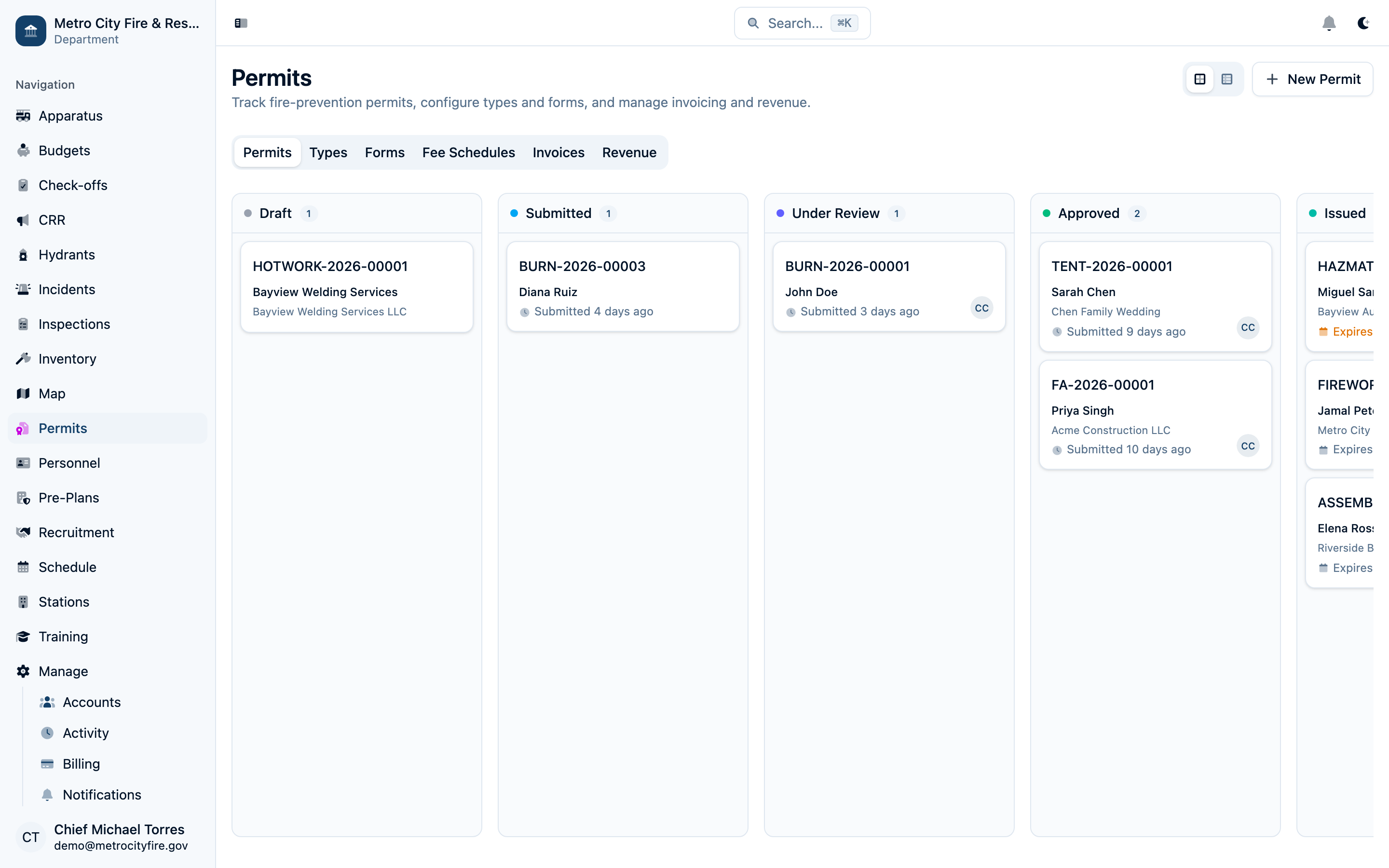
The permits hub with Kanban and list views — see what's pending review, approved, denied, or expired at a glance.
Define Your Permit Types and Fee Schedules
Every department has different permit requirements. Command Established lets you define the permit types your jurisdiction uses — each with its own description, category, required fields, and associated fee schedule.
Fee schedules let you set flat fees, variable fees based on the scope of work, or tiered pricing for different permit categories. When a permit is approved, the system automatically generates an invoice based on the fee schedule — no manual calculations or spreadsheets needed.
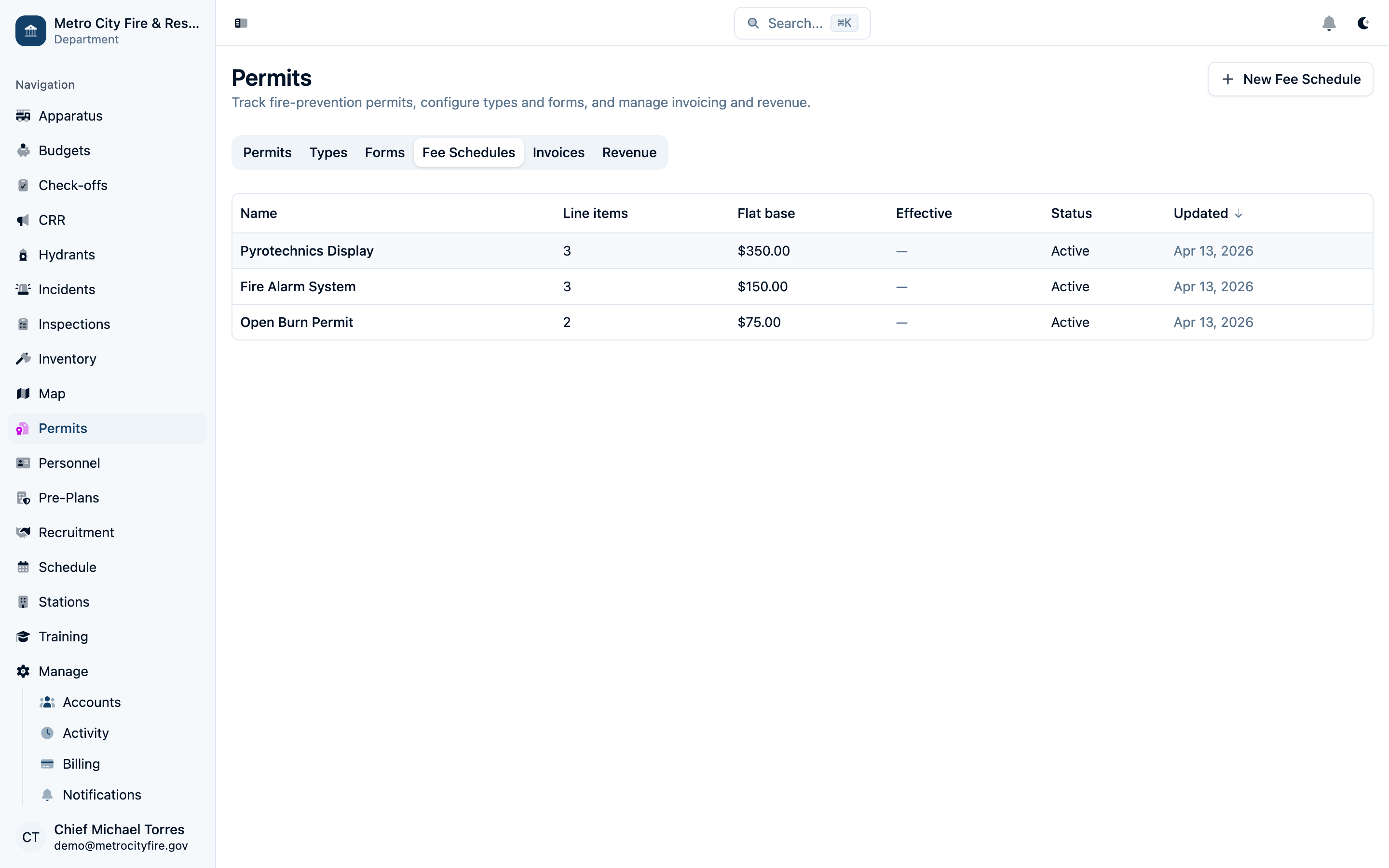
Set up fee schedules with flat or variable pricing — invoices are generated automatically when permits are approved.
Accept Applications Online
Build custom permit application forms for each permit type and publish them to your department's public portal. Applicants fill out the form from any device — no login required — and their application is submitted directly into your queue for review.
Each form is fully customizable: add text fields, dropdowns, checkboxes, file uploads, date pickers, and conditional sections that appear based on previous answers. You define exactly what information your department needs to review an application.
When an application is submitted, your team is notified and the permit appears in the Permits list ready for review. The applicant receives a confirmation email with a reference number they can use to check the status of their application.
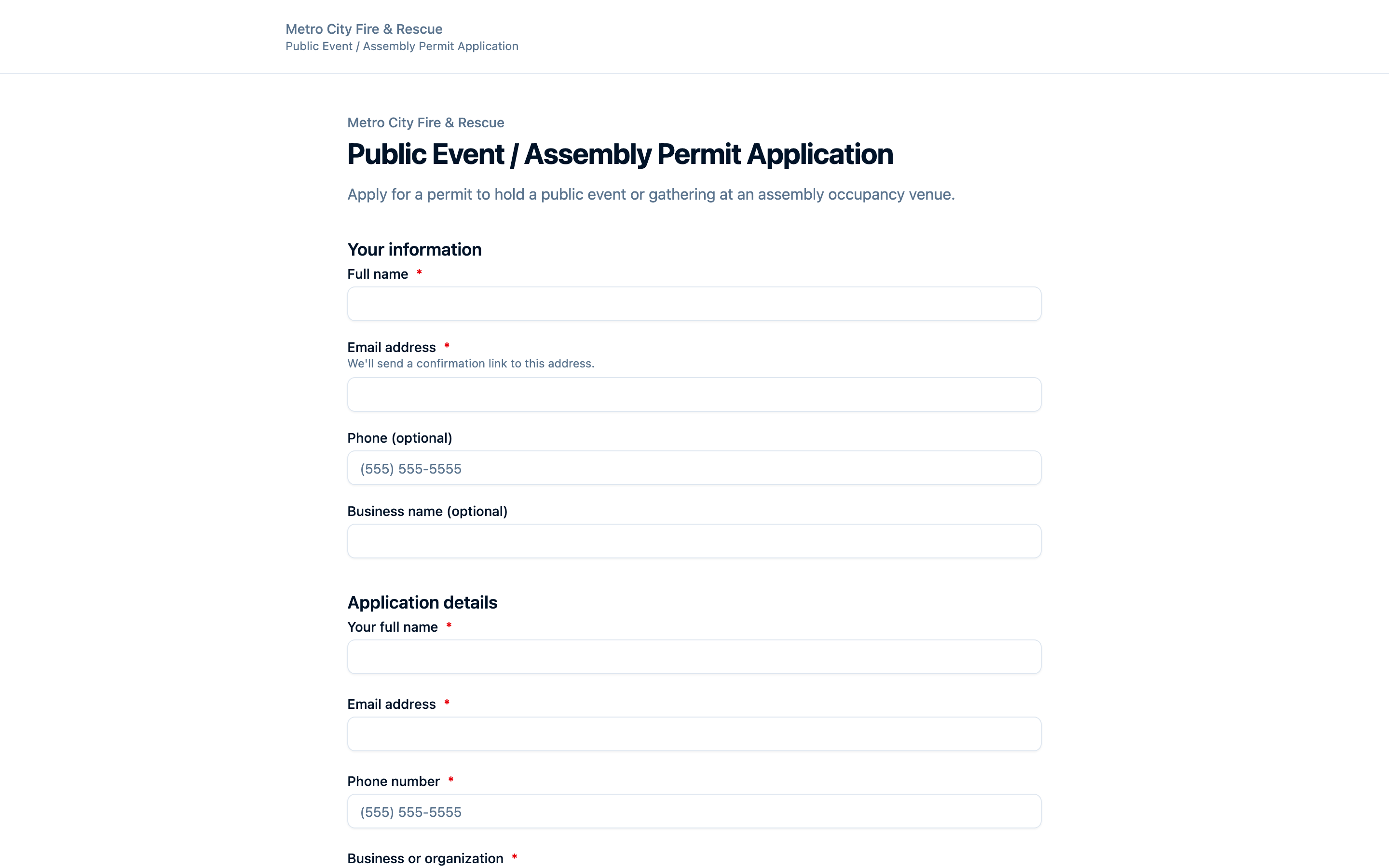
A public-facing permit application form — fully customizable, no login required for applicants.
Review, Approve, and Collect Payment
When a permit application comes in, your team reviews the details, adds internal notes, and makes a decision — approve, deny, or request additional information from the applicant.
Approving a permit with an associated fee schedule automatically generates an invoice and sends the applicant a payment link via email. Applicants pay online with a credit card, debit card, or ACH bank transfer through Stripe — funds go directly to your department's bank account.
The entire approval workflow is tracked: who reviewed the application, when it was approved, what fees were assessed, and when payment was received. Every action is logged in the permit's activity feed for a complete audit trail.
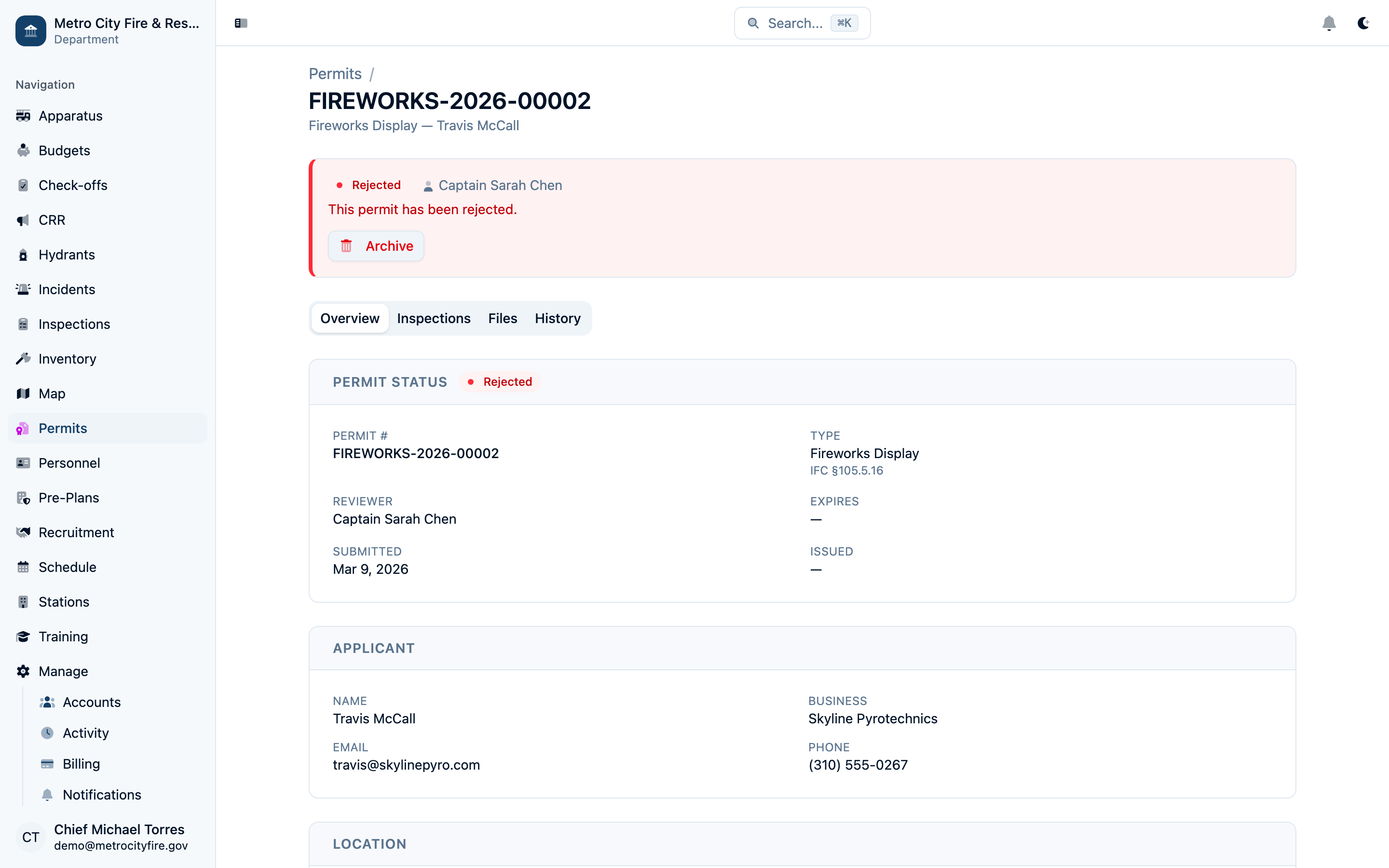
A permit detail view showing applicant info, approval status, attached invoice, and payment history.
Track Revenue and Outstanding Invoices
The Invoices tab gives your team a clear picture of all outstanding and paid invoices across every permit type. Filter by payment status, date range, or permit type to find specific invoices or identify overdue payments.
The Revenue tab rolls up all permit revenue into a dashboard showing total collections over time, revenue by permit type, and outstanding balances. Use this data for budget reporting, council presentations, or simply keeping tabs on your department's permit revenue.
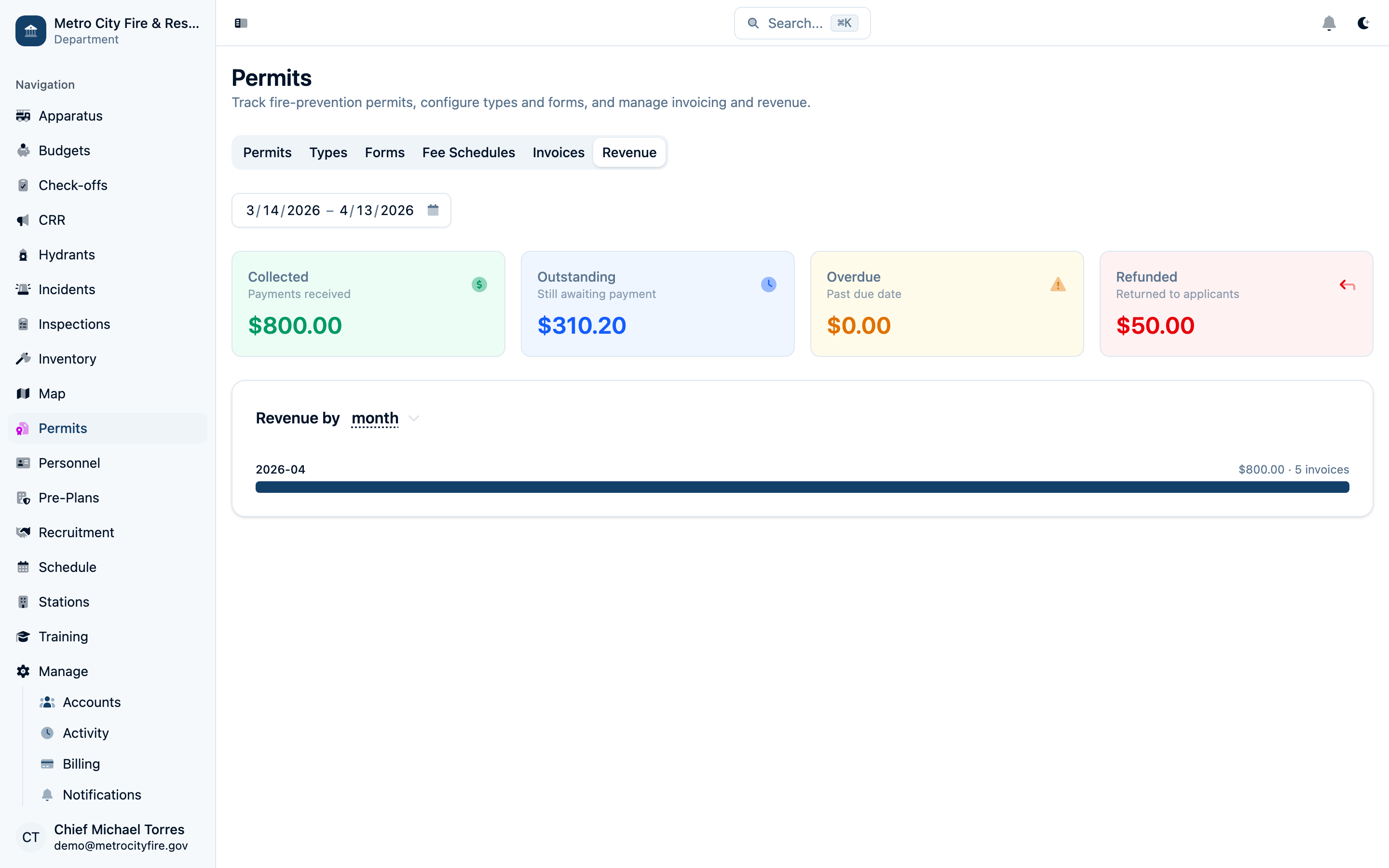
The revenue dashboard showing total collections, revenue by permit type, and payment trends over time.
Permit Certificates
When a permit is approved and payment is received, Command Established automatically generates a printable permit certificate. The certificate includes the permit number, applicant name, permit type, issued date, expiration date, and any conditions of approval. Applicants can download their certificate directly from the status page — no need to visit the station.
Already issuing permits? If your department has existing permit records in spreadsheets, paper logs, or another system, we'll help you migrate them. We work with you to import your historical permit data — types, applicants, and approval history — so you don't lose your records when you switch. Contact us about importing your data.