
Fire Department Tablets That Sign In as Themselves
A tablet bolted into an engine is not a person. Neither is the screen on the day-room wall, or the iPad in the chief's car. They are department property that the whole crew touches — and for years the only way to get them working was to pick someone, type their email and password in, and leave that login sitting on a shared screen until they left the department.
Command Established handles them as paired devices. The tablet signs in as itself. An officer decides what it can reach. And the work done on it still carries the name of the firefighter who did it.
No Email. No Password. No Member's Login on a Shared Screen
A paired device has an identity of its own. There is no account to share, no password taped inside the compartment door, and nothing to change when a member moves on.
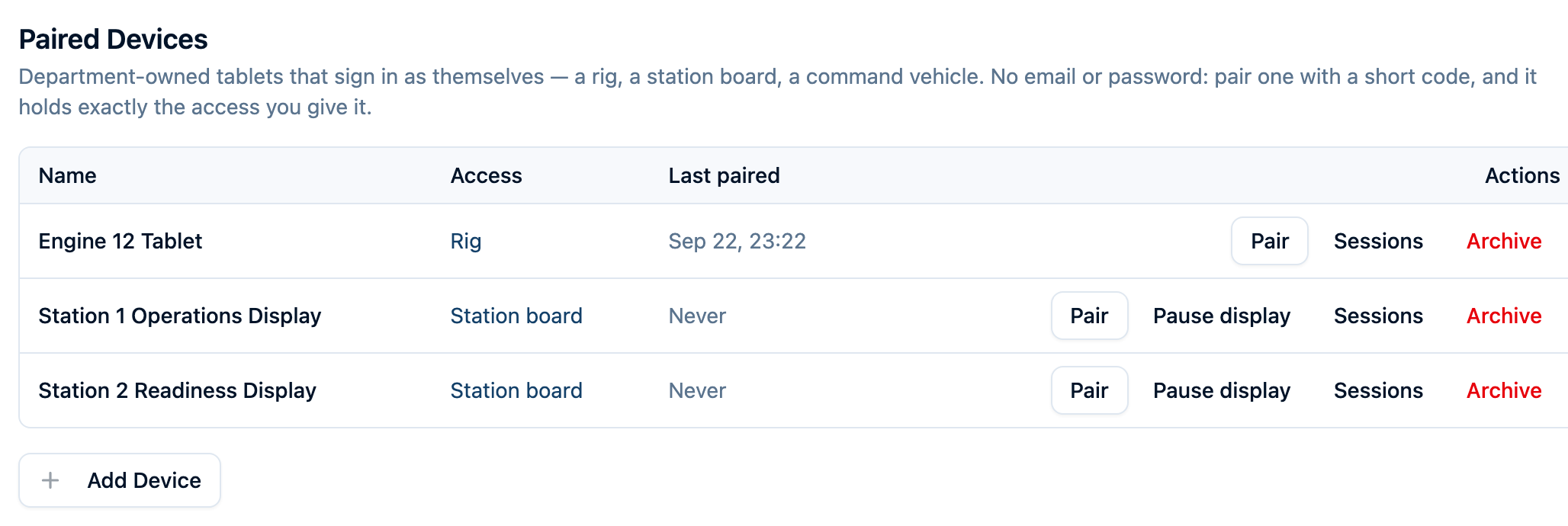
An owner or administrator adds each screen once, under Department Settings → Paired Devices, and names it for where it lives: Engine 12, Watch Desk Display, Chief 1. The list shows every screen the department owns, what each one can reach, and when it was last paired.
Decide What the Tablet Can Reach
Access is the officer's call, made when the device is added and changeable at any time. Rather than starting from a blank permission matrix, pick the preset that matches where the tablet actually lives:
- Station board — read-only, for a display nobody types on: recent incidents, apparatus status, check-offs, events, and expiring certifications.
- Rig — a tablet mounted in an apparatus: run check-offs, start incidents, look up hydrants and pre-plans.
- Command vehicle — everything the rig can do, plus editing incidents, logging, work orders, and the roster, for a locked vehicle with one driver.
- Advanced — choose each permission yourself.
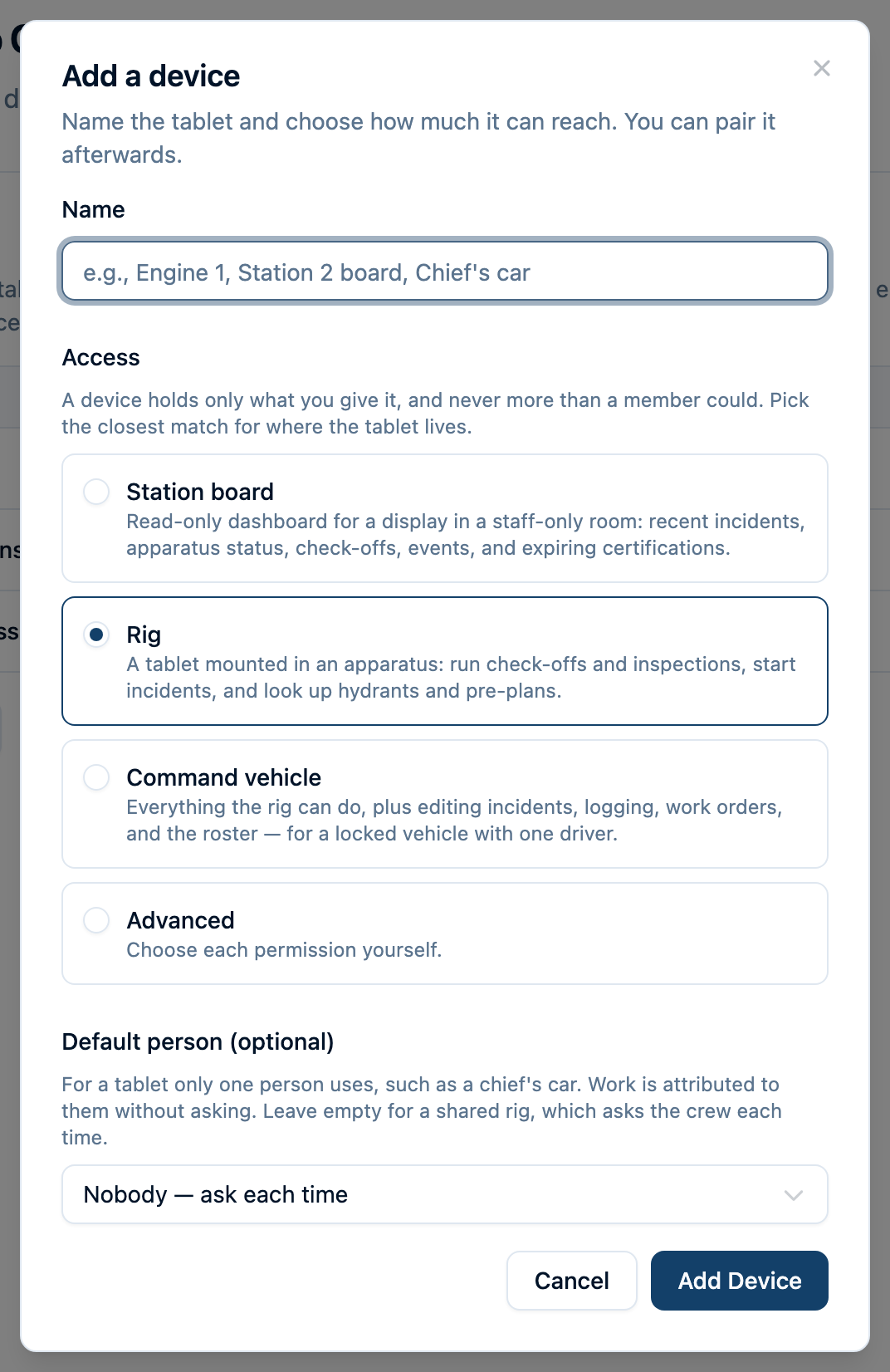
A device holds exactly what it was given — no blanket read, and no permissions inherited from a crew group that would quietly widen a tablet later. If a grant would expose something sensitive, the page says so before you save it.
Pairing Is a Short Code, Typed Once
On the tablet, open Command Established and choose Pair this device from the login screen. Back in Paired Devices, generate that device's code and type it in. The code works once and expires quickly, so it is generated with the tablet already in hand.
Pairing the same device onto a replacement tablet signs the old one out — which is exactly what you want when a screen is swapped. A tablet that stays in daily service keeps its session as it is used, so nobody is re-pairing the fleet on a schedule.
The Work Still Has a Name on It
This is the part that matters for records. A shared tablet has no name worth putting on a check-off, so it asks.
When someone saves work, the tablet shows the crew list — rows sized for a gloved finger, searchable by name or rank — and the person they pick is the name on the record.
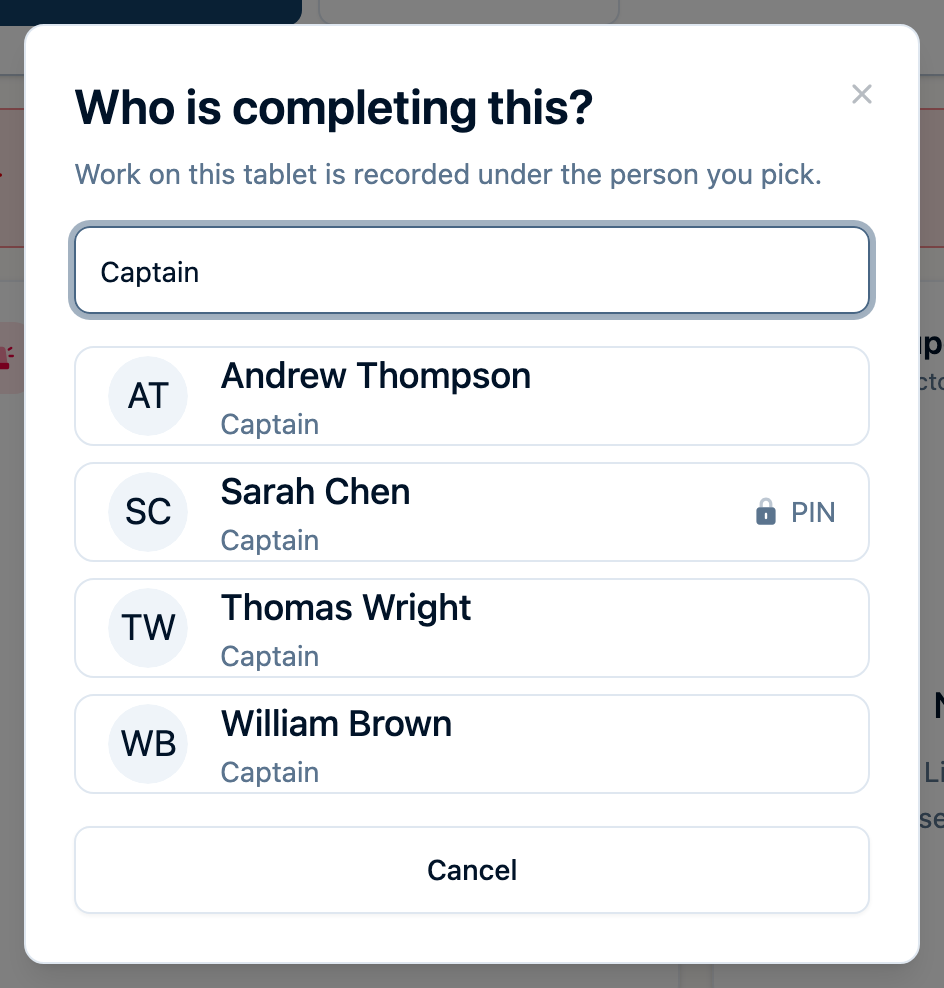
Anyone on the department's personnel roster can be picked — including volunteers who have no login at all. That is how the people who actually turn out get credit for the work they do, whether or not they ever sign in to anything.
A single-operator tablet, like a chief's car, can name a default person instead and skip the question entirely.
A PIN Signs You In as Yourself
Picking a name off a list says who did the work. A tablet PIN proves it.
A member sets a four-digit PIN once, from their own account on their own phone or computer. After that it works on every shared tablet in their department: tap your name, enter the PIN, and the tablet is acting as you.
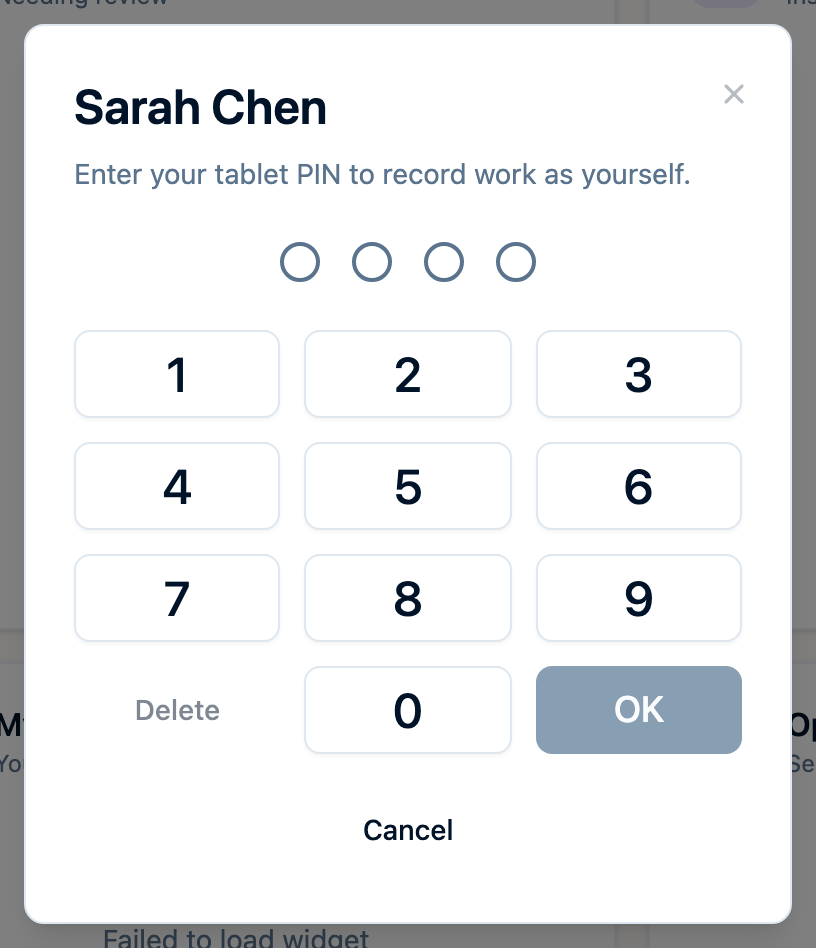
While you are signed in, the tablet can do what you can do in your department — not what the tablet can do — and your work is marked as verified in the activity log and on completed check-offs. A chip at the top of the screen shows whose hands the tablet is in, and Done hands it back.

If someone forgets to tap Done, the tablet signs them out on its own and goes back to its own access. Get the PIN wrong too many times and it locks until the member chooses a new one from their account.
A Device Is Never an Administrator
Whatever access a department grants a tablet, it can never be an owner or an administrator. That is not a setting anyone can turn on — a screen that could widen its own permissions would have no permissions worth speaking of. Department administration happens from a person's own phone or computer, and owners and chiefs work as regular members while signed in on a shared tablet.
Personal information stays off shared screens entirely. Dates of birth, home addresses, driver's licences and emergency contacts are not reachable from a paired device, even by the member whose record it is, signed in with their own PIN.
And if a tablet goes missing, any officer can sign it out from their phone. The next person to pick it up gets the pairing screen.
Three Shapes of the Same Idea
- A rig tablet. Mounted in the apparatus for check-offs, hydrants, pre-plans and starting a call.
- A station board. A read-only wall display for weather, announcements and readiness — see Station Board for what a wall screen can show.
- A command vehicle tablet. One driver, broader access, in a locked vehicle.
All three are paired the same way, and all three record work under a person rather than under a screen.
Ready to Put a Tablet on the Rig?
Command Established is built for volunteer, combination, and career fire departments. Start your free trial — no credit card required.
For step-by-step setup, see Paired Devices and Tablet PINs.