
Daily Logs and Report Forms, in One Place
Keep station activity, shift handoffs, and department reports in the right log book. Choose Written entries for a running journal with rich text, photos, and @-mentions. Choose Form when every report needs a consistent set of questions, such as an accident, injury, exposure, or near-miss report.
Both formats keep entries dated, attributed, and available to the right audience. Scope a book to the department, a station, an apparatus, or a shift, then choose its access rules separately.
Choose the Entry Format That Fits the Work
| Written entries | Form |
|---|---|
| Daily station activity, pass-ons, notices, and maintenance notes | Accident and injury reports, exposure records, and other repeatable reports |
| Rich text, inline photos, @-mentions, and optional starting templates | Sections, required questions, conditional follow-ups, and repeating groups |
| Members with write access compose an entry and can edit it with permission | Submitters save a private draft, check their answers, and post a final report |
| Restrict the whole book to selected editors and viewers when needed | Choose who may submit separately from who may see submitted reports |
The entry format is set when the book is created. Existing written log books keep their familiar workflow; create a Form book for a new reporting process.
Build the Report Your Department Needs
Owners and admins build a form using short or long text, numbers, Yes/No, single or multiple choice, dates, times, and personnel or apparatus selectors. Arrange questions into sections, add instructions, and mark the answers that must be supplied.
Conditional questions keep the report focused. Selecting Vehicle collision can reveal a collision section; answering Yes to Was the apparatus backing? can reveal a spotter question. A repeating Witnesses group lets the reporter add the people who were present without working around a fixed number of boxes.
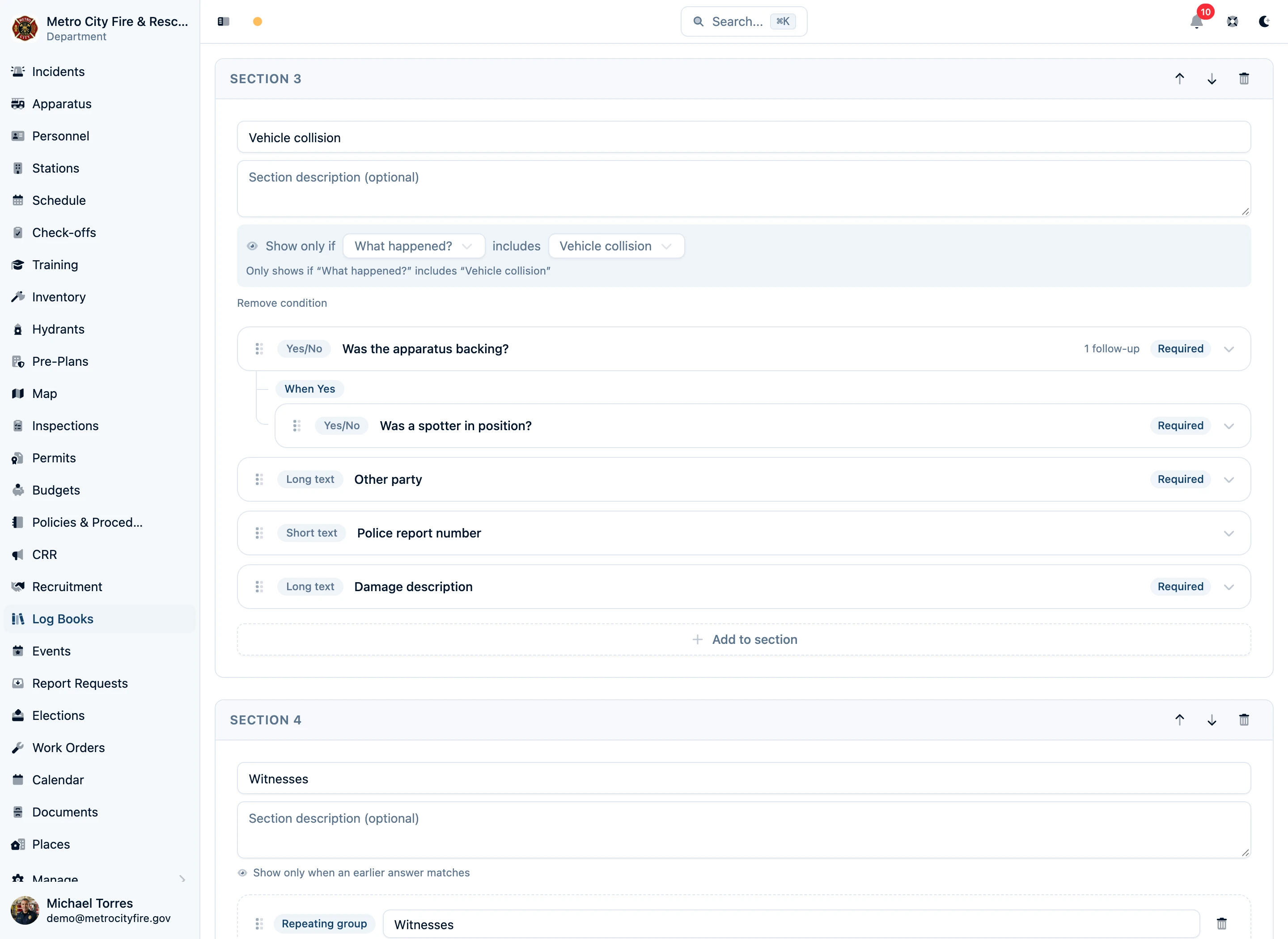
Preview the form before publishing. Save work in progress as a draft, then publish a numbered version when it is ready. New reports use that version; reports already started keep the version they began with, and posted reports retain their original questions and answers.
Let Members File Reports Without Opening Everyone Else's
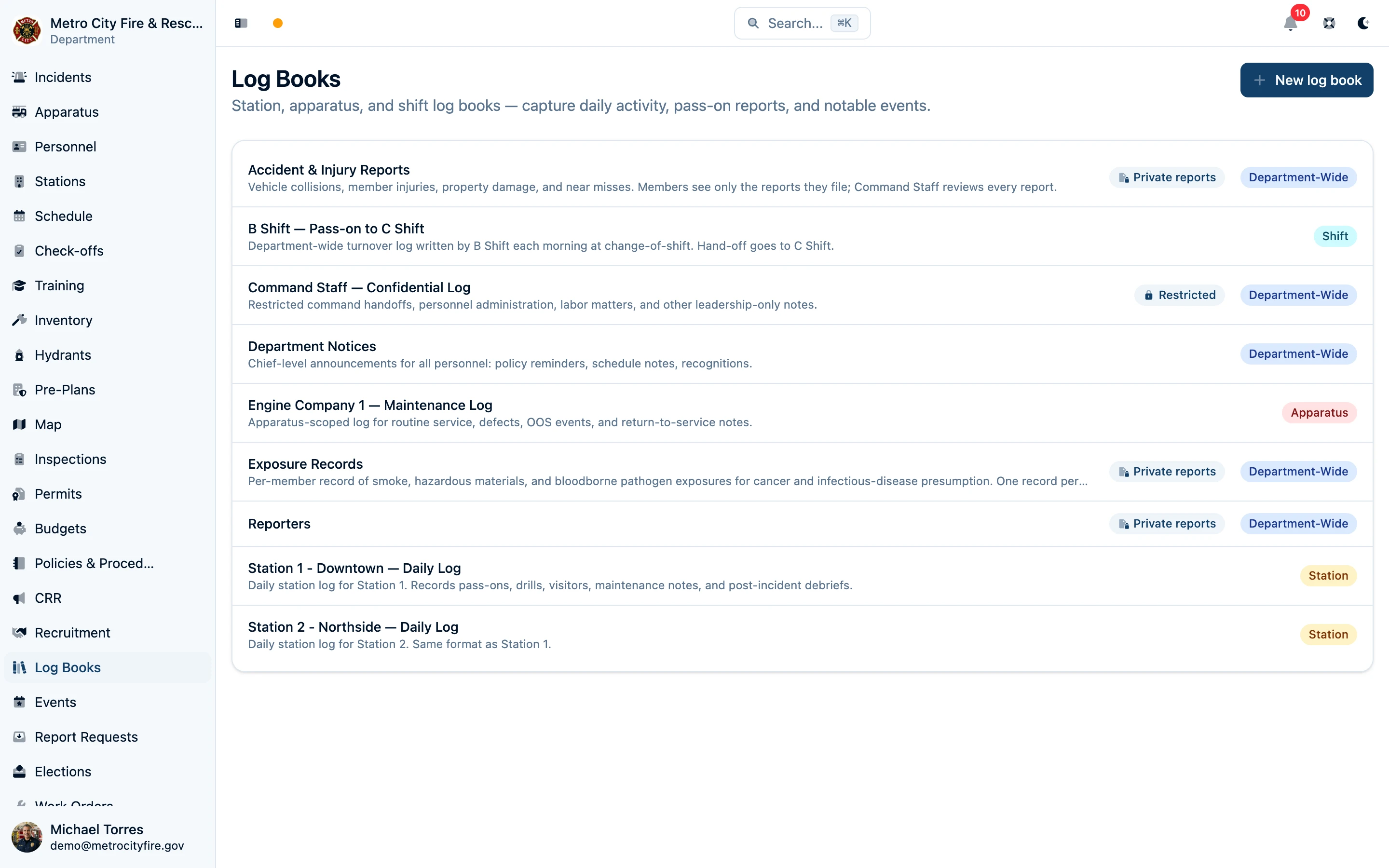
A Form book has two independent access settings: Who can submit reports and Who can see submitted reports. Let every department member file a report, or restrict submission to selected people and groups. Keep submitted reports Restricted so submitters see their own reports while owners, admins, and named reviewers see all of them.
For example, the department can accept accident reports from every member and give the Command Staff group access to review all submissions. Selecting a person in an answer records that person as part of the report; it does not grant them access to it.
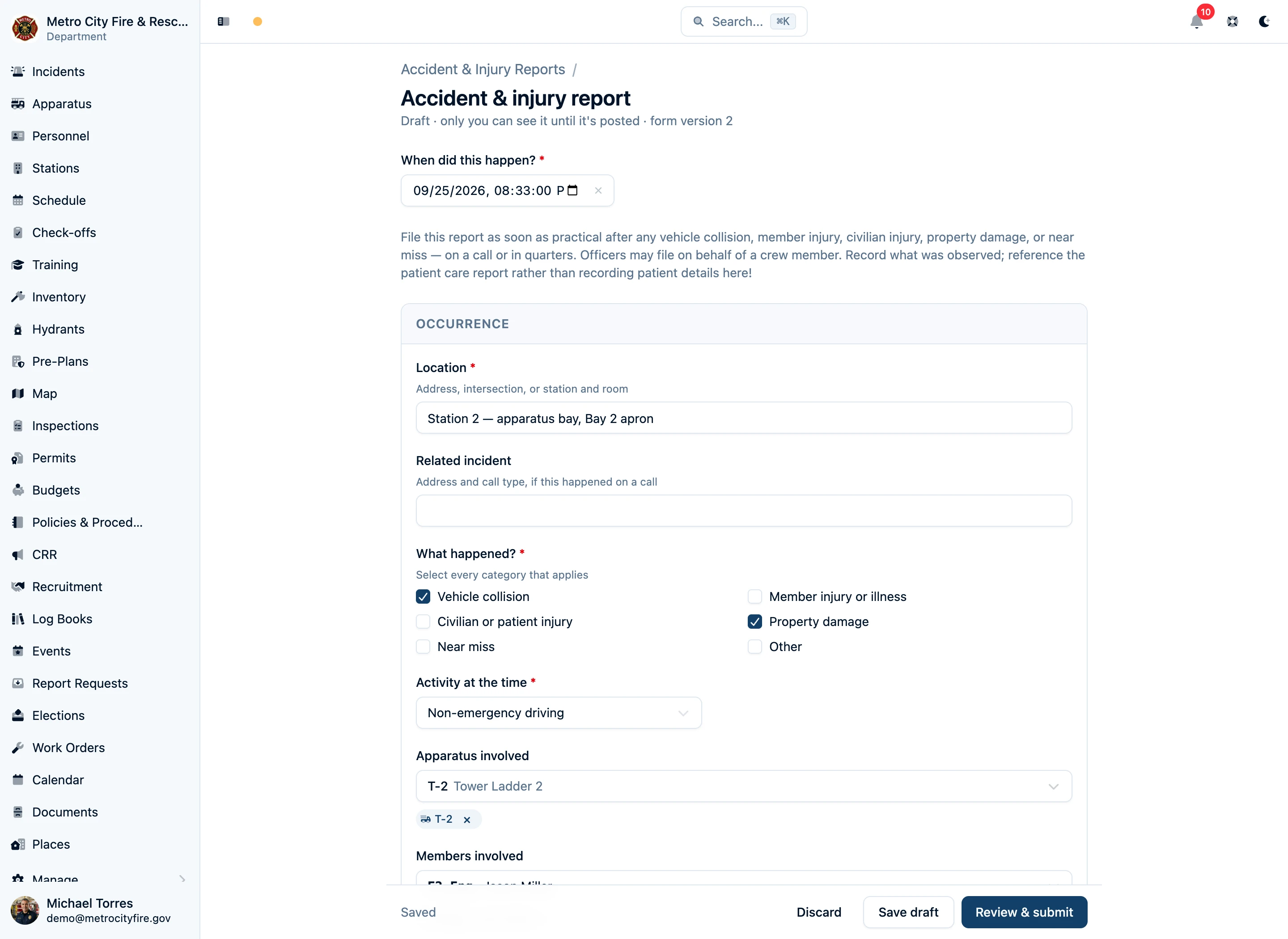
Draft answers save as the member works, and unfinished drafts can be reopened from the book. Review & submit checks the saved answers; Post creates the final entry. Posted form reports cannot be edited in place.
Walk through an accident report form, from setup to submission →
Organize Books Around the Department
A station daily log belongs with its station. An apparatus book follows its rig. A shift pass-on book belongs to a platoon. Department-wide books can collect announcements or reports across stations. Scope describes the subject of the book; access settings determine who can open it and what they can see.
Keep a Running Journal With Written Entries
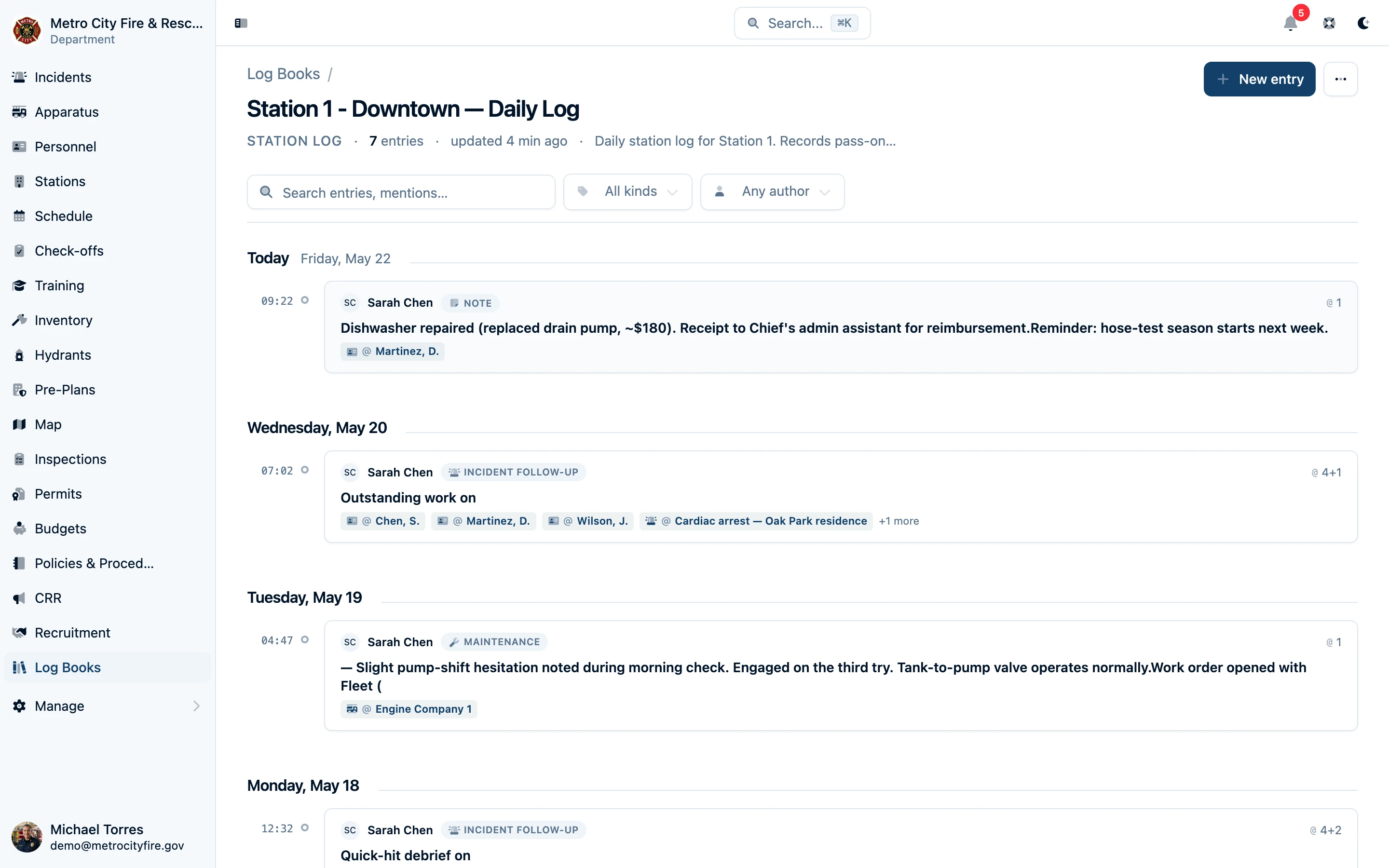
Written entries provide headings, lists, tables, links, and inline images for the details that do not fit a standard form. Per-book templates can start every station entry with Shift summary, Apparatus status, Facilities, and Pass-on items, while leaving the author free to add context.
Categorize entries as Note, Pass-on, Drill, Maintenance, Incident follow-up, or Announcement. Search written content and mention labels, filter by type or author, and browse the timeline grouped by day.
Link the Records and Confirm Who Read It
In a written entry, type @ to refer to personnel, apparatus, incidents, work orders, SOPs, and other records. Readers can follow those links, and referenced records show the entries that mention them when the viewer has access. Personnel and broadcast mentions can notify the appropriate audience when the book's notification setting is enabled.
Set the acknowledgement control on a written entry to match the job:
- First reader acknowledges suits a shift pass-on. The first reader to tap Acknowledge closes it out, and the entry shows that person's name and the time.
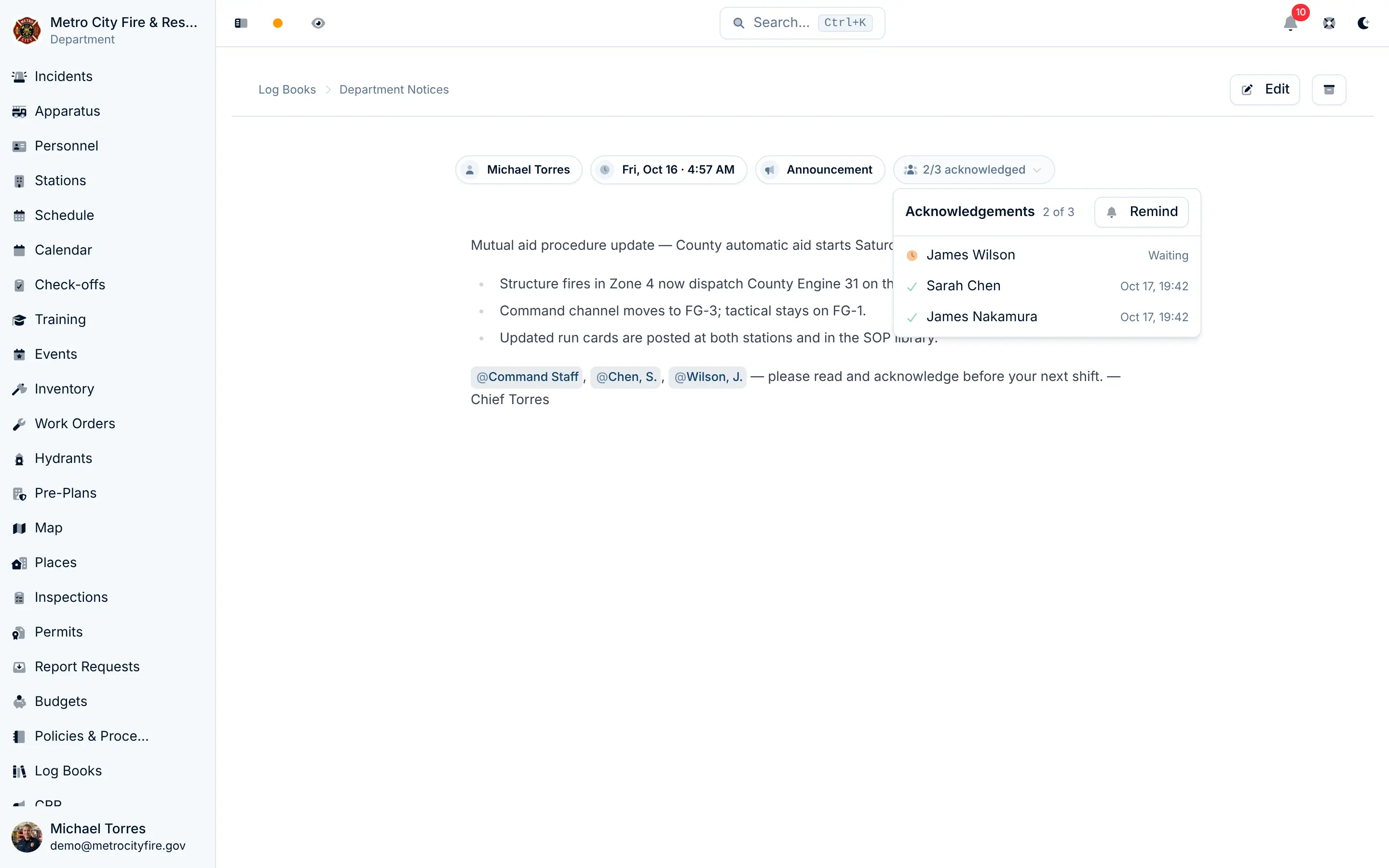
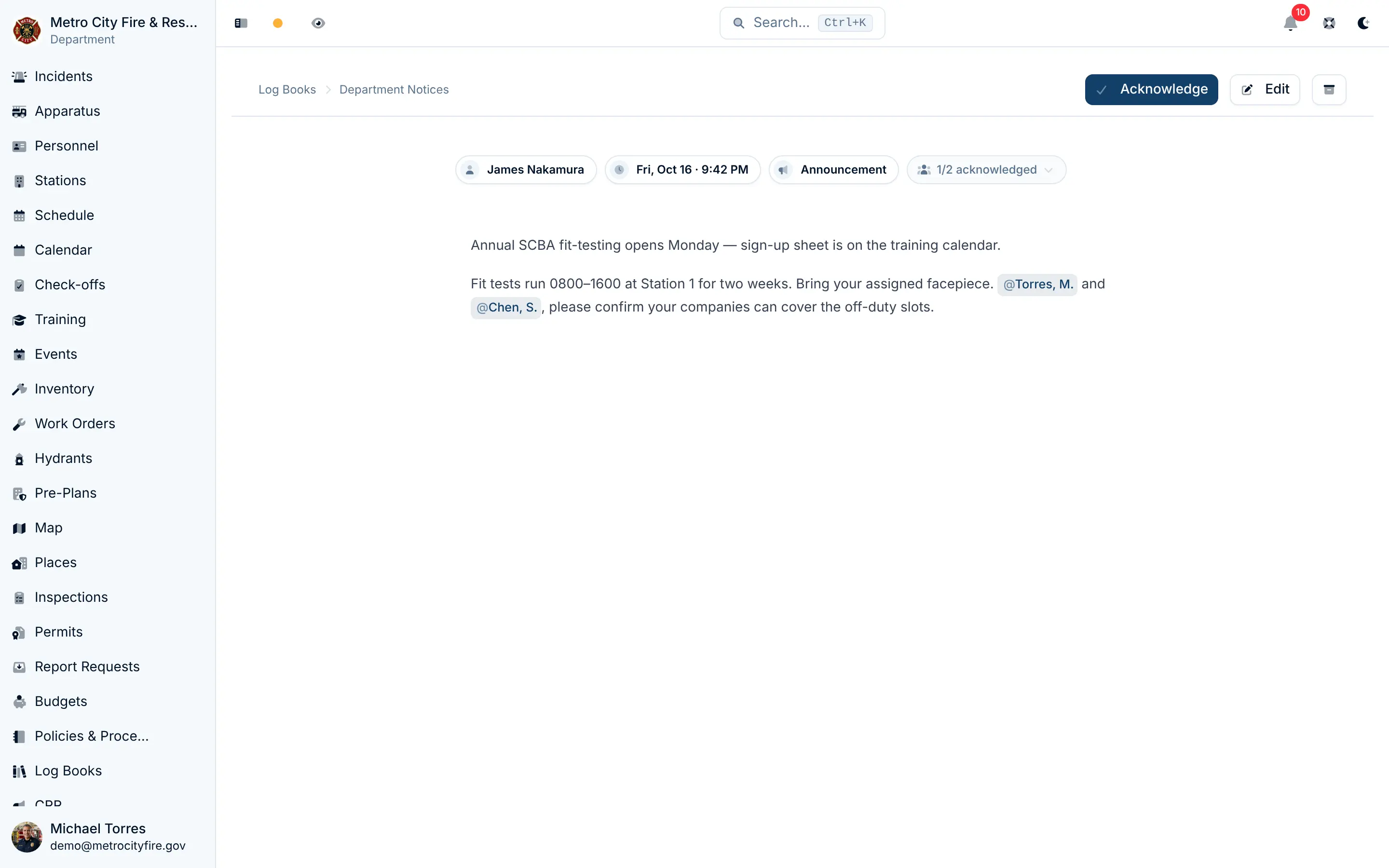
- Everyone mentioned acknowledges suits a policy change or an announcement that every officer must read. Each person the entry's @-mentions cover is asked to acknowledge it, whether they're mentioned by name, by group, by rank, or with
@Everyone. The author is never asked to acknowledge their own entry.
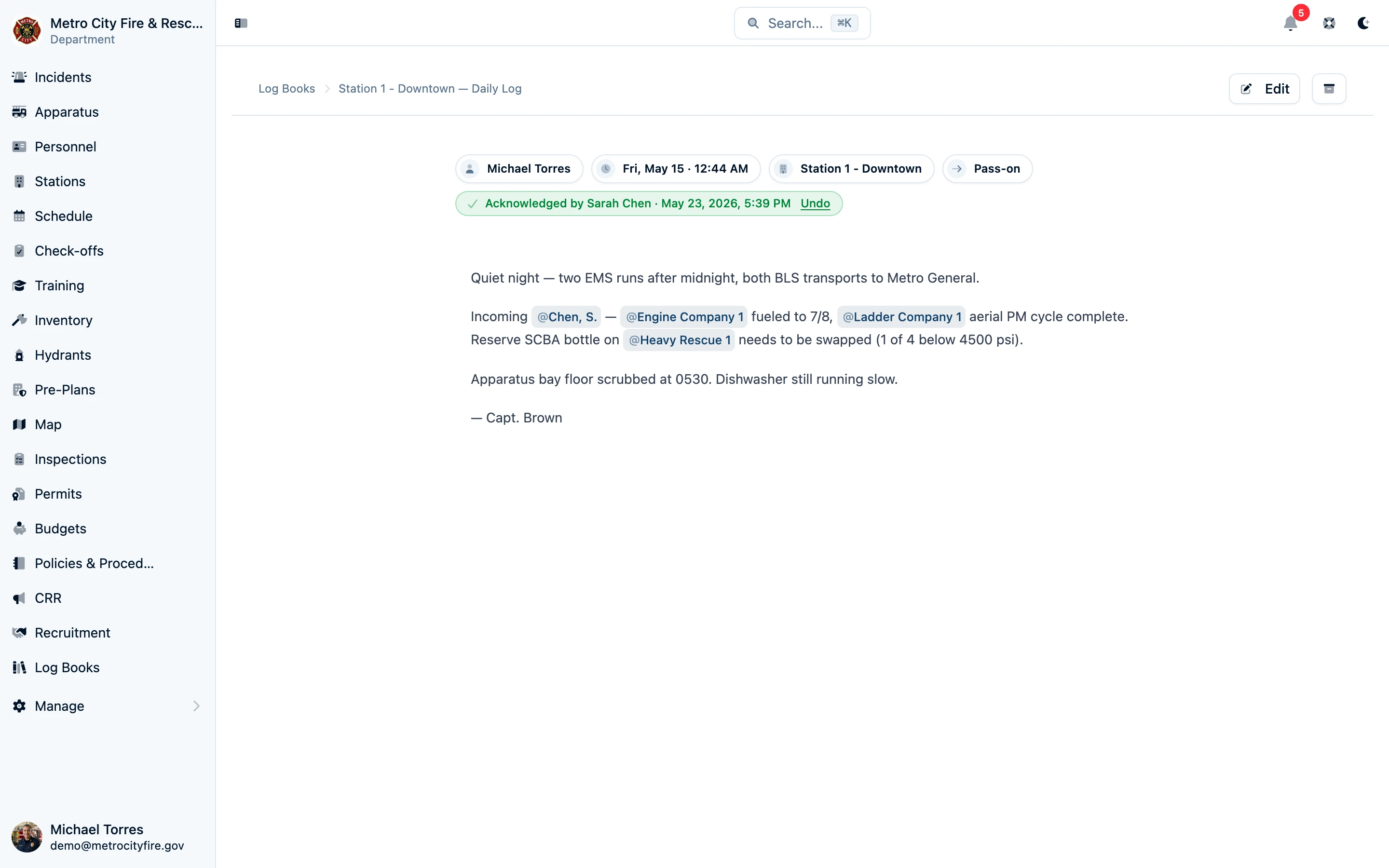
When an entry asks everyone it mentions, each person gets an Acknowledgement requested notification, and the entry stays in their My pending acknowledgements dashboard widget until they acknowledge it. The author and admins see an "N/M acknowledged" badge. It opens a list of who has acknowledged, with the time, and who is still waiting. Remind re-notifies only the people who haven't acknowledged yet.
Keep Command Journals Restricted
For a written command log, choose Restricted visibility and name its editors and viewers. Owners, admins, and those people or groups can open the book. Other members cannot discover it through the list, search, dashboards, or mention references, and notifications respect the same boundary.

Preserve the Context of Each Entry
Written-entry edits are audited, and archiving preserves records for authorized readers. Form reports keep the questions and answers from the version used to submit them, even after the department publishes an updated form. Restricted access controls daily use inside Command Established; your department's retention and disclosure requirements still apply.
Read the log books support guide or follow the accident report example.
Start Your Department's First Book
Log books are included with every Command Established fire department subscription. Start with a station journal, a shift pass-on book, or the report your department needs most.