
Everything Your Department Carries, In One Place
Command Established gives your department a complete picture of every piece of equipment you own—where it is, what condition it's in, when it expires, and what apparatus it's assigned to. No more spreadsheets, no more mystery.
Everything Your Department Carries, In One Place
The Inventory dashboard gives you a high-level view of your department's entire equipment catalog. Summary cards show total item counts, items with low stock, and items with upcoming expirations—so compliance issues are visible the moment you open the page.
Below the summary cards, the full item list lets you search, sort, and filter by category, location, or assignment. Whether you're looking for a specific SCBA unit or reviewing everything on Engine 2, the information is a few clicks away.
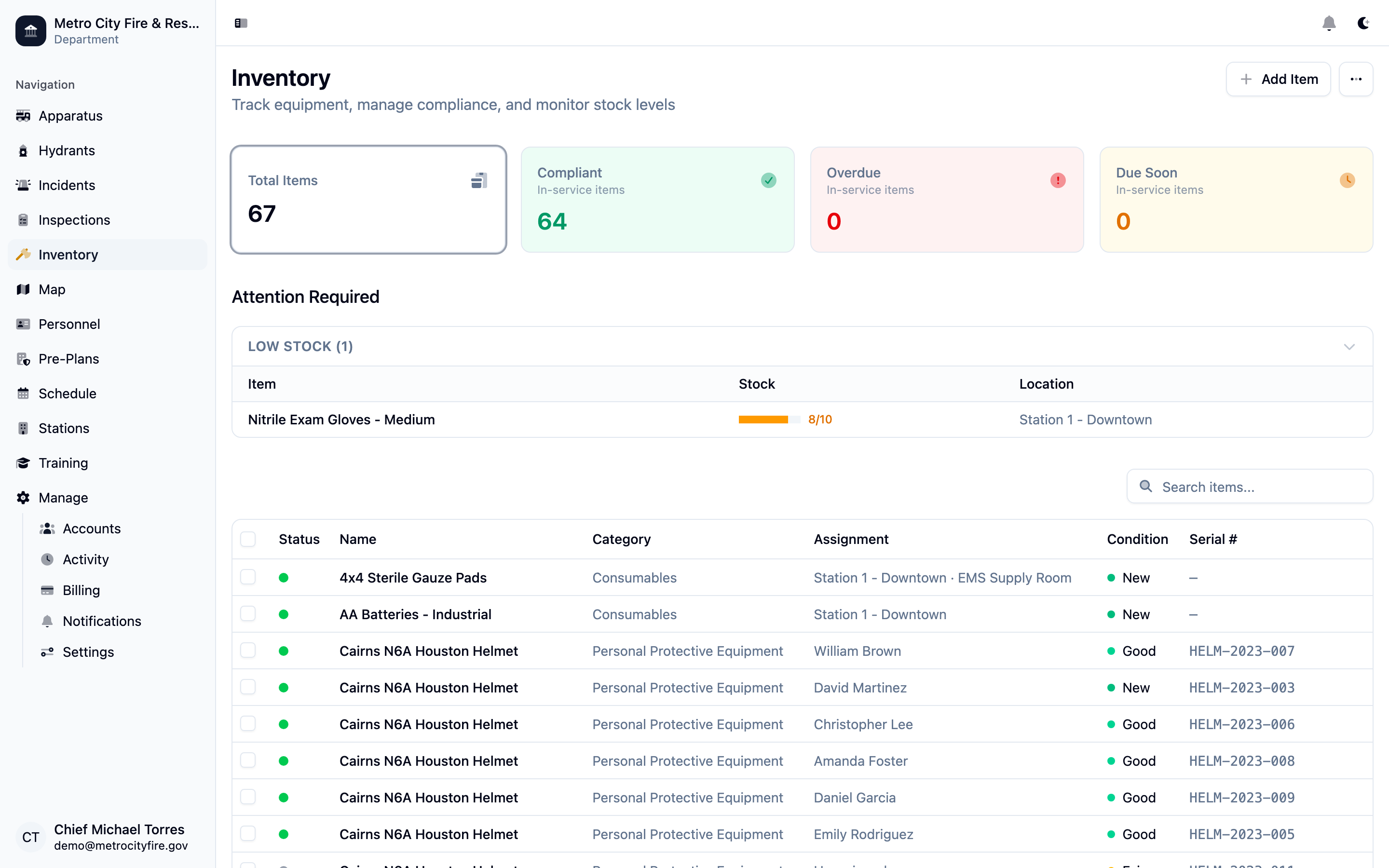
The inventory dashboard with summary cards and the full item list—filter by category, location, or assignment.
Track Items by Category, Location, and Assignment
Every item in your inventory has a category, a location (station or apparatus), and an optional assignment to a specific unit. This lets you answer questions like "What's on Engine 1?" or "How much rope do we have at Station 2?" without digging through binders.
The item detail page tracks condition, quantity, serial number, purchase date, and expiration date. Use the notes field for anything else—maintenance history, warranty info, or vendor contacts.
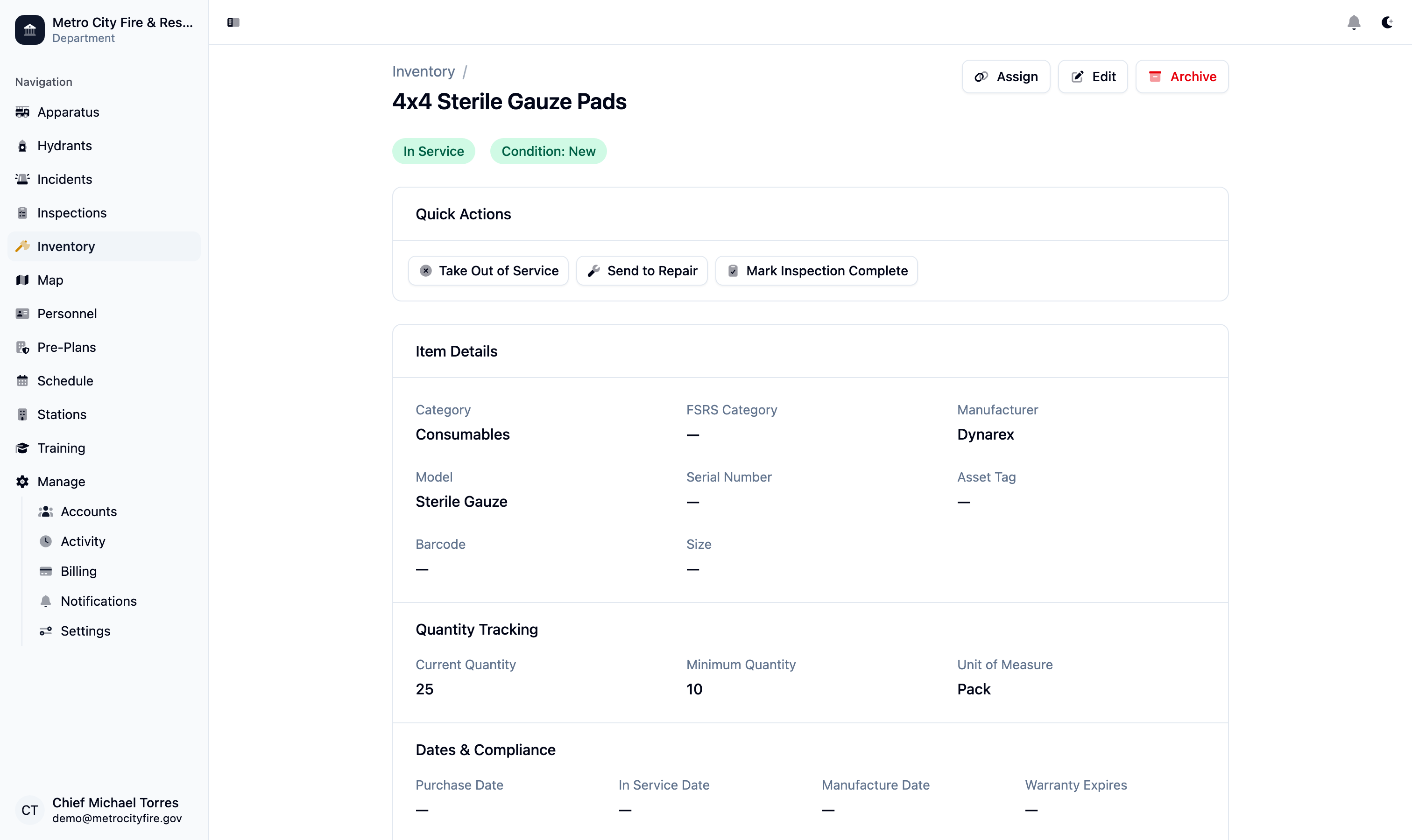
An inventory item detail page showing condition, location, apparatus assignment, and expiration tracking.
Low-Stock and Expiration Alerts
Command Established automatically flags items that are running low or approaching their expiration date. The compliance dashboard surfaces these alerts so your officers can act before a gap becomes a problem during an incident.
Set minimum quantity thresholds per item and expiration warning windows that match your department's inspection schedule. Alerts are visible on the dashboard and in the item list, so nothing slips through.
Scan to Add or Move Items
Use the Command Established mobile app on iOS or Android to scan barcodes and add new items or update existing ones without typing. Point your phone at a barcode, and the item is identified instantly.
Scanning is especially useful during apparatus checks and equipment audits—scan each item as you go, update quantities and conditions on the spot, and your records stay current without any desk work after the fact.
Import from Spreadsheets
Already tracking inventory in Excel or Google Sheets? Command Established supports CSV import so you don't have to re-enter your entire catalog by hand. Map your columns to our fields and your existing data comes right in.
After import, every item is live in the system—searchable, filterable, and ready to assign to a station or apparatus. Your historical data comes with you.
Note: Already tracking inventory elsewhere? If your department has existing inventory data in spreadsheets or another system, contact us about importing it. We'll work with you to bring your catalog into Command Established so you're not starting from zero. Contact us about importing your data.