
Fire Inspections, on Your Forms
Command Established runs your department's fire inspection program end to end: build the inspection checklist your inspectors actually carry, run it in the field on a tablet, sign a permanent completion record, and send the property owner a certificate or notice of violation. Recurring inspection programs put every occupancy on a cadence and surface what's due — so nothing slips through the cracks.
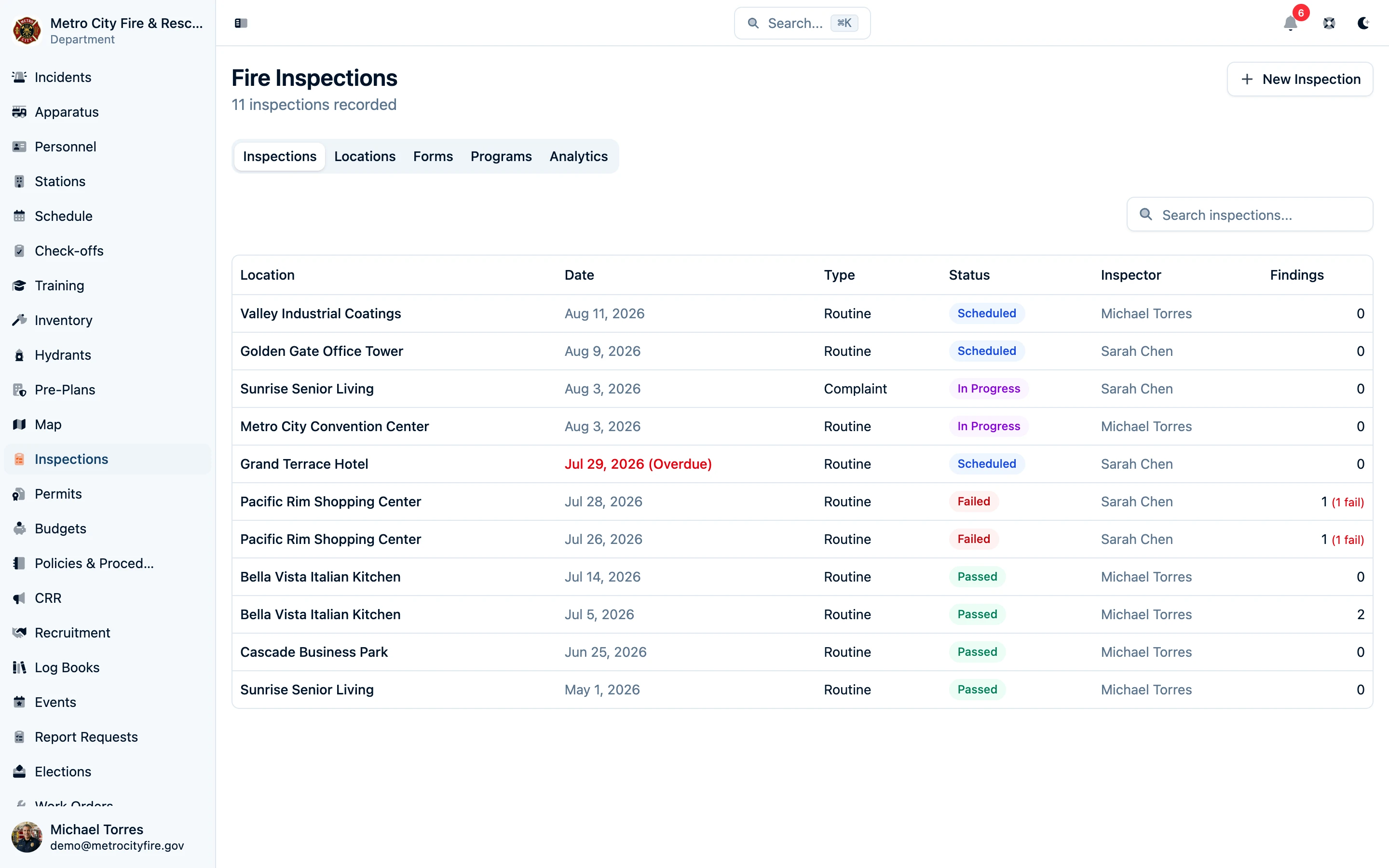
Build the Checklist Your Inspectors Carry
Every department inspects differently. Instead of forcing you into a canned checklist, Command Established gives you a form builder: sections, questions, and response types you define — yes/no checks, multiple choice, numbers with units, dates, text, and photo requirements. Attach code references (like IFC sections) to any question so the "why" travels with the checklist, add guidance text for newer inspectors, and show follow-up questions conditionally based on earlier answers.
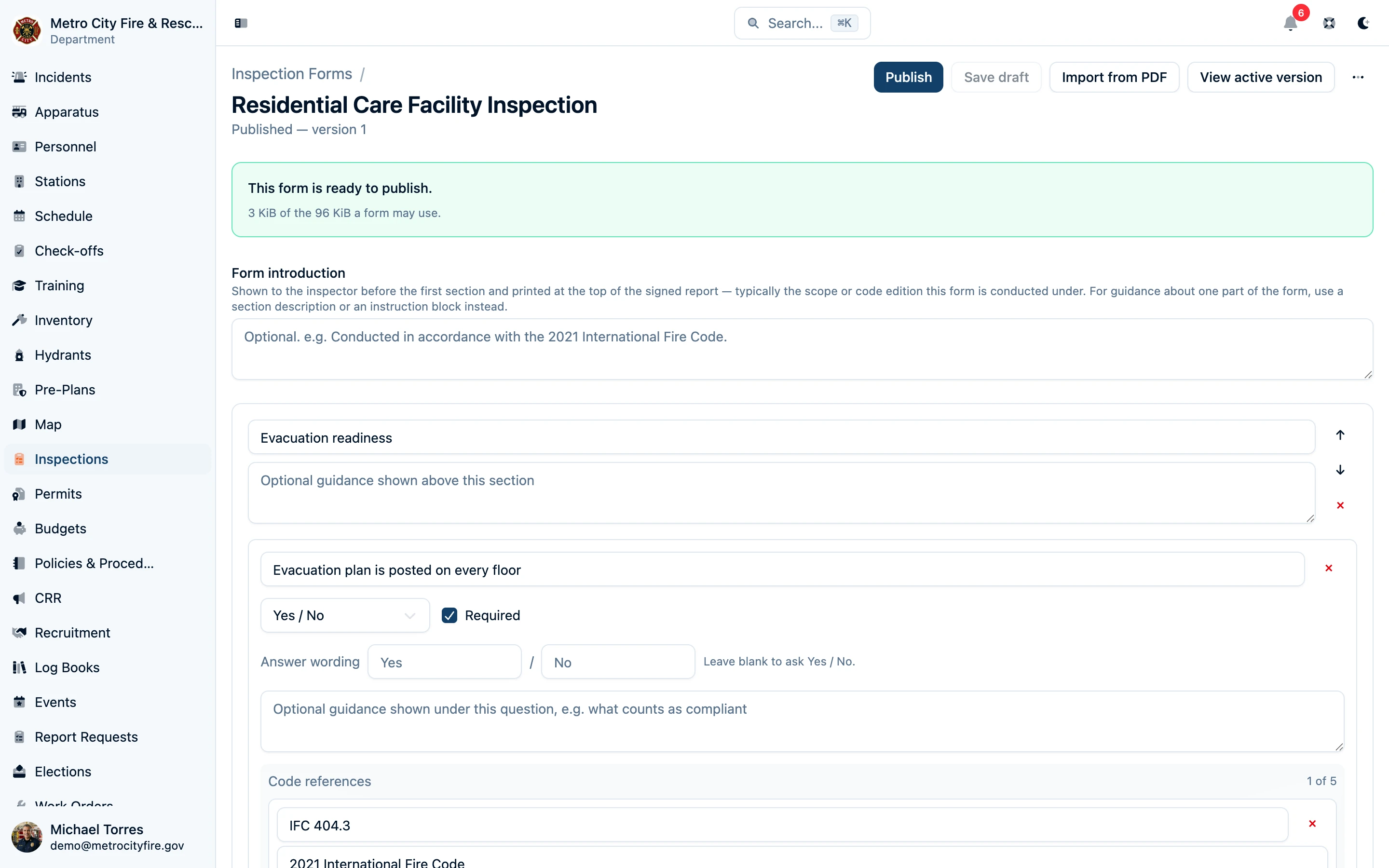
Forms are published in versions. A published version is frozen — inspections that were scheduled on it stay on it, even if you revise the form the next day. That means a signed inspection record always shows exactly the questions that were asked, and a form revision never rewrites history.
Already Have a Form? Import the PDF
If your checklist lives in a PDF today, you don't have to rebuild it by hand. Import the PDF and Command Established drafts the form for you with AI — sections, questions, and response types proposed from the document, ready for you to review, adjust, and publish.
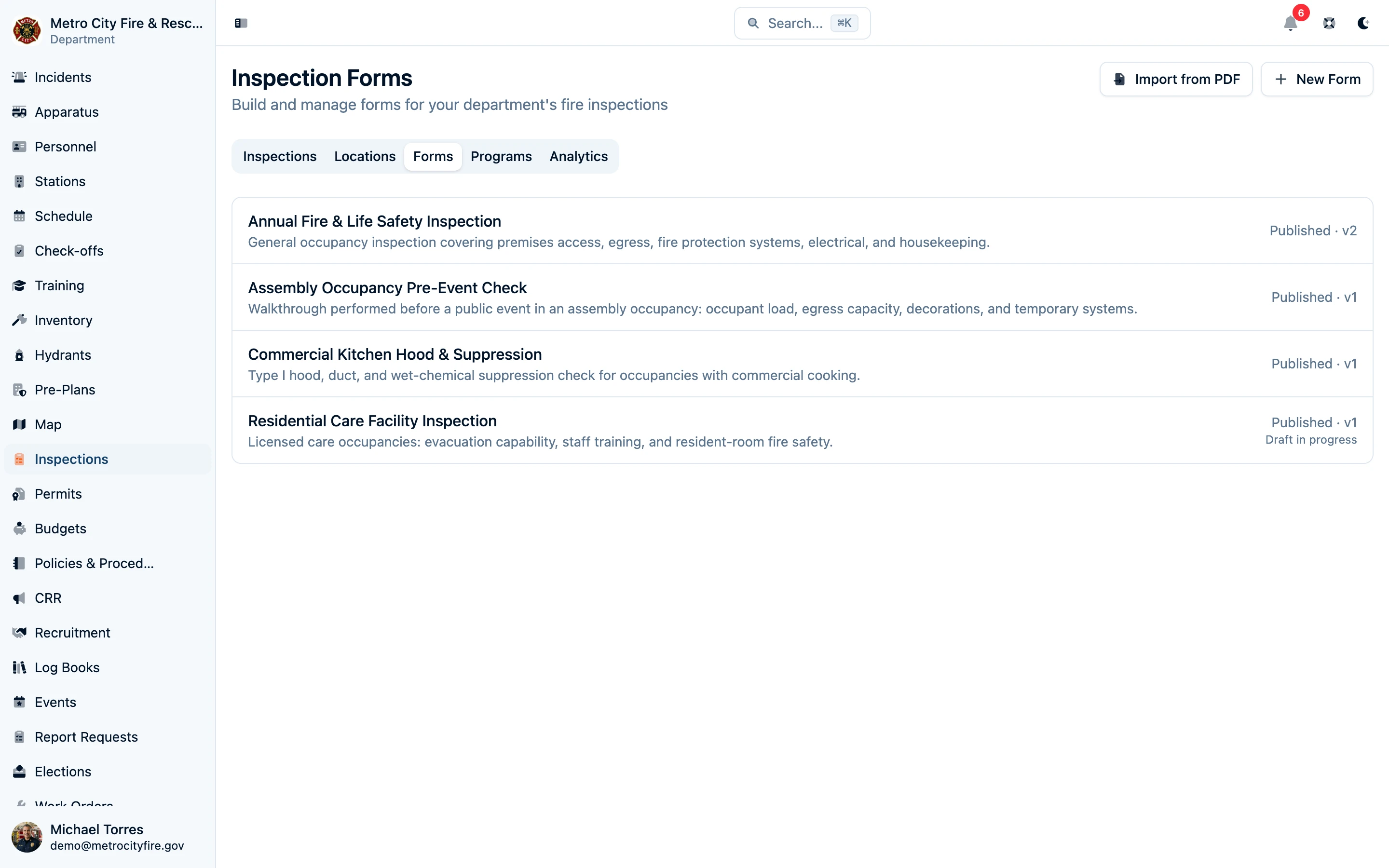
Run Inspections in the Field
Inspectors work the form on a tablet as they walk the property: large touch targets, section-by-section progress, and clear required-item indicators. Answers save as you go, photo evidence attaches directly to the question it documents, and common fields — inspector name, location details — pre-fill automatically so nobody types the same thing twice.
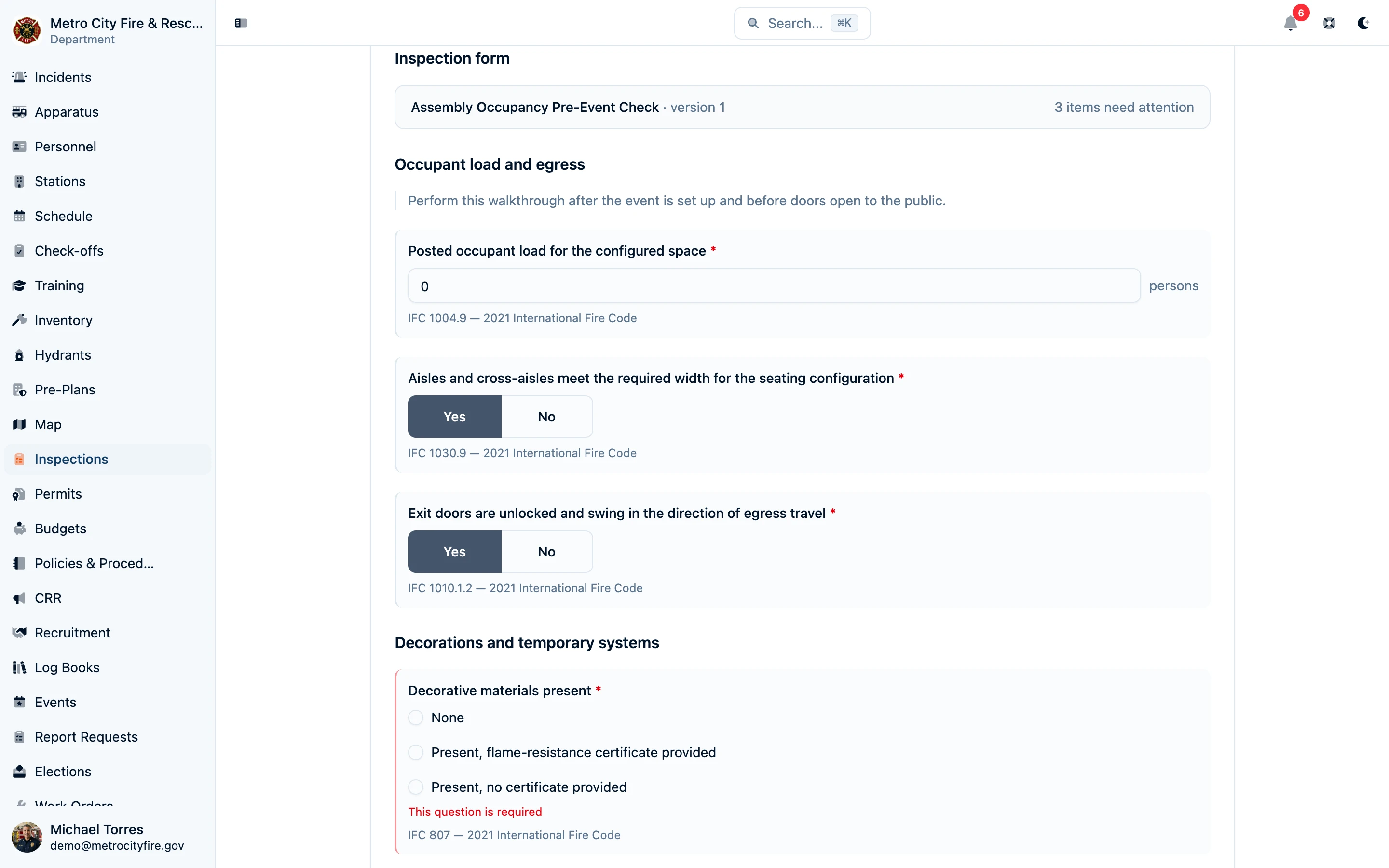
Findings still work the way inspectors expect: record a deficiency with its category, location, severity, and whether it was corrected on site — alongside the form, not buried inside it.
Sign It Once, Keep It Forever
When the walkthrough is done, the inspector reviews unanswered requirements, findings, and evidence, records the overall result, and signs. The completed inspection becomes a verified, read-only record: every question, answer, photo, finding, and the signature, pinned to the exact form version used. Download it as a branded PDF report to hand to the property owner or keep on file.
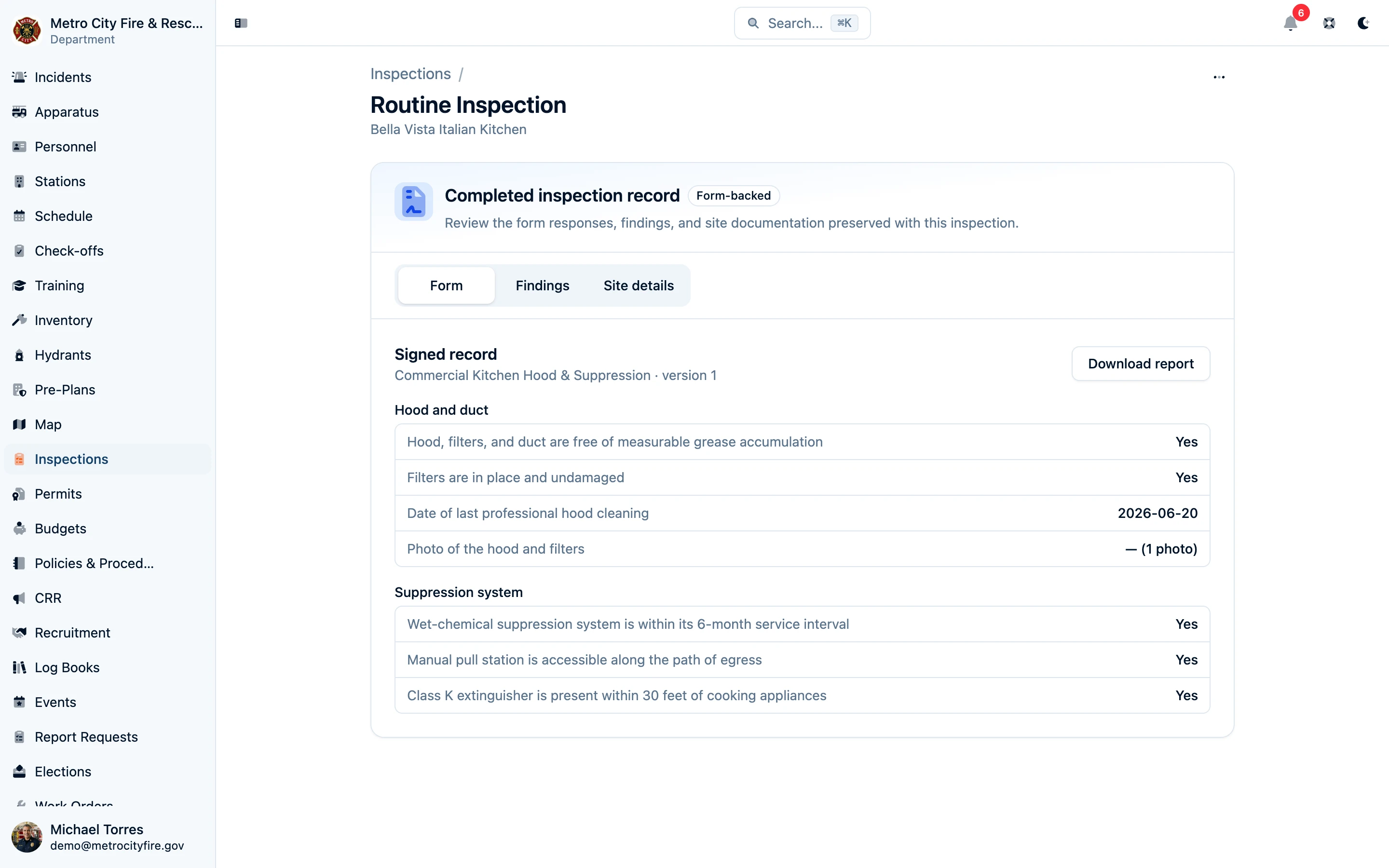
When an inspection fails, scheduling the re-inspection is one click — a linked follow-up pre-populated with the location and inspector from the original, so unfinished work stays visible.
Issue Certificates and Notices of Violation
Give property owners a document with your department's wording and the details from the completed inspection. Create certificate and notice of violation templates, review the PDF as you write, and approve and publish each version for inspectors to use. Certificates can include an expiration date, and either document type can include the inspector's name and saved signature.
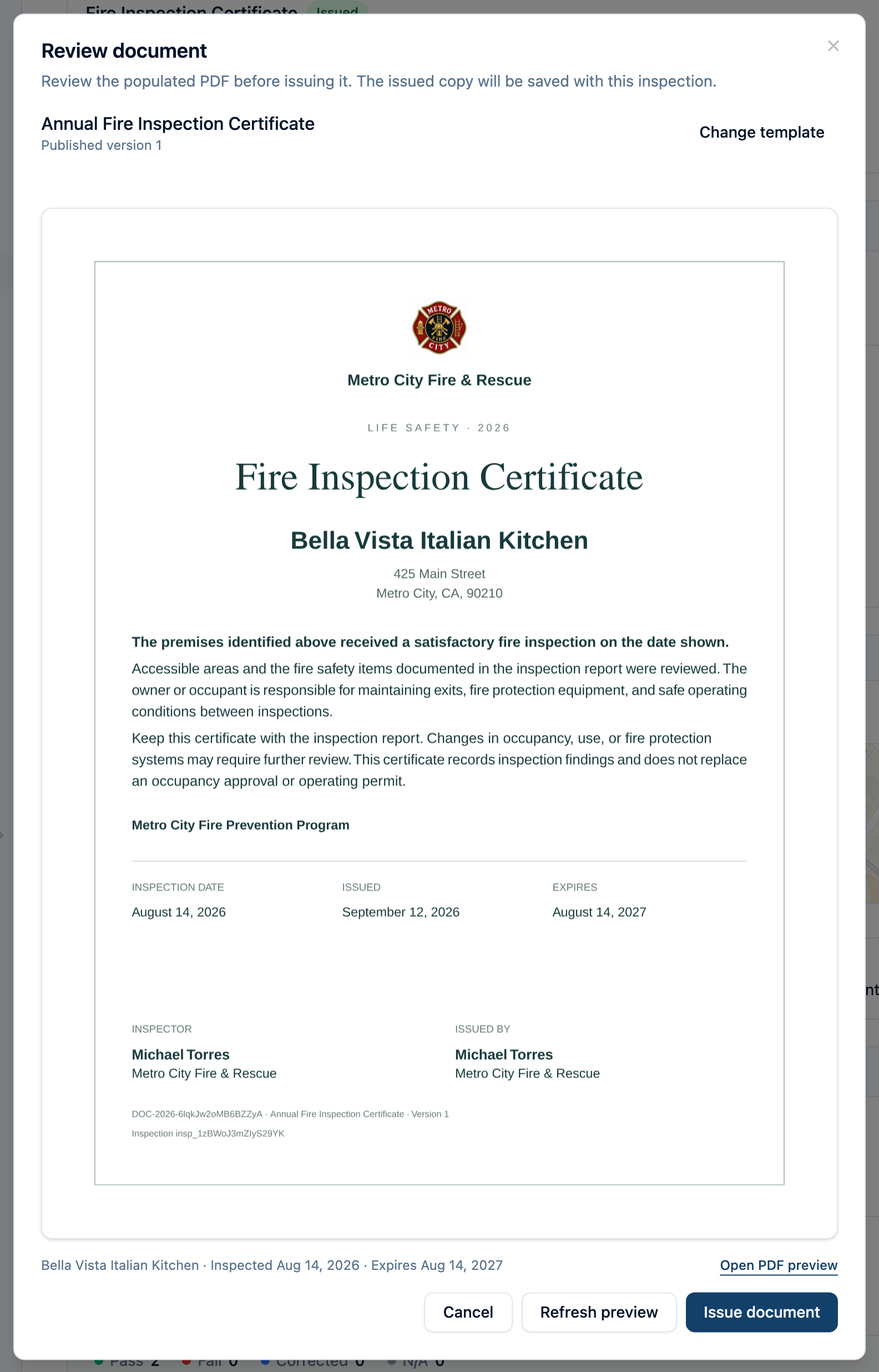
Before issuing, review the populated PDF for the actual property. For a notice of violation, choose the findings to include and specify each code citation, required correction, and deadline. The issued PDF is saved with its document number and template version, so later wording changes leave that copy intact.
Email the saved PDF directly to the property's contacts or other recipients, with an optional note. Each person receives a separate email with the attachment and needs no Command Established account. The inspection keeps the send history and flags failed or bounced messages. If a document needs to be voided, its original PDF and the reason remain in the record.
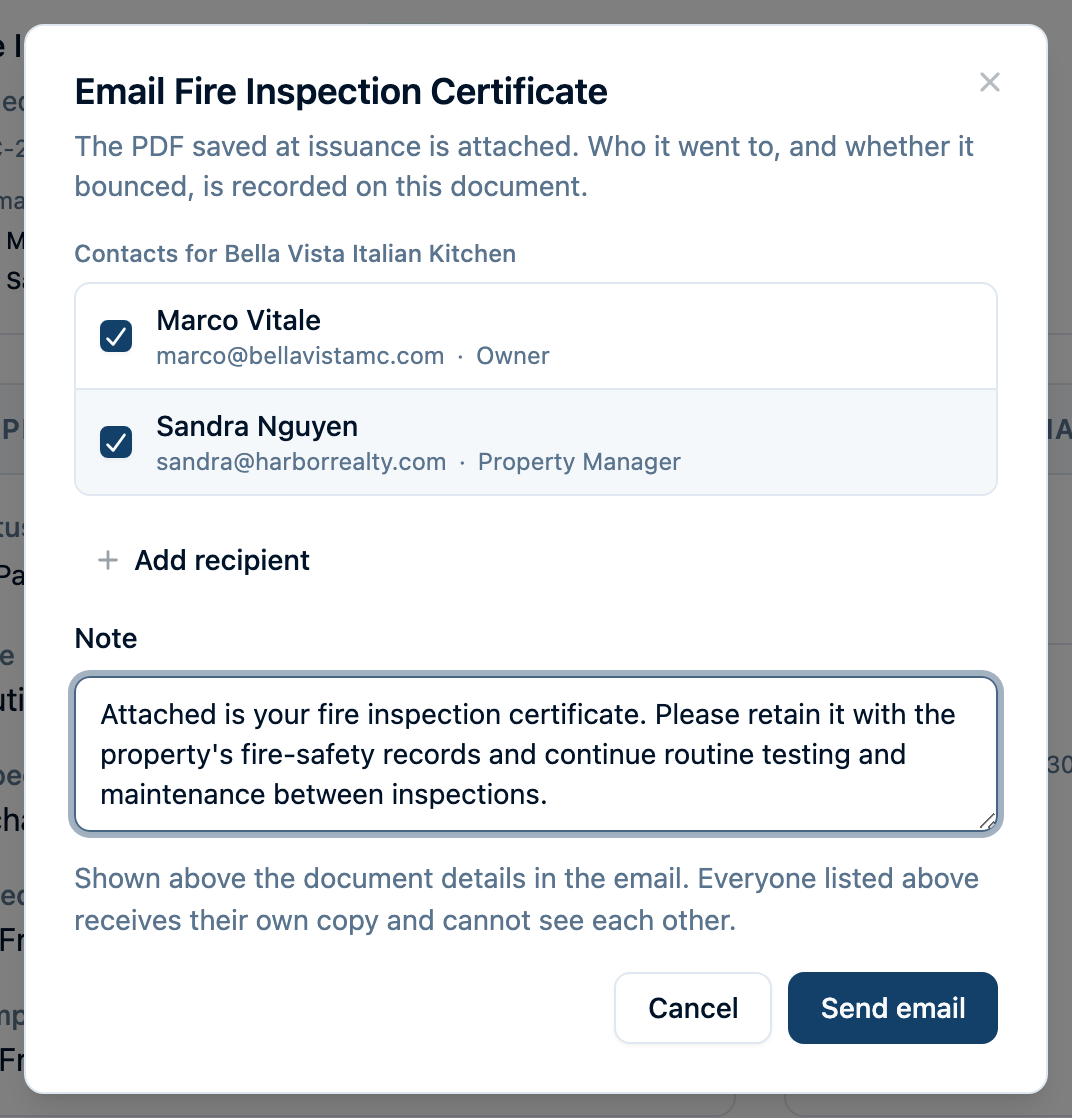
Learn how to set up, issue, and email inspection documents, including an example of the email a property owner receives.
Put Every Occupancy on a Program
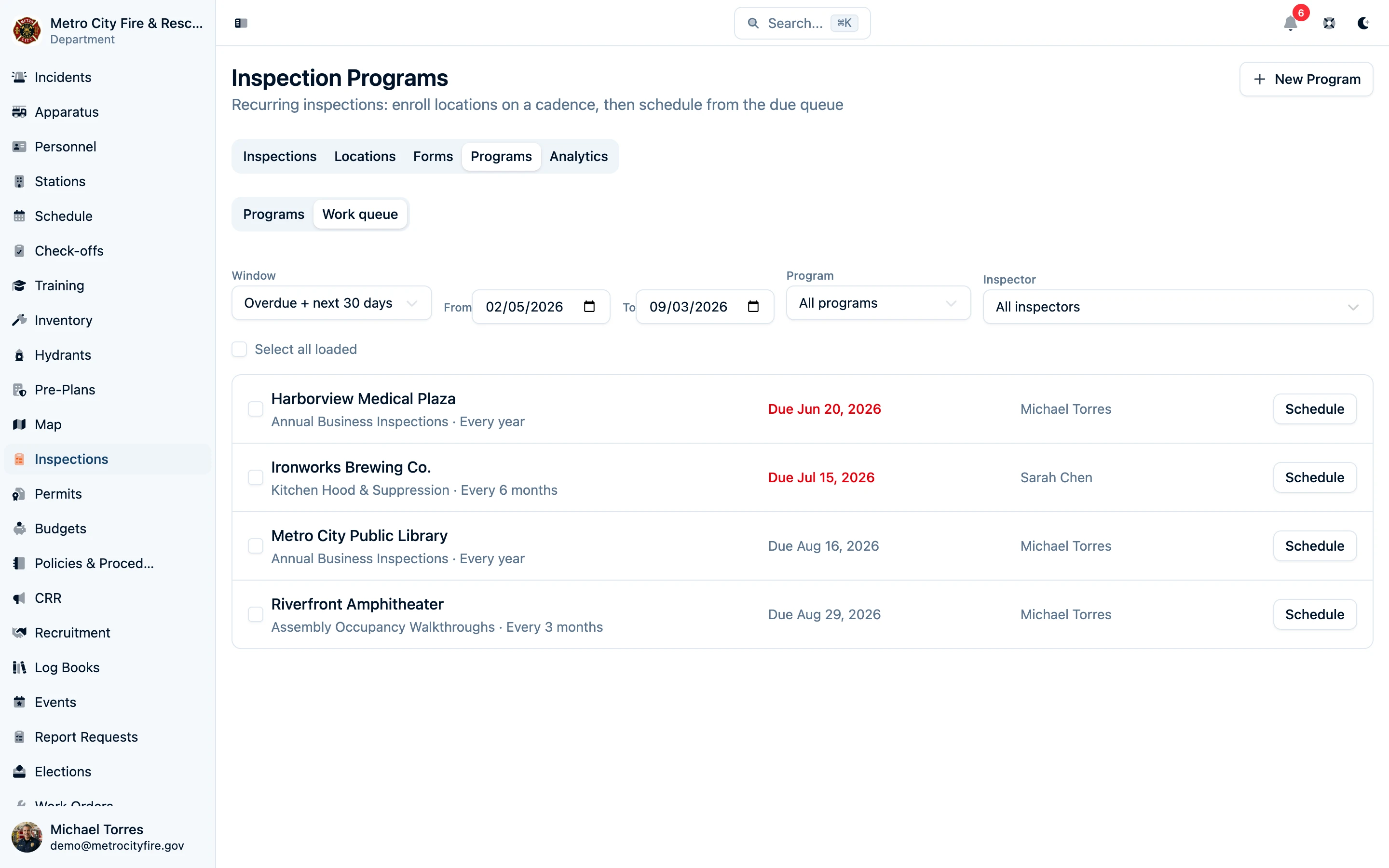
Recurring inspections are where paper systems fall apart. Inspection programs fix that: create a program — annual business inspections, semi-annual kitchen hood checks, quarterly assembly walkthroughs — pick the form it uses and the cadence it runs on, then enroll locations.
The work queue shows everything due or overdue across all your programs in one list, with the assigned inspector and due date on each row. Schedule visits one at a time or in bulk, and when an inspection is completed the location's next due date advances automatically.
Register the Locations You Inspect
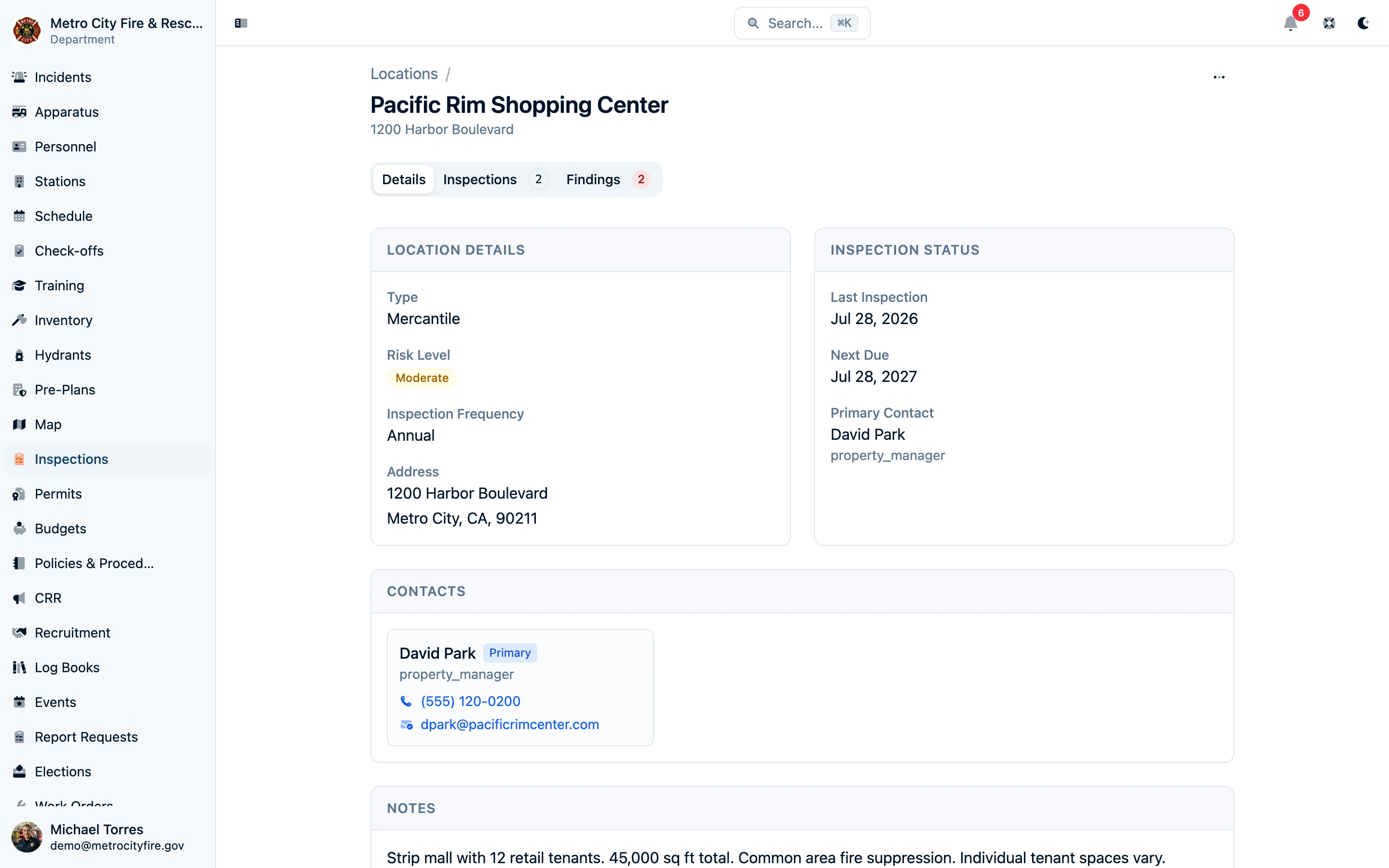
Create a record for every property in your jurisdiction — restaurants, hotels, industrial facilities, care homes, any occupancy you visit. Each location stores the business details, address, occupancy type, risk level, and contacts, plus the full history of every inspection and finding recorded there. When you schedule a new visit, that context is already linked before you walk through the door.
Stay Ahead with Analytics
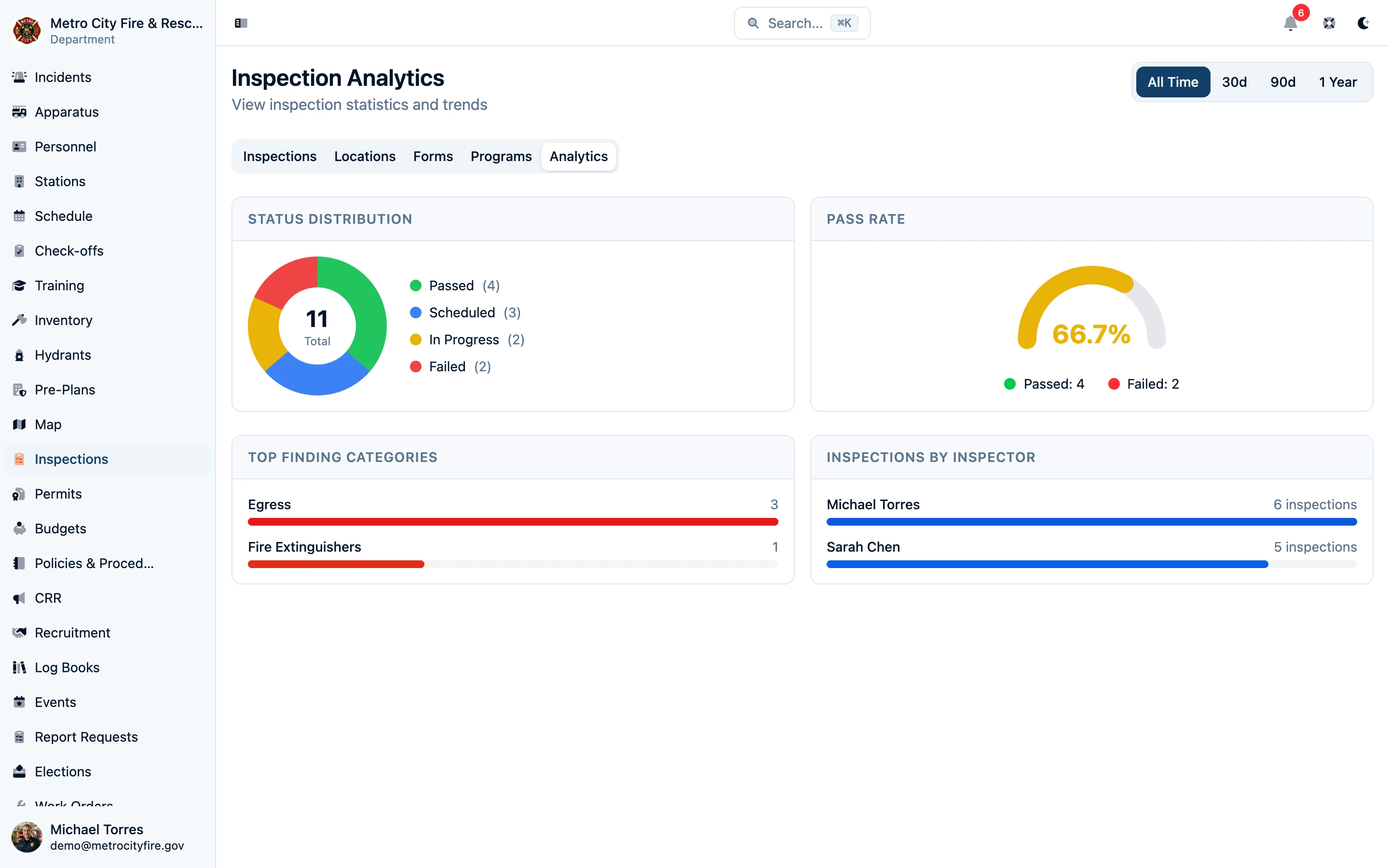
The analytics dashboard turns your inspection history into practical information: counts by status, the overall pass rate, the finding categories that appear most often, and how inspection activity is distributed across inspectors — so you can prioritize the department's workload with real numbers.
Note: Already doing inspections? If your department has existing inspection records in spreadsheets, paper logs, or another system, we'll help you migrate them. We work with you to import your historical inspection data — locations, past inspections, and findings — so you don't lose your inspection history when you switch. Contact us about importing your data.