
A Department Filing Cabinet—Without Turning Everything Into a Loose File
Command Established Documents gives your department one organized place for records that do not belong to a more specific part of the system: bylaws, deeds, insurance policies, standing mutual-aid agreements, board resolutions, historical archives, brand masters, and similar department-wide material.
It is a real filing cabinet, with nested folders, inherited access rules, browser previews, recoverable deletion, and high-quality full-content search. It is not meant to replace the purpose-built records elsewhere in Command Established.
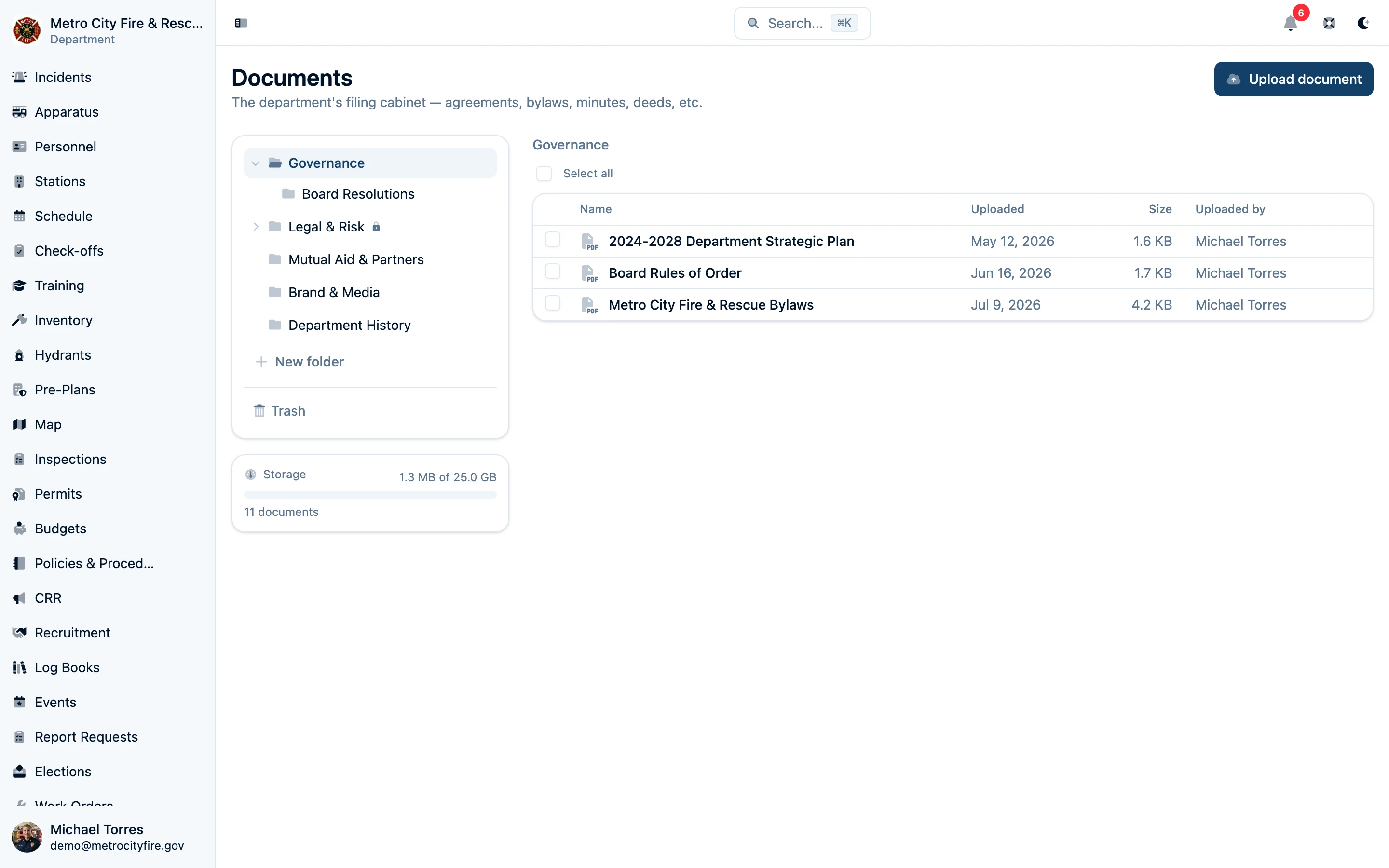
The department cabinet—organized drawers, clear file metadata, restricted-folder indicators, and storage usage in one view.
Put the File Where the Work Lives
The most useful document system is the one that preserves context. When a file supports a specific record, keep it on that record:
- Put a quantitative fit-test report on the member's fit test.
- Put a credential scan on the member's certification.
- Put scene photos and CAD files on the incident.
- Put an apparatus inspection report on the inspection.
- Put a floor plan on the pre-plan, an invoice on the work order, and permit material on the permit.
That way, someone reviewing the work sees the supporting file immediately—without searching a second cabinet or wondering whether they found the current copy.
Use Documents for content that genuinely has no better home. The distinction keeps the filing cabinet useful instead of letting it become a catch-all junk drawer.
Search What the Document Actually Says
Titles and filenames are not enough when someone remembers a clause, address, equipment name, or agreement term but not the file it came from. Command Established extracts, chunks, and indexes the full content of supported files:
- Native text from PDFs, Word documents, PowerPoint presentations, Excel workbooks, plain text, Markdown, and CSV files.
- OCR for scanned PDF pages and images that do not already contain usable text.
- Hybrid keyword and semantic search, so exact terms and meaning both contribute to relevant results.
- Page, slide, sheet, section, and image provenance retained during indexing where the source format provides it.
Search results still respect the cabinet's folder access rules. A member cannot discover a restricted file through search if they cannot open its folder.
Preview PDFs, Images, Audio, and Video in the Browser
Open a document and verify it without downloading it first. PDFs render in a large embedded viewer; common image formats display directly; and native browser players handle audio and video. The file's folder, description, filename, size, type, upload date, and uploader stay visible beside the preview.
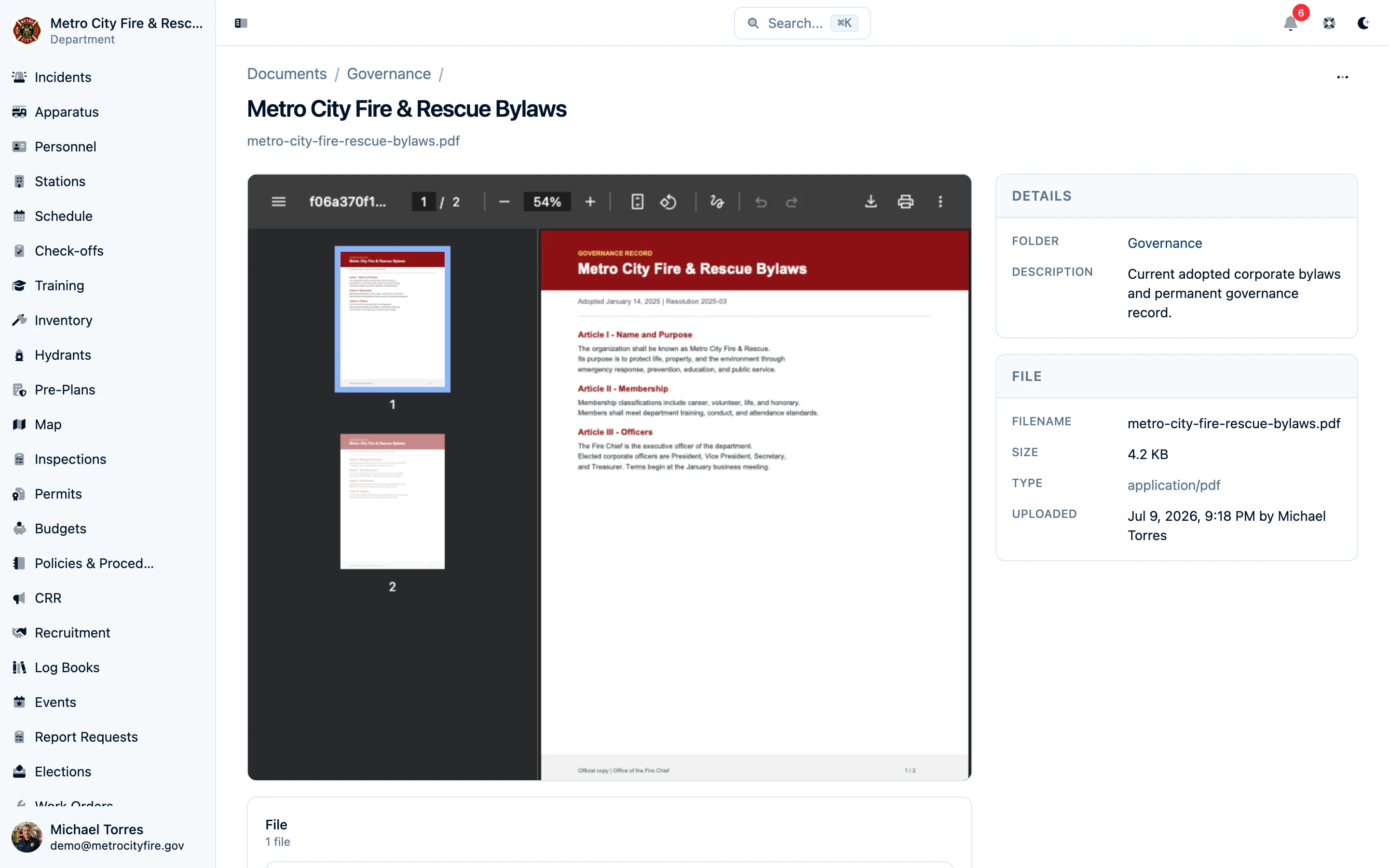
Preview the actual file beside its cabinet metadata—useful when the question is simply, “Is this the right agreement?”
Office, CAD, email, archive, and other formats that browsers cannot reliably render remain available to download in the application that owns them. The interface says that plainly instead of showing a broken or incomplete viewer.
Access Control That Follows the Folder Tree
Set access once on a folder and let everything beneath it inherit the rule. Give everyone a baseline or restrict the folder to specific department groups. For each group, decide who can see files, add files and subfolders, edit or move documents, and send files to the trash.
Access is intentionally folder-level rather than per-document. If one document needs different protection than its neighbors, put it in the appropriate restricted folder. That keeps the access model understandable during day-to-day filing and during an audit.
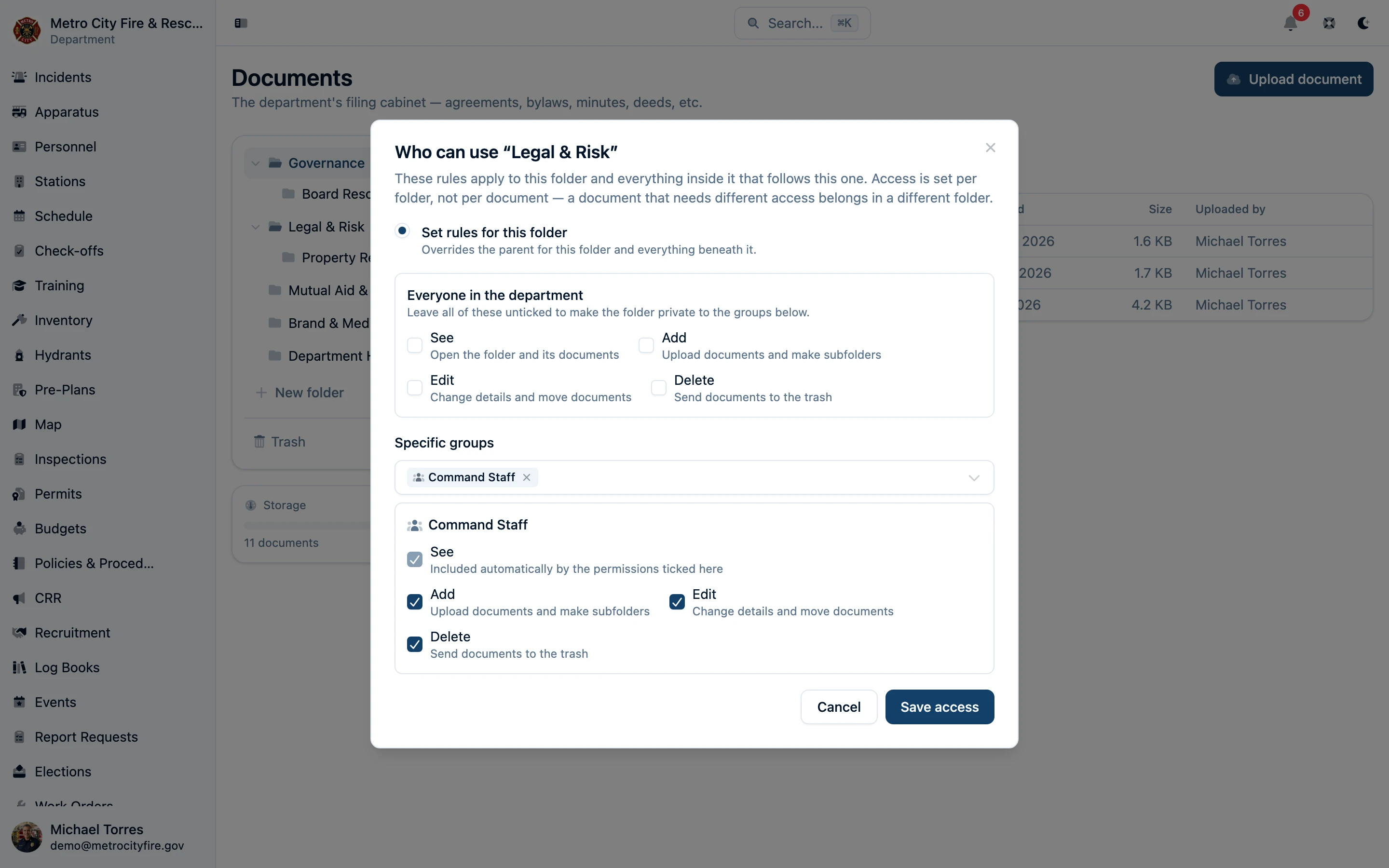
Legal & Risk is restricted to Command Staff. Child folders follow the same rule unless an administrator deliberately gives them their own.
Built for the Files Fire Departments Actually Keep
Drag and drop files anywhere on the cabinet page or drop them directly onto a folder. The cabinet accepts everyday office documents, scans, images, saved correspondence, plan sets, CAD files, archives, audio, and video up to the documented upload limit. Every document records who filed it and when.
Deleting a document moves it to the trash instead of immediately destroying it. Department owners and administrators can restore it during the 90-day recovery window. Storage usage stays visible so the department knows how much of its allowance the live cabinet and recoverable trash are using.
A Better Home for the Remainder
Fire departments accumulate records that matter but do not justify a custom workflow of their own. Documents gives that remainder a disciplined home—without flattening incidents, training, personnel compliance, inspections, maintenance, permits, and other structured work into folders full of anonymous files.
Ready to replace the shared drive without losing the context around your records?