
Daily Checks, Without the Clipboard
The truck check has to happen every day whether you run five members or fifty. Command Established turns daily apparatus checks, SCBA inspections, and equipment check-offs into shared digital checklists. Crews work from their phones or a rig tablet, save answers as they go, and submit one completed record.
Check the Rig Together
One person checks the cab, another takes the pump, and another checks the SCBA. Everyone opens the same checklist or scans its existing QR code and joins the same live check-off. Answers, notes, meter readings, photos, and work orders are shared across the crew's devices.
The progress bar shows what remains. Mark the unchecked items in a finished section good without clearing anyone's flags, or use the bottom action to jump to the next unanswered item. When everyone is finished, one person submits the crew's combined results.
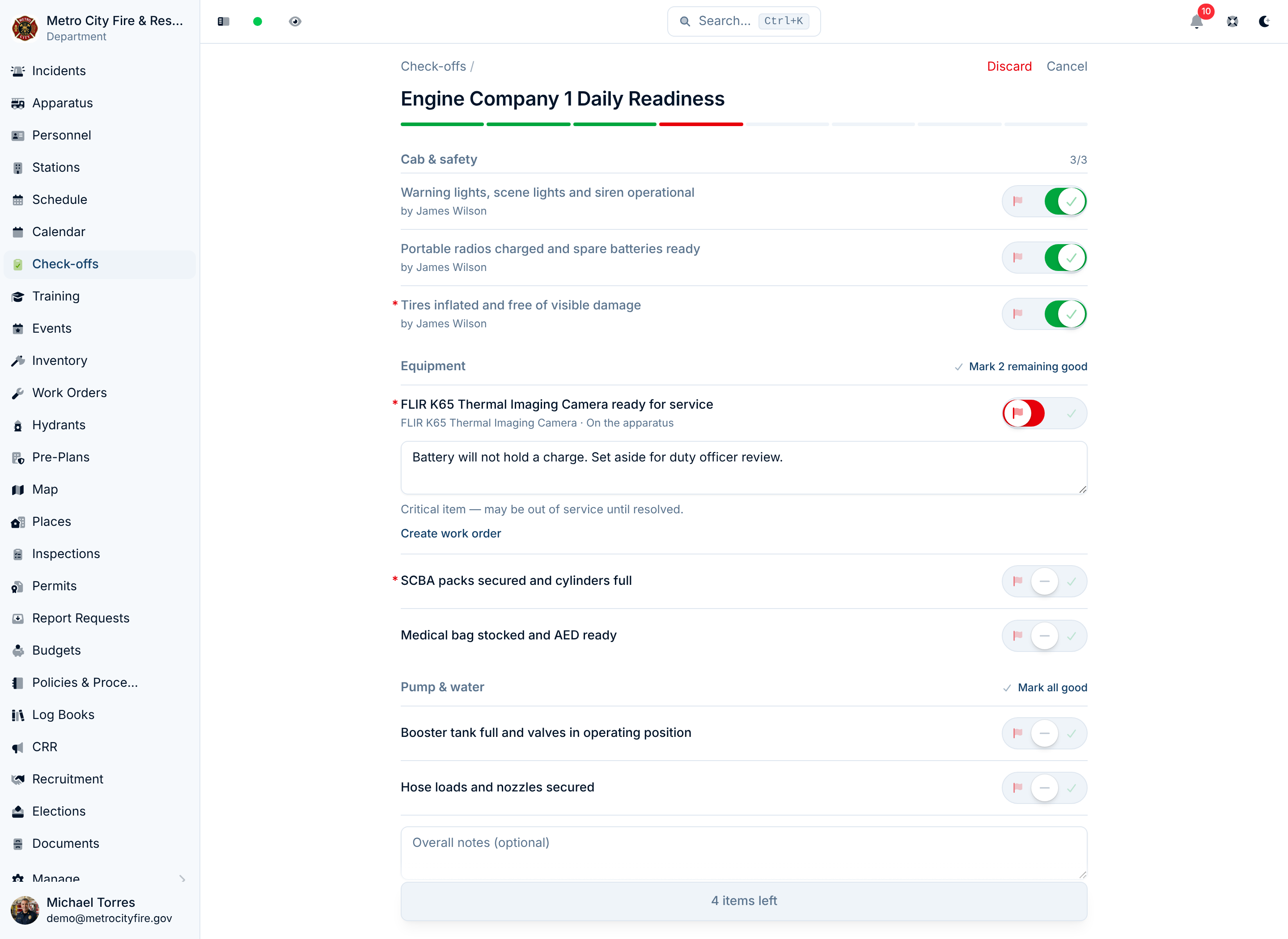
Learn how shared progress, photos, rig tablets, and submission work in Live Check-Offs.
Build the Checklist Once
Create a check-off template for any routine your department runs—an engine daily check, a weekly SCBA inspection, a monthly generator test. Each template is organized into sections and items, so an engine check might group the cab, engine compartment, pump, and SCBA into their own blocks.
For each item you can:
- Flag it critical — failed critical items, like low SCBA pressure or a brake fault, stand out in the results so an officer can act before the rig goes in service.
- Require a note — ask the crew to record a measurement or explain what was checked, such as the oil level or pump pressure.
- Link equipment — connect an apparatus or station check to the inventory it covers, or build a section directly from that inventory.
Set an optional frequency—daily, weekly, monthly, quarterly, or a custom interval—so everyone can see the cadence the template is meant to run on.
Link Checks to Your Inventory
An apparatus or station checklist can check the actual equipment assigned there. Link a ladder check to that ladder's inventory record, or connect an SCBA pressure check to the packs on the rig. Equipment names, asset tags, and locations help the crew identify the pieces they are checking.
Build those connections in either direction:
- Link equipment on an existing checklist item to select one or more inventory records.
- Add from Inventory on a section to create a separate, linked checklist item for each piece you select. Pick a compartment's equipment together, including items stored inside bags and kits, then adjust the checks to suit your routine.
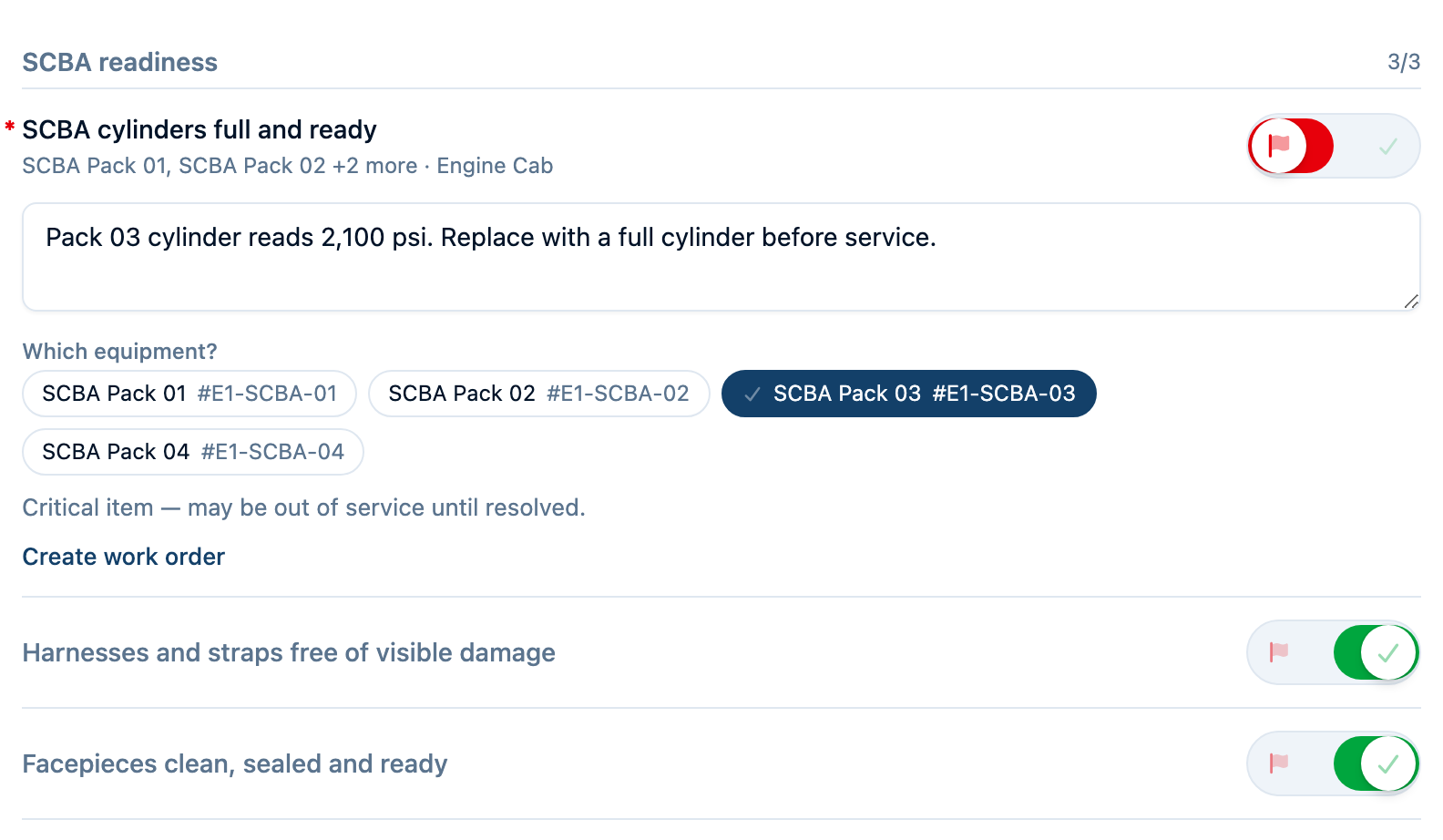
A grouped SCBA check gives the crew one pass/fail result and lets them identify the faulty packs. Separate items give each pack its own result. When equipment moves to another rig or station, the template flags the old link so its owner can choose the replacement.
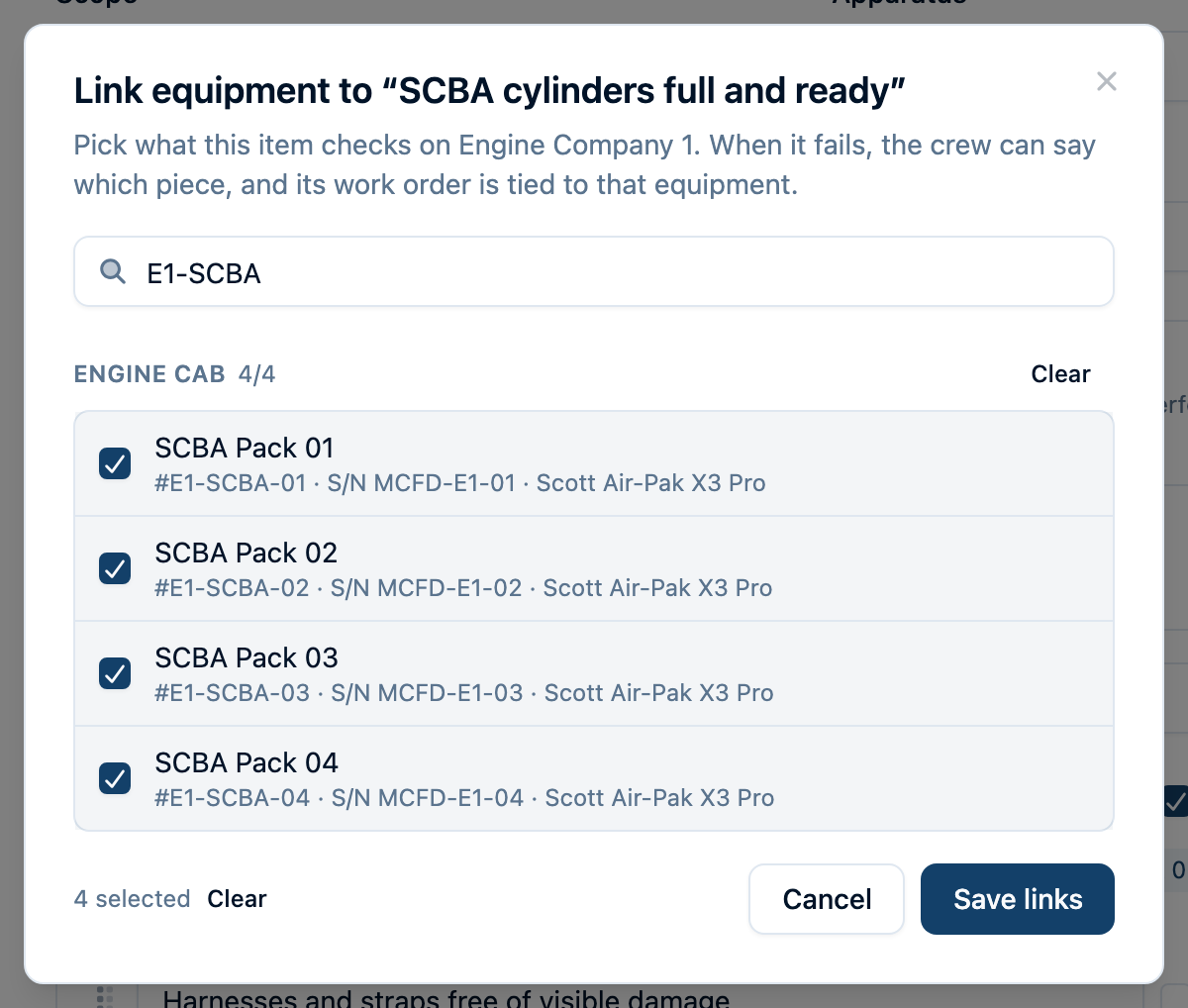
Follow the setup steps in Linking Items to Equipment.
Put the Repair on the Right Equipment
When a check linked to one piece fails, that piece is identified automatically. If the check covers several SCBA packs, the crew uses Which equipment? to identify the ones that failed. Creating a work order for one affected piece attaches it directly to that inventory record. An order covering several pieces stays on the rig or station and names the selected equipment in its description.
When an item already has a matching open order, the check-off offers to add today's note to it or create a separate order for a new problem. The completed check links the failed equipment back to its inventory record, keeping the result and repair connected to the piece that needs attention.
Photos from any crew member stay with the submitted check-off, so the next person can see the damaged fitting or cracked lens alongside the notes.
Put the Check on a Schedule
A frequency states the intent. To actually put the check on someone's list, give the template a schedule: a recurring work order that comes due on the cadence you set.
When it comes due, the work order lands in the normal queue alongside every other job, and it opens with a Start check-off button that goes straight to the right checklist. When an eligible member submits, the check-off completes the work order and links the completed check to it, so the record of what closed the job is right there.
Assign the schedule to a group or a member and it shows up in their queue with a notification. Leave it unassigned and the rig simply reads Due today on the Station Hub until someone runs it—which is how a daily truck check usually works anyway: whoever is on duty does it, and doing it clears the board.
Setting one up, and what to do when a scheduled check-off doesn't close its work order: Check-Off Templates.
Scope Each Check to Where It Belongs
Every template is tied to a scope: a specific apparatus, a station, or the department as a whole. An engine daily check belongs to that engine. A station SCBA inspection belongs to the station. The Station Hub brings those checks together, and an apparatus's Check-Offs tab offers its templates, history, and checklist management in one place.
Put the Checklist Where the Work Happens
Open any template and generate a printable QR code. Laminate it, mount it on the dash, the pump panel, or the SCBA rack, and your crew scans it to load the exact checklist after signing in if needed. Everyone scanning the same code joins the current check, including crew members using separate phones.
Want the full playbook on rolling out QR check-offs? Read our guide: QR Codes + Check-Offs: A Best Practices Guide.
Know Which Rigs Are Ready
Completed check-offs don't disappear into a binder. The Check-Off History lists every completed check by date, and the Station Hub organizes them by station and apparatus—so a glance tells you which rigs have been checked today and which haven't. Use it to spot a piece of equipment that keeps failing, confirm checks are happening on schedule, or see who might need a refresher on inspection procedures.
Open a completed check for the individual results, failure notes, meter readings, photos, and related work orders. Failed equipment links back to its inventory record so the follow-up stays connected to the item that was checked.
A Checklist Crews Actually Complete
Crews can share the work while keeping one completed record. The same template opens from a phone, a paired tablet, the apparatus page, or a QR code, and the answers are ready for the next crew to review once submitted.