
Take Control of Your Department's Finances
Command Established gives your department a complete budgeting and grant management workflow—from building annual budgets to tracking every dollar spent, earned, and awarded. Purpose-built for fire departments, not adapted from generic accounting software.
All Your Budgets in One Place
Create budgets for each fiscal year and track them through their lifecycle—from draft to active to closed. The budgets list gives you a quick snapshot of every budget your department has created, with status badges so you can see what's current at a glance.
Each budget captures the fiscal year period, total budgeted amount, and overall status. Whether you're preparing next year's proposal, managing the current operating budget, or referencing a closed one for comparison, everything is organized and accessible.
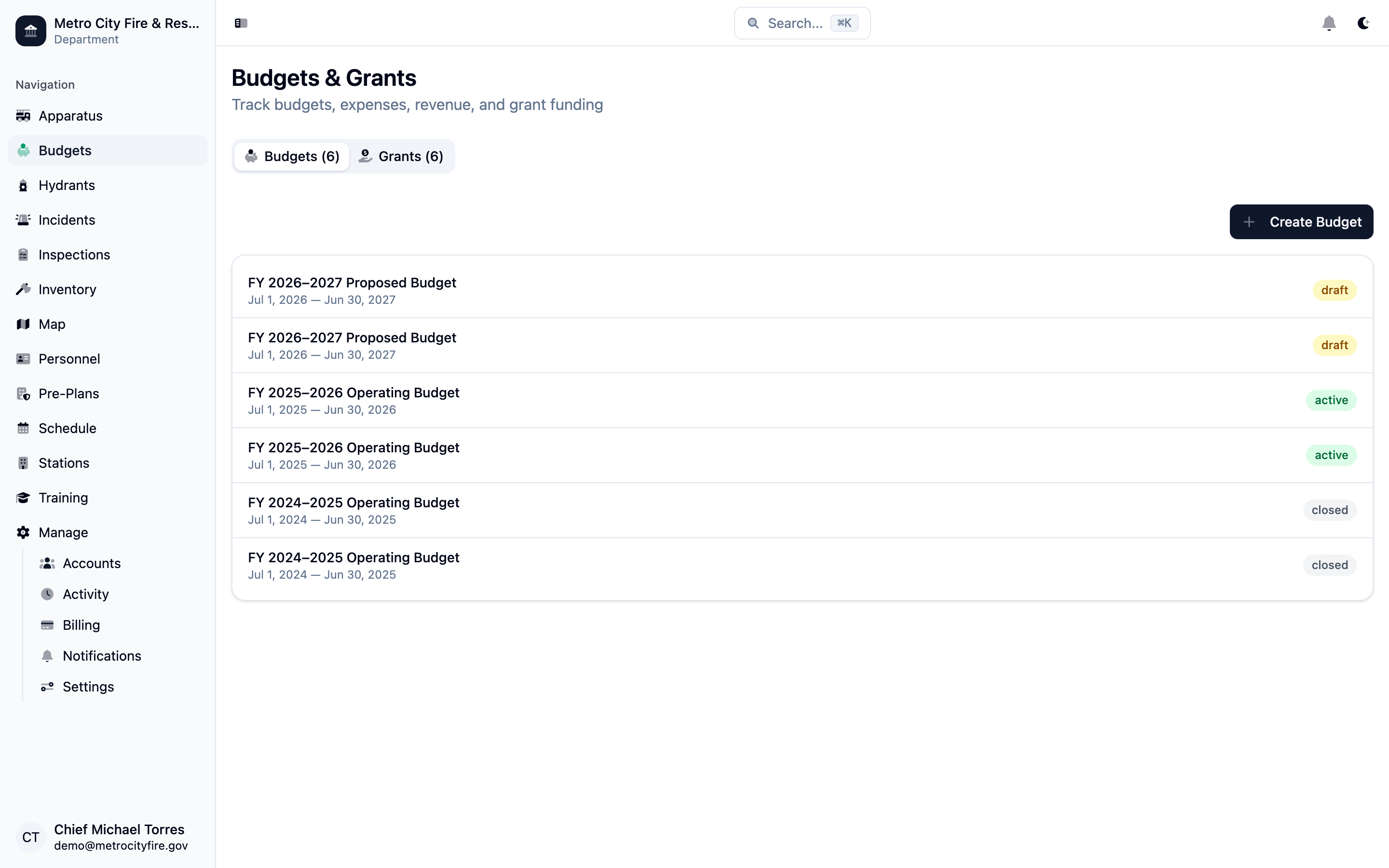
The budgets list showing fiscal year budgets with status badges—draft, active, and closed.
See Where Every Dollar Goes
Open any budget to see the full picture: total budgeted, total spent, remaining balance, and total revenue—all displayed at the top. Below, your budget is organized into categories like Personnel & Staffing, Apparatus & Vehicles, PPE & SCBA, and more.
Each category shows a progress bar tracking spending against the budgeted amount, with individual line items broken down beneath it. You'll always know exactly where your department stands financially—no spreadsheets or manual calculations needed.
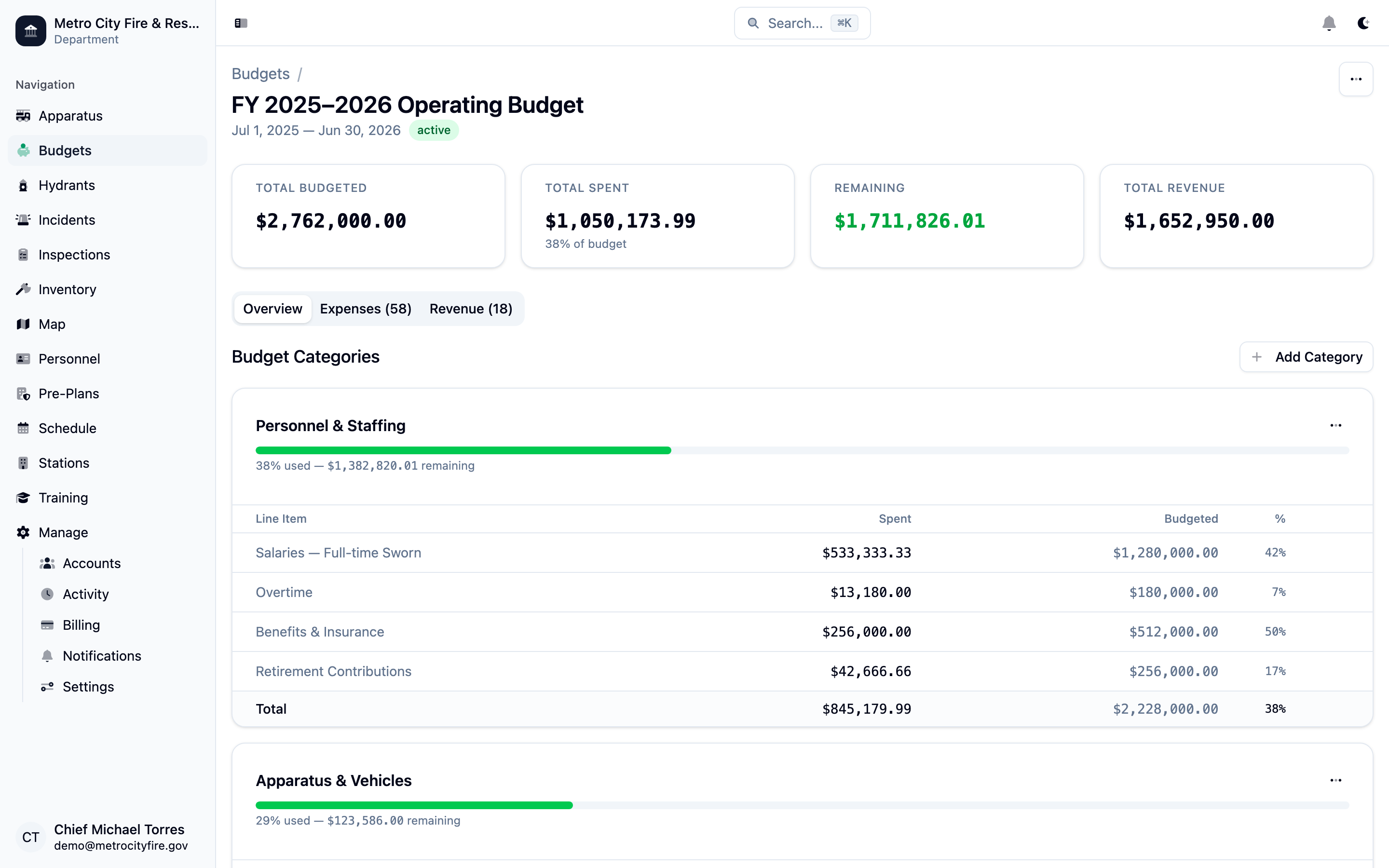
A budget overview showing total budgeted vs. spent, category-level progress bars, and individual line items with spending percentages.
Track Every Expense
The expenses tab lists every purchase and expenditure recorded against the budget. Each entry includes the date, amount, description, line item category, vendor, and associated grant (if applicable).
Adding an expense is straightforward—select the line item, enter the amount and vendor, optionally attach a receipt or invoice, and link it to a grant if the purchase is grant-funded. Expenses are searchable and sortable, so you can quickly find any transaction when questions come up at a board meeting.
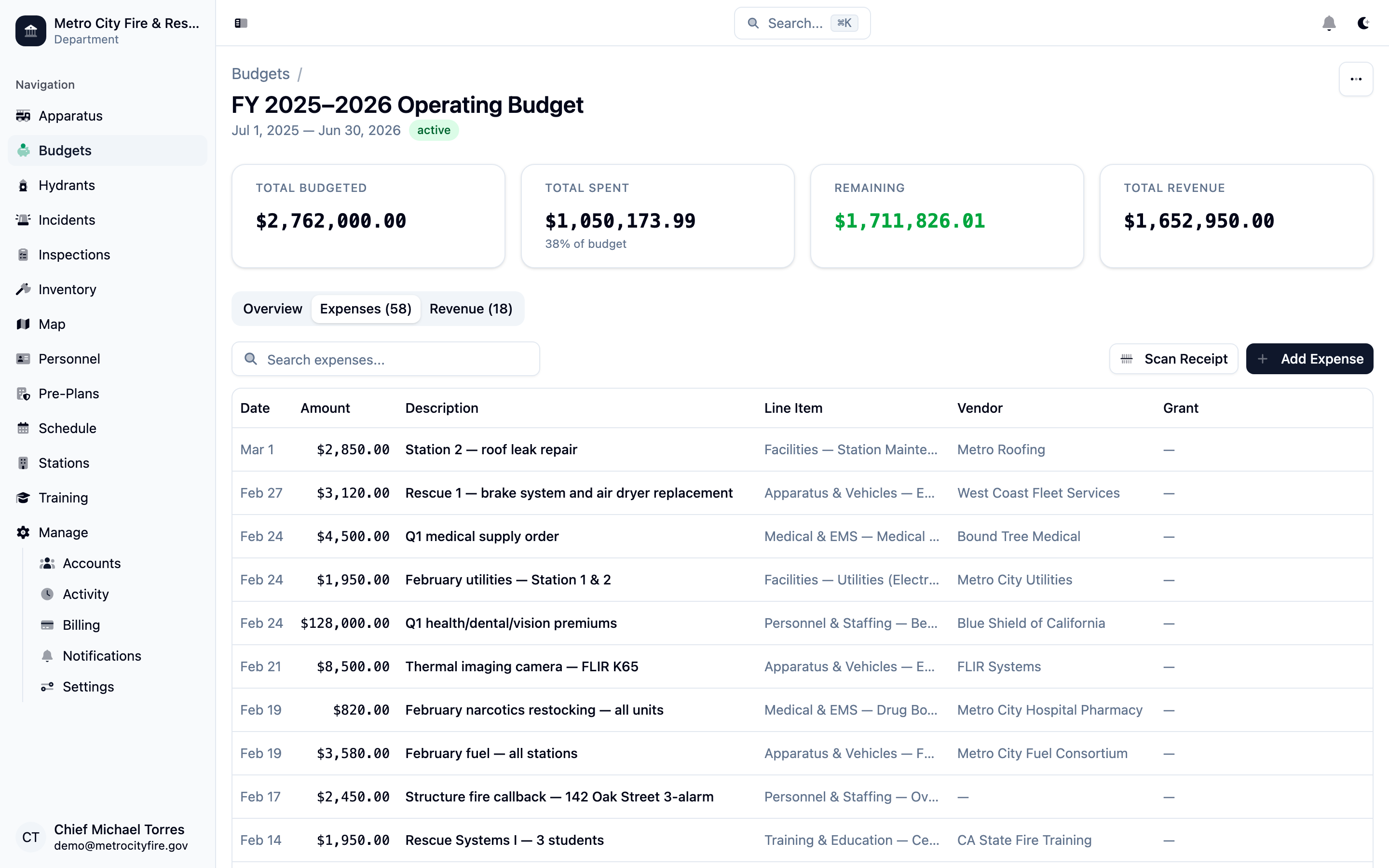
The expenses tab with a full list of purchases—each tied to a line item, vendor, and optional grant.
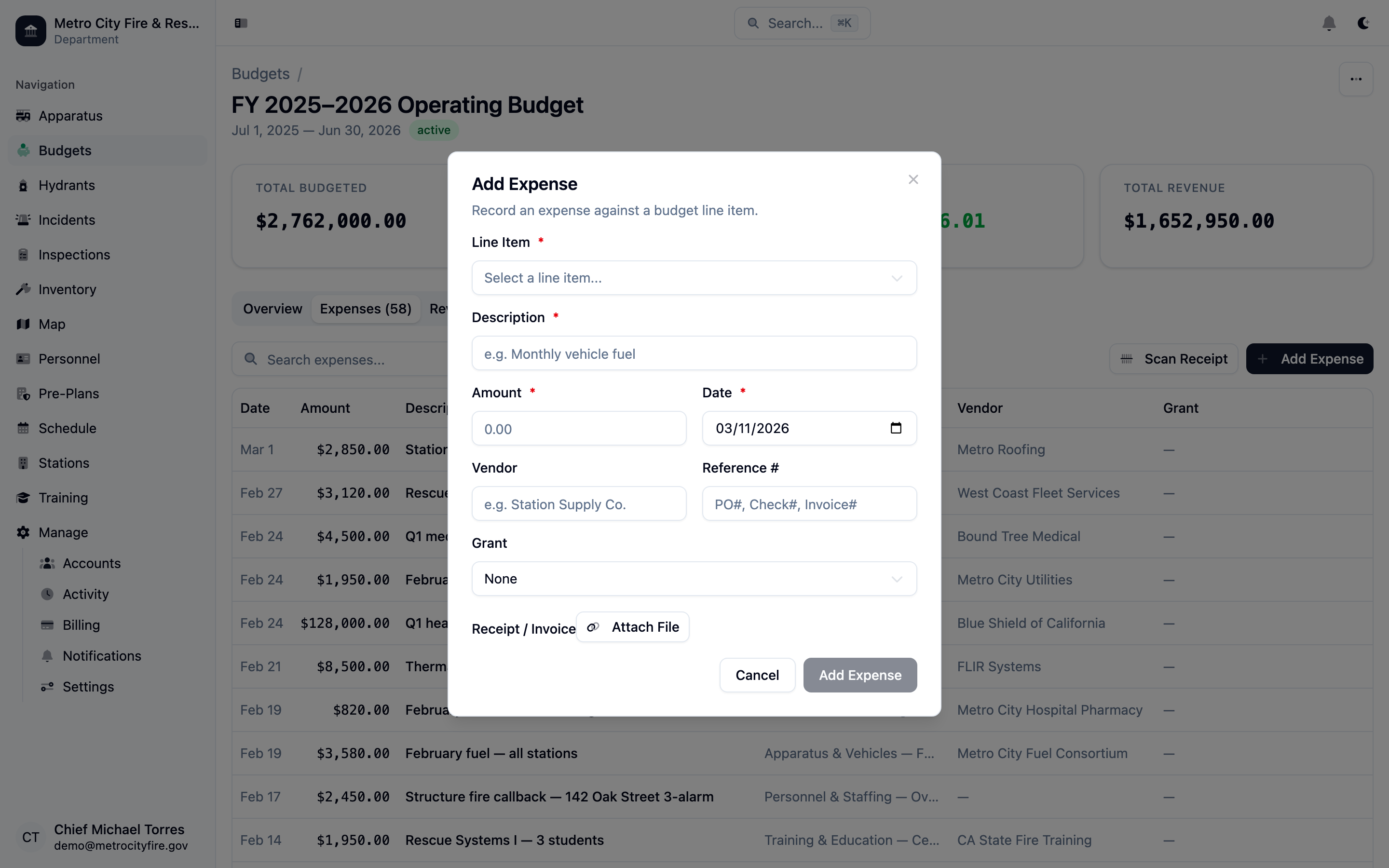
The add expense dialog—select a line item, enter the details, attach a receipt, and optionally link to a grant.
Track Revenue and Funding Sources
The revenue tab captures every dollar coming in—property tax distributions, EMS billing, donations, fundraiser proceeds, grant reimbursements, and more. Each entry records the date, amount, description, source, and a reference number for reconciliation.
Having revenue and expenses in the same system means you always have a complete financial picture. When budget season arrives, you can compare actual revenue against projections and use the data to build a stronger case for next year's request.
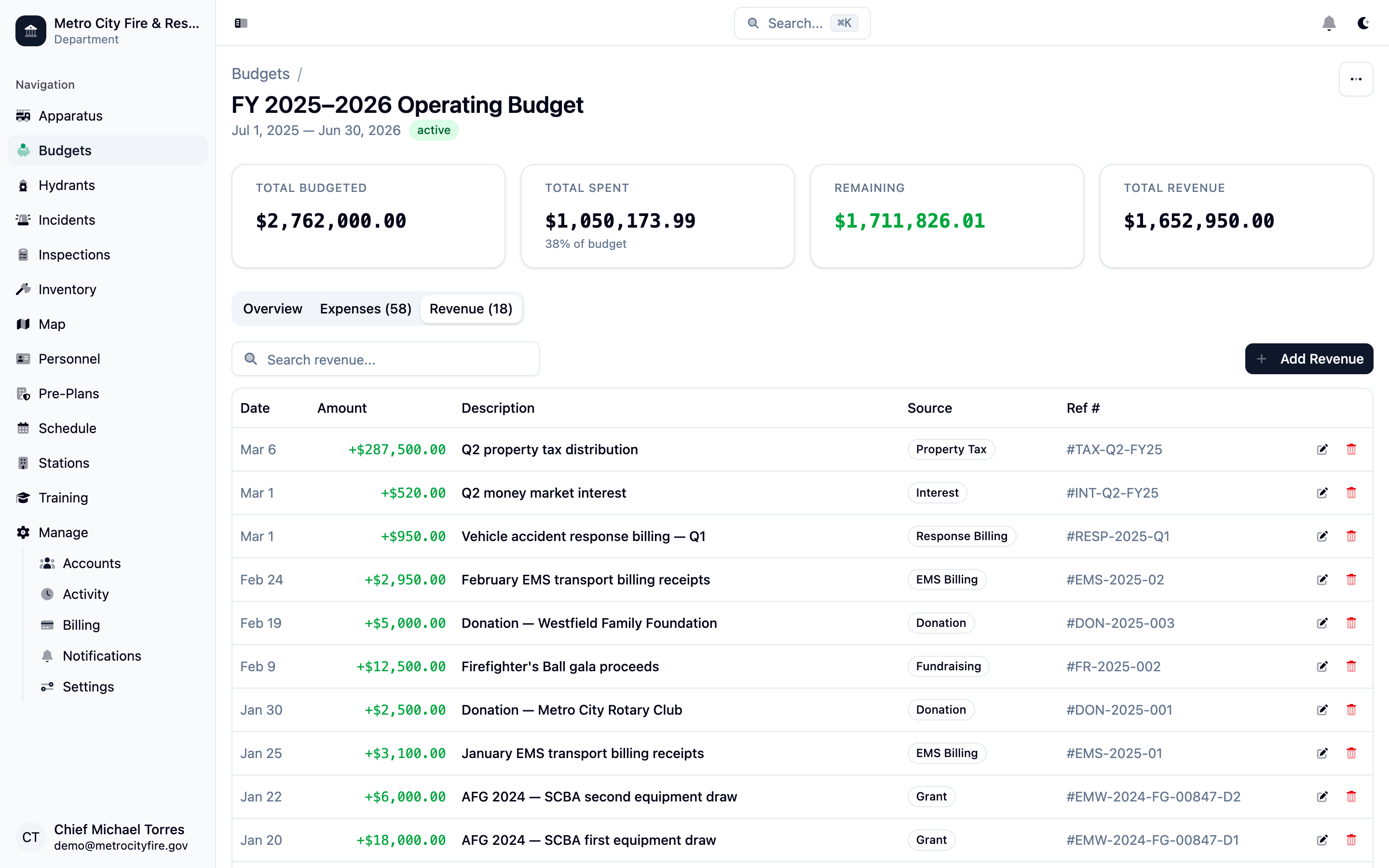
The revenue tab showing all income sources—property taxes, donations, EMS billing, grants, and fundraising proceeds.
Print-Ready Budget Reports
Generate a clean, professional budget report with one click. The report includes a summary of total budgeted, spent, and remaining amounts, followed by a detailed category-by-category breakdown with every line item, budgeted amount, actual spend, remaining balance, and percentage used.
These reports are designed for board presentations, municipal filings, and audit documentation. Print them directly from the browser or save as PDF—no exporting to spreadsheets or reformatting required.
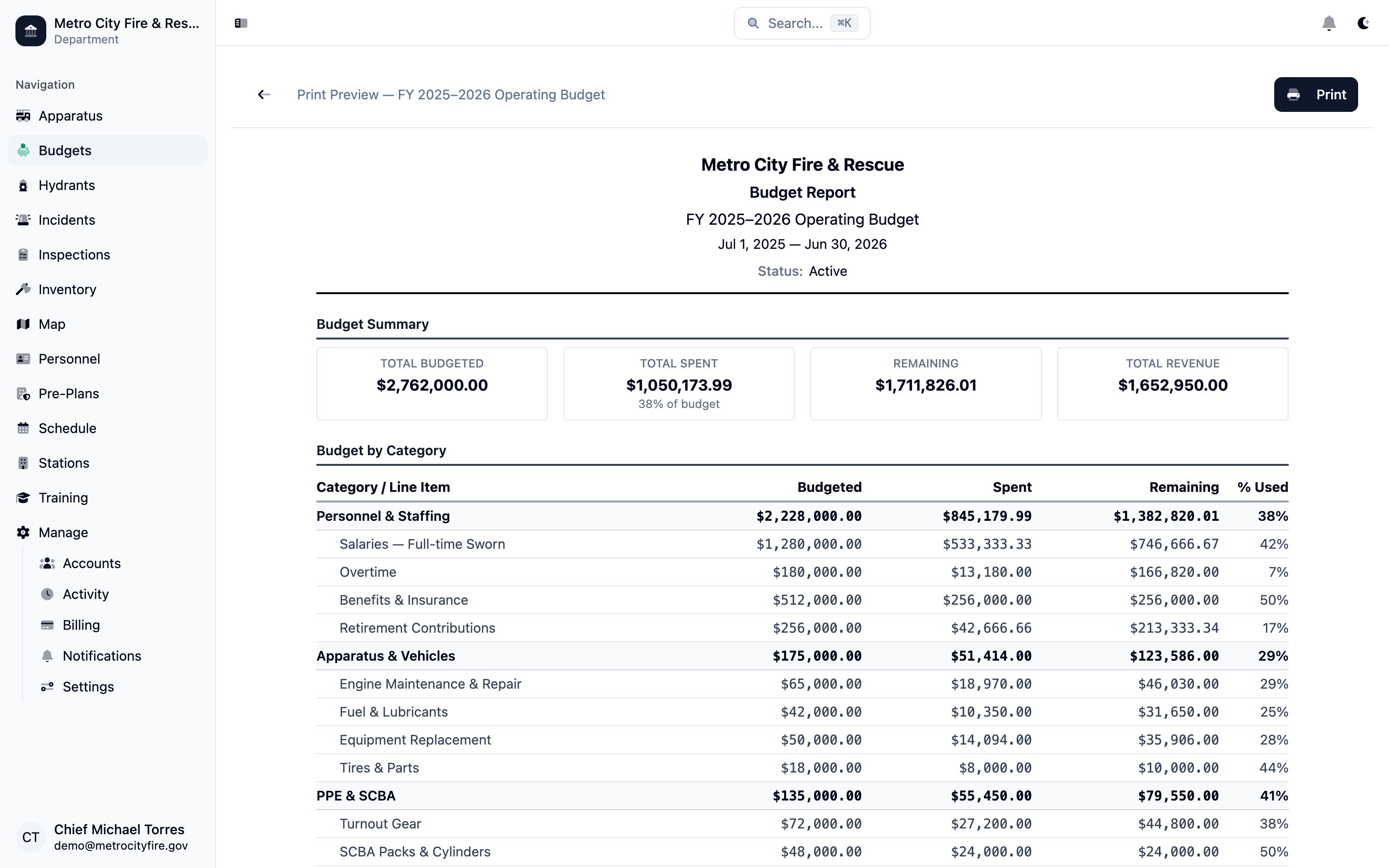
A print-ready budget report showing the full breakdown by category, line item, budgeted vs. spent amounts, and utilization percentages.
Manage Grants from Application to Closeout
Track every grant your department applies for—FEMA AFG, SAFER, state fire marshal grants, and any other funding sources. Each grant record captures the program, requested and awarded amounts, application and award dates, performance period, match requirements, and current status.
The grants list shows all your applications at a glance with status badges—active, awarded, closed, or pending. When a grant is awarded, you can link individual budget expenses to it so you always know exactly how much of the award has been spent and what remains.
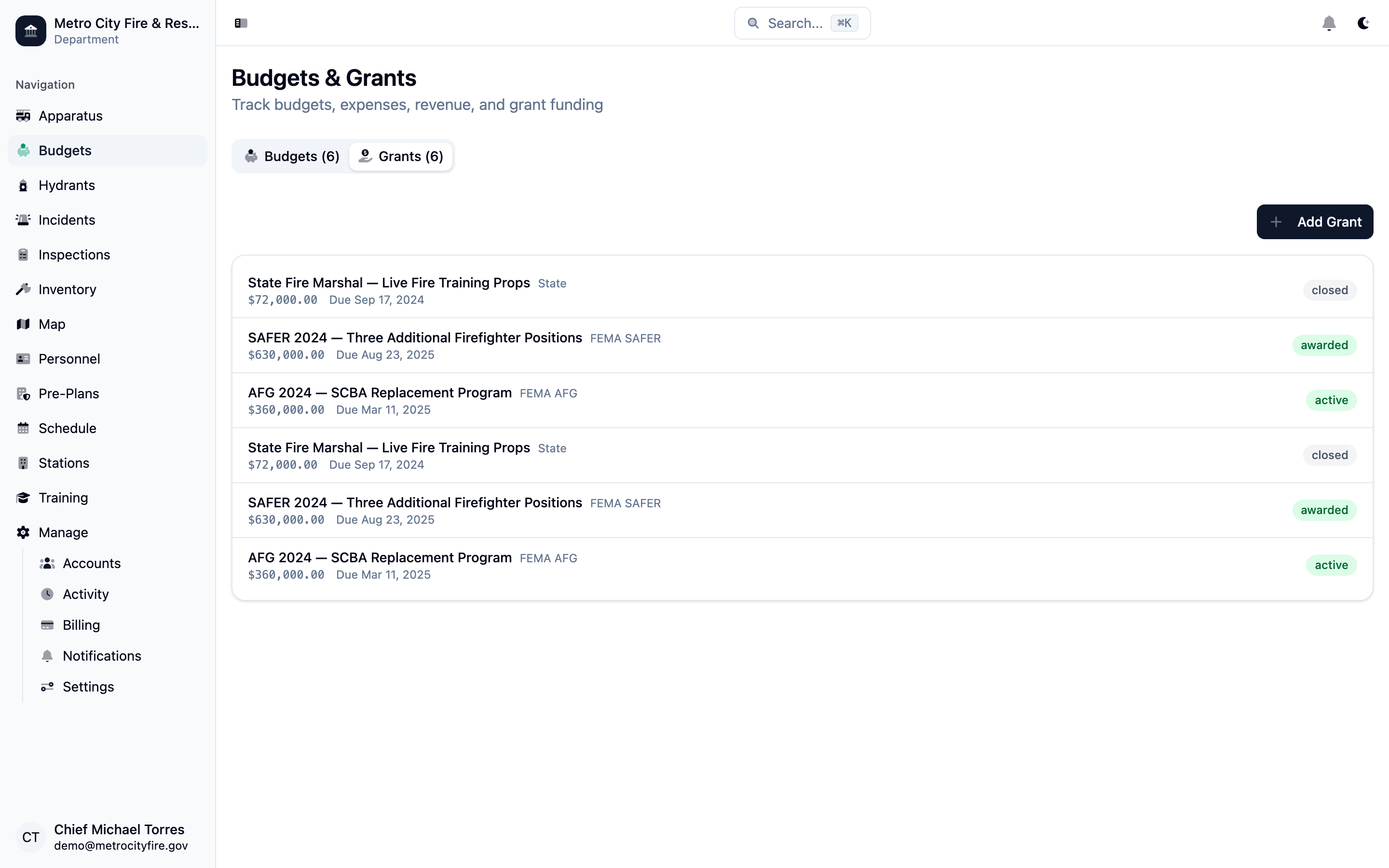
The grants list showing all applications with funding sources, amounts, and status badges.
Full Grant Detail and Spending Tracking
Open any grant to see the complete picture: awarded amount, total spent against the award, remaining balance, and a spending progress bar. The grant detail page stores all the key information—program type, application and award dates, performance period, match requirements, and notes.
Expenses linked to the grant are listed directly on the grant detail page, giving you a clear record of every purchase made with grant funds. This makes reporting to grantors straightforward—everything you need for reimbursement requests and closeout reports is already organized.
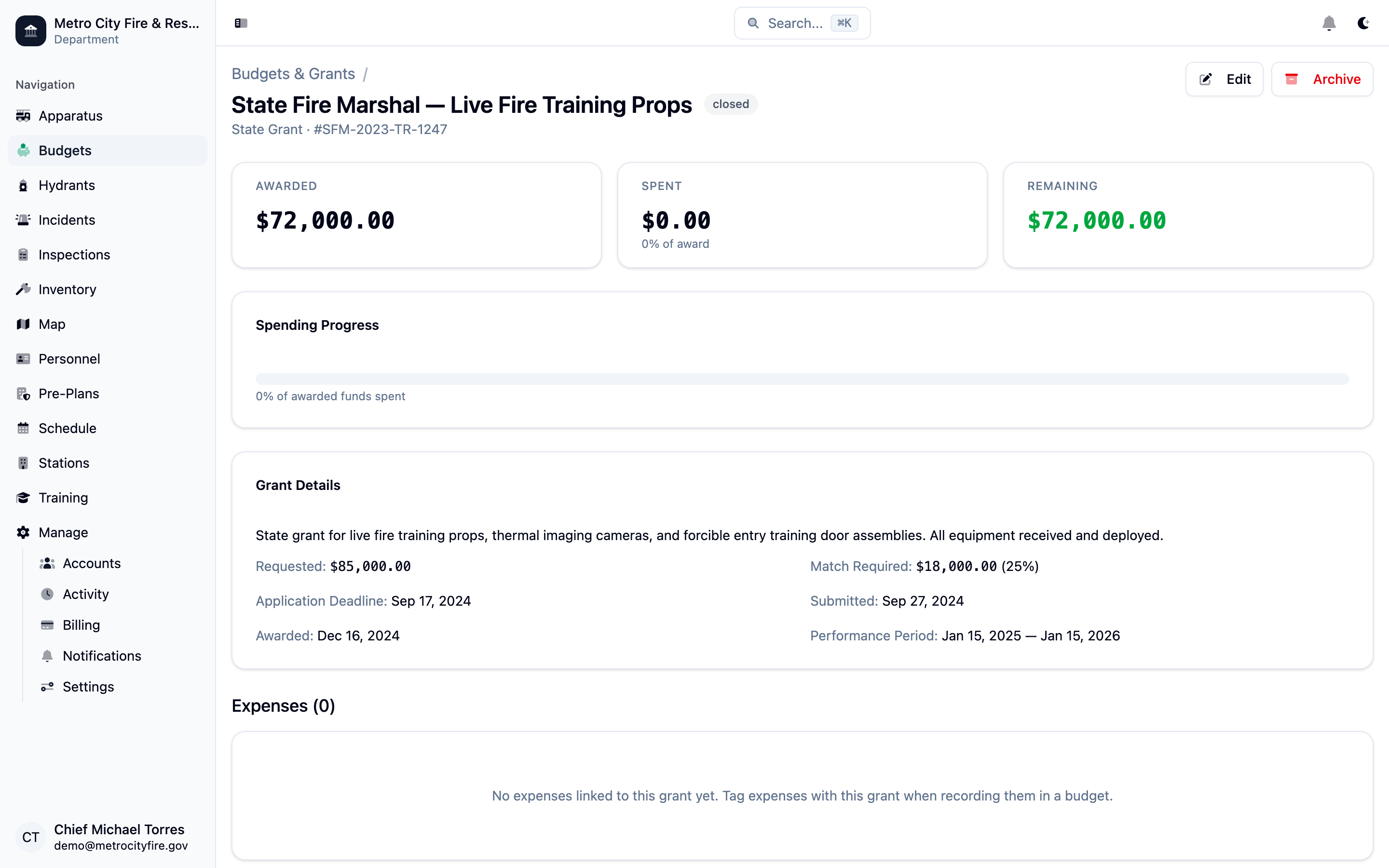
A SAFER grant detail page showing the awarded amount, spending progress, performance period, and linked expenses.
Note: Already have budget data? If your department has existing budgets in spreadsheets or another system, we can help you migrate. We'll work with you to import your historical budget data, expense records, and grant information so you don't lose your financial history when you switch. Contact us about importing your data.